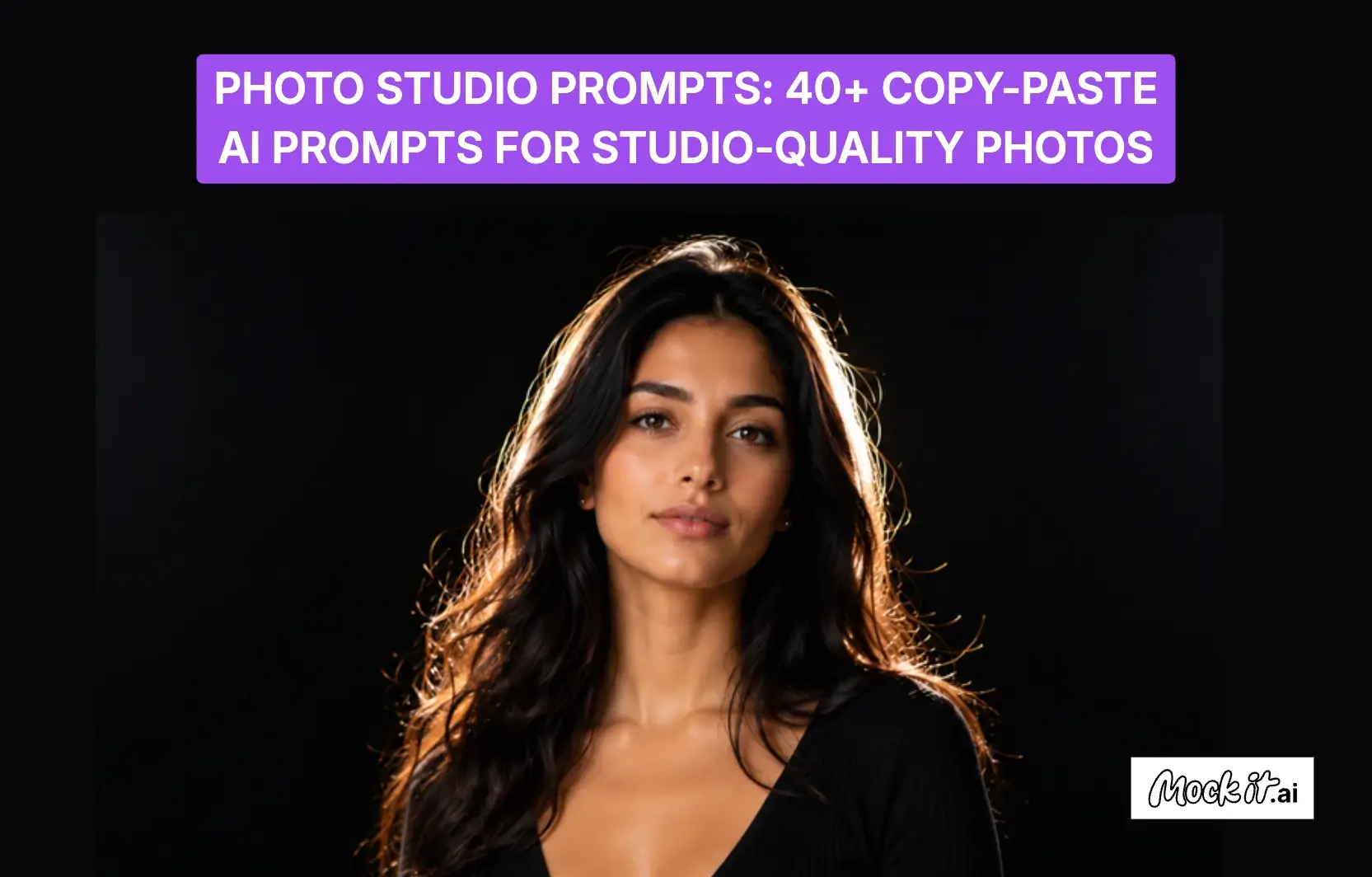
The best AI prompts for studio-quality photography use structured instructions that clearly define subject, lighting, composition, camera settings, and visual style. By combining elements such as clothing, background, lens type, and mood, each prompt serves as a complete creative blueprint that guides AI models in generating realistic, high-quality studio portraits. This structured approach ensures consistent results with strong realism, accurate lighting behavior, and professional photographic detail suitable for portraits, branding, and commercial use.
AI enhances studio photography workflows by applying these prompt structures across categories such as corporate headshots, minimalist portraits, fashion editorials, lighting setups, and product photography. Each section demonstrates how controlled inputs translate into predictable, high-quality outputs across tools like ChatGPT, Midjourney, and Gemini. Users can recreate images, restyle portraits, and generate variations while maintaining consistency and professional quality. This method enables efficient creation of studio-grade visuals for marketing, branding, and digital content production.
Studio Portrait & Headshot Prompts
Studio Portrait & Headshot Prompts focus on generating professional, realistic AI portraits across corporate headshots, minimalist studio setups, LinkedIn profiles, and personal branding selfies. These prompts define attire, lighting setups, camera angles, expressions, and background styles to produce polished, high-quality images. From soft studio lighting and clean backdrops to natural skin textures and sharp eye focus, they ensure consistent, credible, and visually appealing results suitable for business profiles, branding, and marketing use.
Professional Corporate Headshot prompt

Generating AI images for professional corporate headshots requires carefully defined business attire, studio lighting, facial expressions, camera settings, and background composition to create polished, credible portraits. Well-written photo prompts help AI produce realistic headshots with sharp eye focus, natural skin texture, balanced lighting, and clean studio backdrops. These professional corporate headshot AI photo prompts generate high-quality images suitable for LinkedIn profiles, executive branding, company websites, speaker bios, business cards, and other professional marketing materials.
AI Photo Prompts to generate high-quality professional corporate headshots:
- Prompt 1: “Professional corporate headshot of a smiling 35-year-old man, navy-blue tailored suit and white shirt, soft softbox key light with gentle fill, subtle catchlights, seamless neutral-grey backdrop, shot on 85mm lens at f/1.8, sharp focus on eyes, natural skin texture, approachable confident expression, ultra-realistic, 8k.”
- Prompt 2: “Professional corporate headshot of a 30-year-old woman, structured black blazer over a silk blouse, soft clamshell studio lighting, bright even exposure, clean light-grey gradient backdrop, shot on 85mm lens at f/2.0, crisp catchlights, polished trustworthy smile, natural retouching, ultra-realistic.”
- Prompt 3: “Professional corporate headshot of a 45-year-old executive man, dark-grey three-piece suit, soft directional key with subtle rim light, dark-blue gradient backdrop, shot on 85mm lens at f/2.0, authoritative, confident expression, sharp eyes, natural skin texture, ultra-realistic, 8k.”
- Prompt 4: “Professional corporate headshot of a young woman entrepreneur, fitted burgundy blazer, soft frontal beauty-dish key with gentle fill, light warm-grey backdrop, shot on 85mm lens at f/2.2, friendly approachable smile, crisp catchlights, natural radiant skin, photorealistic.”
Clean & Minimalist Studio Portrait
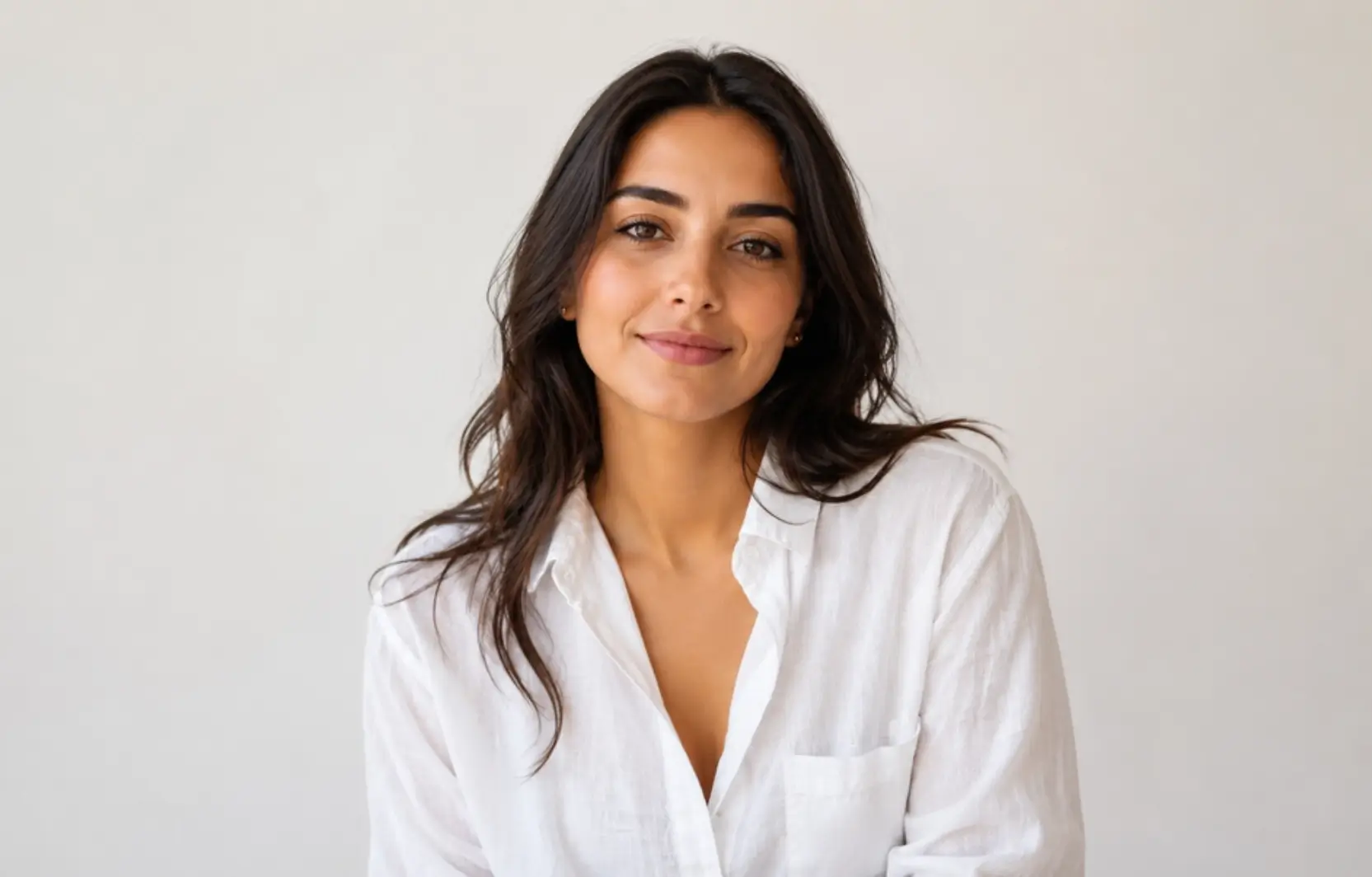
AI prompts for clean, minimalist studio portraits emphasize simplicity, balanced composition, soft lighting, and uncluttered backgrounds to create timeless, professional images. These photo studio AI prompts focus on neutral clothing, seamless backdrops, natural skin tones, shallow depth of field, and subtle studio lighting to ensure a refined visual style. Careful control of framing, lighting, and negative space helps eliminate distractions and enhance subject clarity, making these portraits ideal for personal branding, portfolios, editorial work, creative projects, and professional profiles.
Prompts to generate high-quality, clean, and minimalist studio portraits:
- Prompt 1: “Minimalist studio portrait of a young woman, casual white linen shirt, soft neutral overhead light, balanced even exposure, natural skin tone, plain off-white seamless background, shot on 50mm lens at f/2.2, shallow depth of field, serene, relaxed mood, photorealistic, fine detail.”
- Prompt 2: “Minimalist studio portrait of a young man, plain grey t-shirt, single soft frontal key with soft shadow falloff, muted beige seamless background, shot on 50mm lens at f/2.5, clean negative space, calm understated mood, true-to-life skin texture, photorealistic.”
- Prompt 3: “Minimalist studio portrait of a woman in profile, simple black top, soft side key with gentle gradient falloff, pale sand seamless background, shot on 85mm lens at f/2.0, elegant negative space, quiet contemplative mood, photorealistic, fine skin detail.”
- Prompt 4: “Minimalist studio portrait of a man, neutral oatmeal sweater, soft top-down key with even fill, plain warm-white seamless background, shot on 50mm lens at f/2.8, balanced exposure, calm modern mood, true-to-life skin texture, ultra-realistic.”
LinkedIn / Professional Photo (female + male)

LinkedIn and professional photo AI prompts focus on creating polished portraits that project credibility, confidence, and approachability for business and personal branding. By specifying professional attire, flattering studio lighting, clean backgrounds, natural expressions, and realistic camera settings, these photo studio prompts guide AI models to generate high-quality headshots with a refined corporate appearance. These AI-generated professional photos are ideal for LinkedIn profiles, company websites, executive biographies, portfolios, resumes, speaking engagements, and networking platforms.
AI PhotoPrompts to generate high-quality LinkedIn and professional photos:
- Prompt 1: “Polished LinkedIn headshot of a professional woman in her early 40s, structured charcoal blazer, soft diffused key light with bright even fill, blurred light-grey office-tone backdrop, shot on 85mm lens at f/2.0, crisp catchlights, warm trustworthy smile, natural retouching, ultra-realistic.”
- Prompt 2: “Polished LinkedIn headshot of a professional man in his 30s, fitted dark-grey suit jacket and open-collar shirt, soft clamshell studio lighting, clean light-blue gradient backdrop, shot on 85mm lens at f/2.0, sharp eyes, confident, friendly expression, natural skin texture, high resolution.”
- Prompt 3: “Polished LinkedIn headshot of a young professional woman, navy blazer over a white top, soft beauty-dish key with reflector fill, blurred neutral office backdrop, shot on 85mm lens at f/2.2, bright catchlights, approachable confident smile, natural skin, ultra-realistic.”
- Prompt 4: “Polished LinkedIn headshot of a senior professional man, tailored black suit and tie, soft three-point lighting with subtle rim, blurred dark-grey backdrop, shot on 85mm lens at f/2.0, sharp focused eyes, calm authoritative expression, natural skin texture, high resolution.”
AI Selfie / Personal Brand prompt

AI selfie and personal brand prompts help generate authentic, studio-quality portraits that reflect personality, confidence, and a consistent visual identity. With these photo studio prompts, AI models create realistic selfies by combining natural expressions, flattering lighting, casual or smart-casual outfits, smartphone-style framing, and clean backgrounds that reinforce a professional yet approachable image. A well-structured prompt guides composition, pose, expression, and lighting to create high-quality portraits for profiles, branding, and marketing.
Prompts to generate high-quality AI selfies and personal brand photos:
- Prompt 1: “Realistic studio-style selfie of a 28-year-old creator, casual beige knit sweater, soft ring-light glow with warm catchlights, clean pastel-cream backdrop, shot on smartphone-style 26mm lens, natural front-facing angle, friendly candid expression, true-to-life skin, social-media ready.”
- Prompt 2: “Realistic studio personal-brand selfie of a young man, fitted olive t-shirt, soft ring-light with subtle rim glow, plain dark-teal backdrop, shot on smartphone-style 26mm lens, slight three-quarter angle, confident approachable expression, natural skin texture, content-ready.”
- Prompt 3: “Realistic studio selfie of a woman influencer, pastel-pink hoodie, soft ring-light with gentle fill, clean lavender backdrop, shot on smartphone-style 26mm lens, natural front-facing angle, cheerful candid smile, true-to-life skin, social-media ready.”
- Prompt 4: “Realistic studio personal-brand selfie of a man in his 30s, smart-casual denim shirt, soft ring-light with warm rim glow, plain charcoal backdrop, shot on smartphone-style 26mm lens, slight upward angle, confident relaxed expression, natural skin texture, content-ready.”
Studio Lighting Prompts
Studio Lighting Prompts cover essential lighting setups used in professional portrait photography, including key lighting styles like Rembrandt, butterfly, and loop, fill lighting for balanced exposure and smooth skin, rim and backlighting for depth and subject separation, and cinematic moody lighting for dramatic storytelling effects. These AI prompts define light direction, intensity, shadows, and color grading to create realistic, high-quality studio portraits suitable for headshots, editorial photography, branding, and commercial visuals.
Key Light — Rembrandt / butterfly/loop
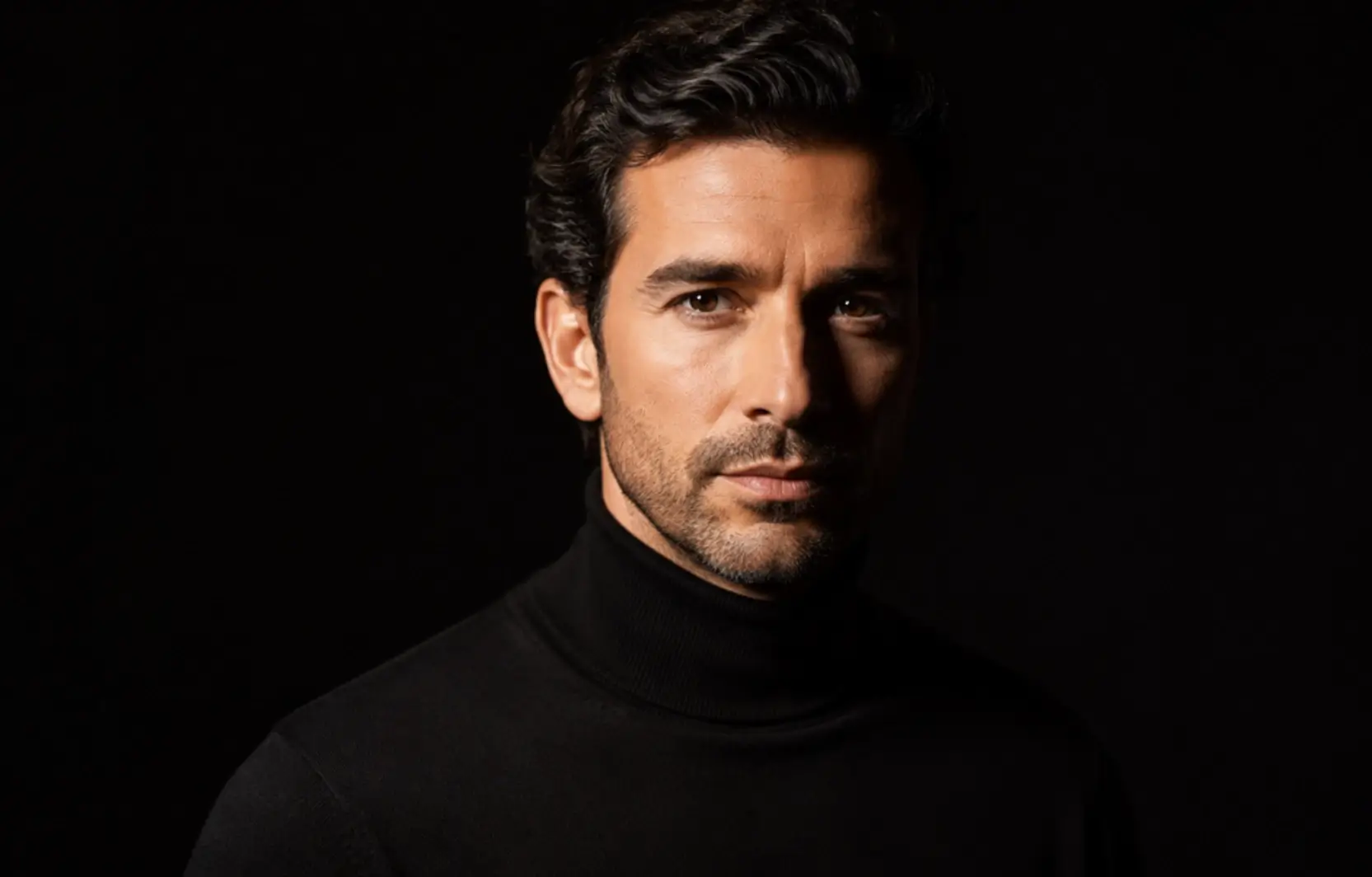
AI prompts for key lighting define the main light source that shapes facial features, controls shadows, and sets the mood of a studio portrait. Specifying techniques such as Rembrandt, butterfly, and loop lighting helps AI generate realistic portraits with accurate lighting direction, balanced contrast, and natural depth. Including precise lighting, camera settings, and clean studio backgrounds produces polished results suitable for corporate headshots, editorial use, personal branding, and commercial photography.
Effective Prompts to generate high-quality key light studio portraits:
- Prompt 1: “Dramatic Rembrandt-lit studio portrait of a man, plain black turtleneck, single softbox key at 45 degrees creating the signature triangle of light on the cheek, deep falloff shadows, black background, shot on 85mm at f/2.0, moody, timeless mood, ultra-realistic skin detail.”
- Prompt 2: “High-end beauty studio portrait of a woman, glossy minimal makeup, butterfly lighting from a beauty dish above the camera with a reflector below for symmetrical under-chin shadow, soft grey backdrop, shot on 100mm at f/4, flawless even skin, glamorous polished mood, 8k.”
- Prompt 3: “Studio portrait of a woman with classic loop lighting, soft key just off-axis casting a small nose-shadow loop, light-grey backdrop, shot on 85mm at f/2.2, flattering natural dimension, warm approachable mood, ultra-realistic skin texture.”
- Prompt 4: “Dramatic split-lit studio portrait of a man, dark shirt, single hard key lighting exactly half the face while the other half falls to shadow, black background, shot on 85mm at f/2.0, bold high-contrast mood, ultra-realistic skin detail.”
Fill Light — contrast control, flawless skin

AI prompts for fill lighting refine studio portraits by reducing harsh shadows, balancing facial contrast, and enhancing the natural appearance of skin. Fill lighting techniques, such as softboxes, reflectors, clamshell setups, and diffused light sources, help create even illumination while preserving natural facial contours and realistic skin tones. These AI prompts generate polished, professional-quality portraits with balanced exposure and smooth texture, making them ideal for beauty photography, corporate headshots, editorial portraits, personal branding, and commercial photography.
Prompts to generate high-quality fill light studio portraits:
- Prompt 1: “Studio portrait of a woman with soft balanced fill lighting, large softbox key plus a broad fill panel to lift shadows for smooth even skin, neutral white seamless background, shot on 85mm at f/2.8, natural radiant complexion, gentle approachable mood, photorealistic.”
- Prompt 2: “Studio portrait of a man with low-contrast fill lighting, softbox key with a large reflector filling the shadow side for an even flattering look, light-grey backdrop, shot on 85mm at f/3.2, smooth natural skin, clean editorial mood, ultra-realistic.”
- Prompt 3: “Beauty studio portrait of a woman with bright clamshell fill, softbox above and reflector below for nearly shadowless flawless skin, white seamless background, shot on 100mm at f/4, glowing even complexion, fresh polished mood, 8k.”
- Prompt 4: “Studio portrait of a man with subtle negative fill, softbox key and a black flag deepening one side for gentle shape while keeping skin smooth, mid-grey backdrop, shot on 85mm at f/2.8, controlled soft contrast, refined mood, ultra-realistic skin texture.”
Backlight / Rim Light — separation & depth
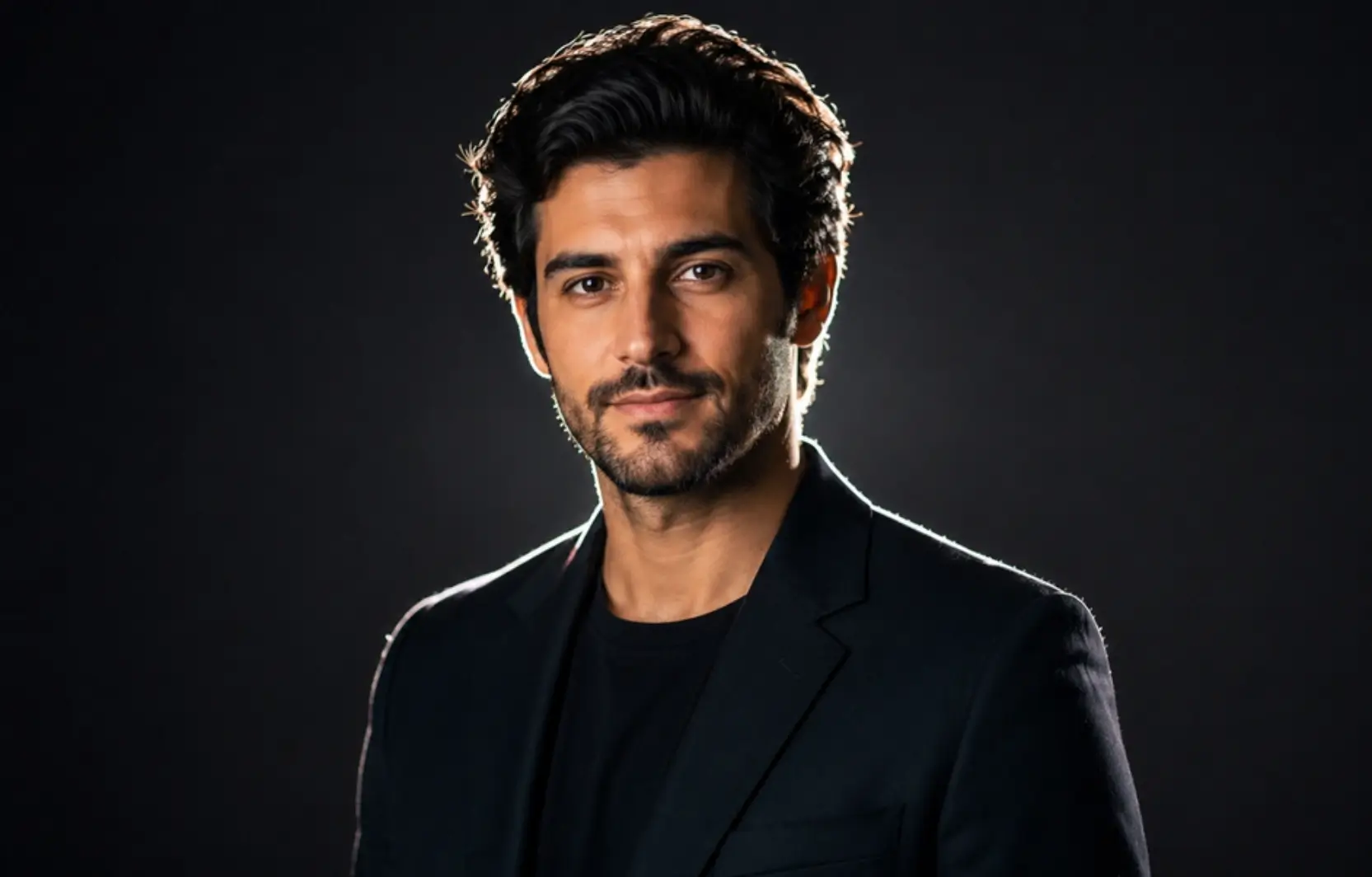
Generating studio portraits with backlight and rim light creates visual separation between the subject and background while adding depth, dimension, and cinematic appeal. AI prompts achieve this by specifying rim-light placement, edge highlights, backlight intensity, and shadow balance, producing realistic portraits with enhanced contours and a three-dimensional presence. Ideal for professional headshots, editorial photography, creative portraits, and commercial branding, these picture prompts transform ordinary studio images into striking, high-end photographs with dramatic lighting and refined visual depth.
AI Prompts to generate high-quality backlight and rim light studio portraits:
- Prompt 1: “Studio portrait of a man with a strong rim light separating him from the background, soft frontal key plus a hard backlight outlining the hair and shoulders, dark charcoal backdrop, shot on 85mm at f/2.0, crisp edge glow, cinematic depth, ultra-realistic.”
- Prompt 2: “Studio portrait of a woman with dual rim lights on both sides, soft frontal key and twin backlights creating glowing edges on the hair, near-black background, shot on 85mm at f/2.2, dramatic separation, glossy highlight detail, photorealistic.”
- Prompt 3: “Studio portrait of a man with a warm backlight halo, soft key in front and a golden hair light from behind, dark backdrop, shot on 85mm at f/2.0, glowing rim separation, intimate cinematic mood, ultra-realistic skin texture.”
- Prompt 4: “Studio silhouette-edge portrait of a woman, strong single backlight wrapping the outline with a faint fill on the face, deep black background, shot on 85mm at f/2.0, striking rim glow, moody depth, photorealistic.”
Cinematic & Moody Lighting prompt

Generating AI images with cinematic, moody lighting requires careful control of light direction, shadow depth, color grading, and atmospheric effects to create dramatic studio portraits. Well-written photo prompts help AI produce realistic images with strong contrast, cinematic color palettes, textured backgrounds, and expressive lighting that enhances emotion and visual storytelling. These cinematic, moody lighting photo prompts generate high-quality portraits suitable for editorial photography, creative branding, fine art projects, film-inspired visuals, magazine covers, and commercial campaigns.
Prompts to generate high-quality cinematic and moody studio portraits:
- Prompt 1: “Cinematic studio portrait of a person, side-lit with a single dramatic key and subtle blue rim light, deep contrast and shadow, dark textured background, shot on 35mm at f/2.0, teal-and-amber color grade, intense reflective mood, film-still aesthetic, ultra-realistic.”
- Prompt 2: “Cinematic low-key studio portrait of a man, half-shadowed face from a single hard key, faint warm practical glow, deep black background, shot on 50mm at f/1.8, heavy contrast, smoky moody atmosphere, film-noir color grade, ultra-realistic.”
- Prompt 3: “Cinematic studio portrait of a woman, soft key with a cool teal gel rim, gentle haze, dark gradient backdrop, shot on 85mm at f/1.8, muted desaturated grade, melancholic pensive mood, film-still aesthetic, ultra-realistic skin texture.”
- Prompt 4: “Cinematic studio portrait of a man lit by a single warm amber key from the side, deep shadow on the opposite cheek, smoky dark background, shot on 35mm at f/2.0, golden-and-black contrast, brooding dramatic mood, photorealistic.”
Fashion & Editorial Studio Prompts

AI-driven prompts for fashion and editorial studio photography combine professional styling, expressive posing, dramatic lighting, and balanced composition to create magazine-quality portraits. With these photo studio prompts, AI generates studio images featuring high-fashion wardrobes, editorial aesthetics, and refined color grading that elevate visual impact. Careful control of lighting, camera settings, styling, and background composition produces distinctive fashion portraits perfect for editorial campaigns, designer lookbooks, beauty brands, commercial advertising, and luxury fashion marketing.
AI Prompts to generate high-quality fashion and editorial studio portraits:
- Prompt 1: “High-end fashion editorial studio portrait of a model, flowing red silk dress, dramatic high-contrast studio lighting with a hard key and deep shadows, glossy skin texture, intense direct gaze, bold colored-gel background, shot on 85mm at f/2.8, magazine-cover styling, ultra-realistic, 8k.”
- Prompt 2: “Full-body studio lookbook shot of a model, complete styled outfit with layered streetwear, even high-key lighting on a white cyclorama, soft shadow under feet, shot on 50mm at f/5.6, full-length framing, catalog-clean look, true-to-fabric color, photorealistic.”
- Prompt 3: “Avant-garde fashion editorial studio shot of a model, sculptural black couture, hard directional key with a colored-gel kicker, dramatic shadow, deep-blue seamless backdrop, shot on 85mm at f/4, bold artistic styling, ultra-realistic, 8k.”
- Prompt 4: “Beauty editorial studio close-up of a model, glossy makeup and statement earrings, soft butterfly key with crisp catchlights, clean pastel backdrop, shot on 100mm macro at f/4, hyper-detailed skin and texture, luxe magazine mood, photorealistic.”
Trending & Viral Studio Prompts

Creating trending and viral studio portraits involves eye-catching lighting, modern styling, creative visual effects, and social media-inspired aesthetics that instantly capture attention. AI prompts help generate these images by specifying color grading, lighting effects, artistic compositions, and trending photography styles while maintaining realistic facial features and professional image quality. This approach produces distinctive studio portraits that stand out across social platforms, making them ideal for influencer branding, creative campaigns, editorial content, and viral digital marketing.
Prompts to generate high-quality trending and viral studio portraits:
- Prompt 1: “Trendy studio portrait with a single bold colored-gel light (magenta-to-cyan gradient) across the face, glossy skin, plain dark backdrop, shot on 85mm at f/1.8, glowing neon-lit mood, viral aesthetic, ultra-realistic.”
- Prompt 2: “Old-money editorial studio portrait, tailored beige cashmere, soft warm Rembrandt lighting, muted taupe backdrop, shot on 85mm at f/2.0, timeless luxury mood, film-grain finish, ultra-realistic.”
- Prompt 3: “Extreme close-up beauty studio shot, dewy, radiant skin and glossy lips, soft ring-light catchlights, clean pastel background, shot on 100mm macro at f/4, hyper-detailed pores and texture, trending editorial look, 8k.”
- Prompt 4: “Cinematic double-exposure studio portrait, silhouette blended with a city skyline, moody side key light, dark background, shot on 35mm at f/2.0, artistic overlay, trending creative edit, photorealistic.”
Product Photography Studio Prompts

For professional product photography, AI prompts transform everyday products into polished studio images suitable for commercial and e-commerce use. By specifying studio lighting, clean backgrounds, camera angles, product positioning, and realistic shadows, AI generates high-quality product photos that emphasize texture, shape, and material details. Careful attention to composition, lighting balance, and visual clarity ensures each image presents products professionally, making these photo studio prompts ideal for online stores, product catalogs, advertising campaigns, brand marketing, and marketplace listings.
Prompts to generate high-quality product photography studio images:
- Prompt 1: “Studio product photo of a sleek matte-black water bottle, clean white seamless sweep background, soft two-light setup with a large softbox and fill card, gentle reflection beneath, shot on 100mm macro lens at f/8, sharp edge detail, e-commerce ready, ultra-realistic, 8k.”
- Prompt 2: “Ghost-mannequin studio shot of a folded-collar cotton shirt on an invisible form, evenly lit on a pure white background, soft shadowless lighting, shot on 85mm at f/9, crisp fabric texture and stitching, hollow-neck effect, catalog-clean, photorealistic.”
- Prompt 3: “Lifestyle studio product shot of a ceramic coffee mug on a warm-toned styled surface, soft directional window-style key light with gentle shadow, blurred minimalist background props, shot on 50mm at f/2.8, cozy, inviting mood, natural color, high detail.”
- Prompt 4: “Top-down studio flat-lay of skincare bottles and props on a clean pastel surface, soft even overhead lighting with subtle shadows, shot on 50mm at f/8, organized symmetrical layout, fresh editorial mood, true color, ultra-realistic, 8k.”
Gear-Accurate Prompt Modifiers (cameras, lenses, settings)
Gear-accurate prompt modifiers are not a separate category but a control system that enhances realism, depth, and precision in AI-generated photography. They simulate real camera behavior, including camera models, lenses, focal lengths, apertures, angles, lighting setups, and aspect ratios. Each modifier affects perspective, background blur, subject sharpness, lighting softness, and overall cinematic quality. Users should apply only the relevant modifiers to achieve the desired results, without overloading prompts with technical jargon.
Below are some example Prompts with Modifiers:
- Prompt 1: “Studio portrait of a professional woman, navy blazer, softbox key light with subtle fill, 85mm lens at f/1.8, shallow depth of field, blurred light-grey background, ultra-realistic skin texture, crisp catchlights.”
- Prompt 2: “Full-body studio portrait of a man, charcoal sweater, soft three-point lighting with rim light, 50mm lens at f/2.2, soft background blur, high-resolution 8k, natural skin texture, professional editorial mood.”
- Prompt 3: “Product photography of a sleek black leather bag, clean white seamless background, two softbox lights, 100mm macro lens at f/8, subtle reflections, sharp detail, photorealistic, high-contrast composition.”
How to Use These Prompts (ChatGPT, Gemini, Midjourney)?
To use these AI photo prompts effectively, paste the full prompt into your chosen tool while keeping the lighting, lens, and composition details intact to achieve realistic results. Use Gemini for reference-image uploads, Midjourney for style controls like –ar and –style, and ChatGPT/DALL·E for natural refinement. Finally, iterate by adjusting lighting, camera angle, lens, or background to enhance realism and composition quality.
Use these AI photo prompts in 3 simple steps:
- Step 1: To use these AI photo prompts effectively, paste the full prompt into your chosen tool while keeping lighting, lens, and composition details intact. Use Gemini for reference images, Midjourney for style controls, and ChatGPT/DALL·E for refinement. You can also use an AI clothing fashion generator to test outfit variations before final generation. Then iterate by adjusting lighting, angle, lens, or background for better results.
- Step 2: Apply platform-specific enhancements to improve accuracy and style. In Gemini, upload a reference image to maintain face consistency. In Midjourney, adjust parameters like –ar for aspect ratio and –style for visual tone. In ChatGPT/DALL·E, refine wording to be more descriptive and less technical for better rendering results.
- Step 3: Iterate and refine the output by adjusting the lighting setup, camera angle, focal length, or background details. Small changes, like switching from soft to dramatic lighting or adjusting lens settings (e.g., 85mm vs. 35mm), can significantly improve realism and composition.
The Anatomy of a Studio Photo Prompt (the formula)
Understanding how AI generates studio-quality portraits becomes easier when prompts are broken into structured components. Each part of a prompt, such as subject, clothing, lighting, background, camera settings, and mood, directly influences realism, depth, and composition. When combined correctly, these elements allow precise control over lighting behavior, facial detail, and overall photographic quality, helping users move from random outputs to predictable, professional studio results.
- The Core Formula: [Subject] + [Clothing] + [Lighting] + [Background] + [Camera & Lens] + [Quality Modifiers]
Component Specifications:
| Component | Function | Application |
| Subject | Defines identity | Age, gender, profession (e.g., “30-year-old software engineer”). |
| Clothing | Establishes style | Tailored fabrics, professional attire (e.g., “Charcoal wool blazer”). |
| Lighting | Controls shadow & depth | Use “Softbox,” “Rembrandt lighting,” or “High-key.” |
| Background | Eliminates visual noise | Use “Seamless studio backdrop” or specific colors (e.g., “Light grey”). |
| Camera/Lens | Dictates perspective | “85mm lens” is standard for distortion-free portraits. |
| Quality | Refines output | Use “Ultra-realistic,” “8k,” “Sharp catchlights,” or “Natural skin texture.” |
Annotated Examples (How the Formula Works):
- Female: Professional studio portrait of a 30-year-old woman, tailored cream blazer, soft three-point studio lighting with a large softbox key and subtle rim light, seamless light-grey paper backdrop, shot on an 85mm lens at f/2.0, sharp catchlights, natural skin texture, calm, confident mood, ultra-realistic, great detail.
- Male: Professional studio portrait of a 40-year-old man, charcoal crew-neck sweater, soft softbox key with gentle fill and a hair light, clean mid-grey seamless backdrop, shot on 85mm lens at f/2.2, crisp catchlights, natural skin texture, relaxed, assured mood, ultra-realistic, 8k.
- High-key: Professional studio portrait of a young woman in a white blouse, bright high-key lighting with twin softboxes and a fill card, pure white seamless background, shot with an 85mm lens at f/2.8, airy, even exposure, fresh, clean mood, photorealistic, fine skin detail.
- Low-key: Professional studio portrait of a man in a black t-shirt, dramatic low-key single softbox key with deep shadows, black seamless background, shot with a 50mm lens at f/2.0, high contrast, intense, focused mood, ultra-realistic skin texture.
How to Turn Any Photo Into a Prompt (image-to-prompt)
To turn any photo into a prompt, you can use AI image-to-prompt tools that automatically analyze the image and convert it into a structured text description. Simply upload your image, and the AI will identify key details such as the subject, lighting, composition, background, and overall style. You can then copy this generated prompt and reuse it in any AI image generator like ChatGPT, Midjourney, or Gemini to recreate or modify the image.
Practical Ways to Use Image-to-Prompt are:
- Recreate
Analyze this photo and write a detailed studio-photography prompt that recreates it. Describe the subject, clothing, lighting setup (key/fill/backlight, soft or hard), background, camera angle, likely lens and aperture, color grade, and mood. Output as one copy-paste prompt. - Restyle
Look at this photo and write a studio-photography prompt that keeps the same subject and pose but restyles it as a high-end studio shot: suggest the lighting setup, seamless background color, lens, aperture, and mood. Output as one copy-paste prompt. - Variations
Based on this reference photo, write three studio-photography prompt variations that keep the subject but change the lighting (Rembrandt, high-key, cinematic) and background. Output each as a separate copy-paste prompt.
Tips to Get Studio-Quality Results Every Time
To achieve studio-quality AI images, use negative prompts to remove unwanted elements, maintain high resolution (4K-8K) for sharp detail, and rely on reference images or seeds for consistency across variations. Refine prompts step by step by adjusting lighting, lens, or background. Avoid overloading prompts with modifiers, mixing conflicting lighting styles, and skipping consistency tools, as these reduce realism and output quality.
What to do to get a studio-quality photo:
- Do use negative prompts to remove unwanted elements like blur, noise, distortion, or extra limbs for cleaner outputs.
- Do maintain high-resolution settings (4K–8K-style) to ensure sharp skin detail and professional studio clarity.
- Do use reference images or seed values to keep subject, face, and style consistent across multiple variations.
- Refine prompts step by step by adjusting one element at a time, such as lighting, lens, or background.
What to avoid to get a studio-quality photo:
- Do not overload prompts with too many modifiers, as it reduces control and confuses the AI rendering process.
- Do not mix conflicting lighting styles (e.g., high-key and low-key together) as it breaks realism.
- Do not ignore consistency tools like reference images or seeds when generating series or variations of the same subject.