


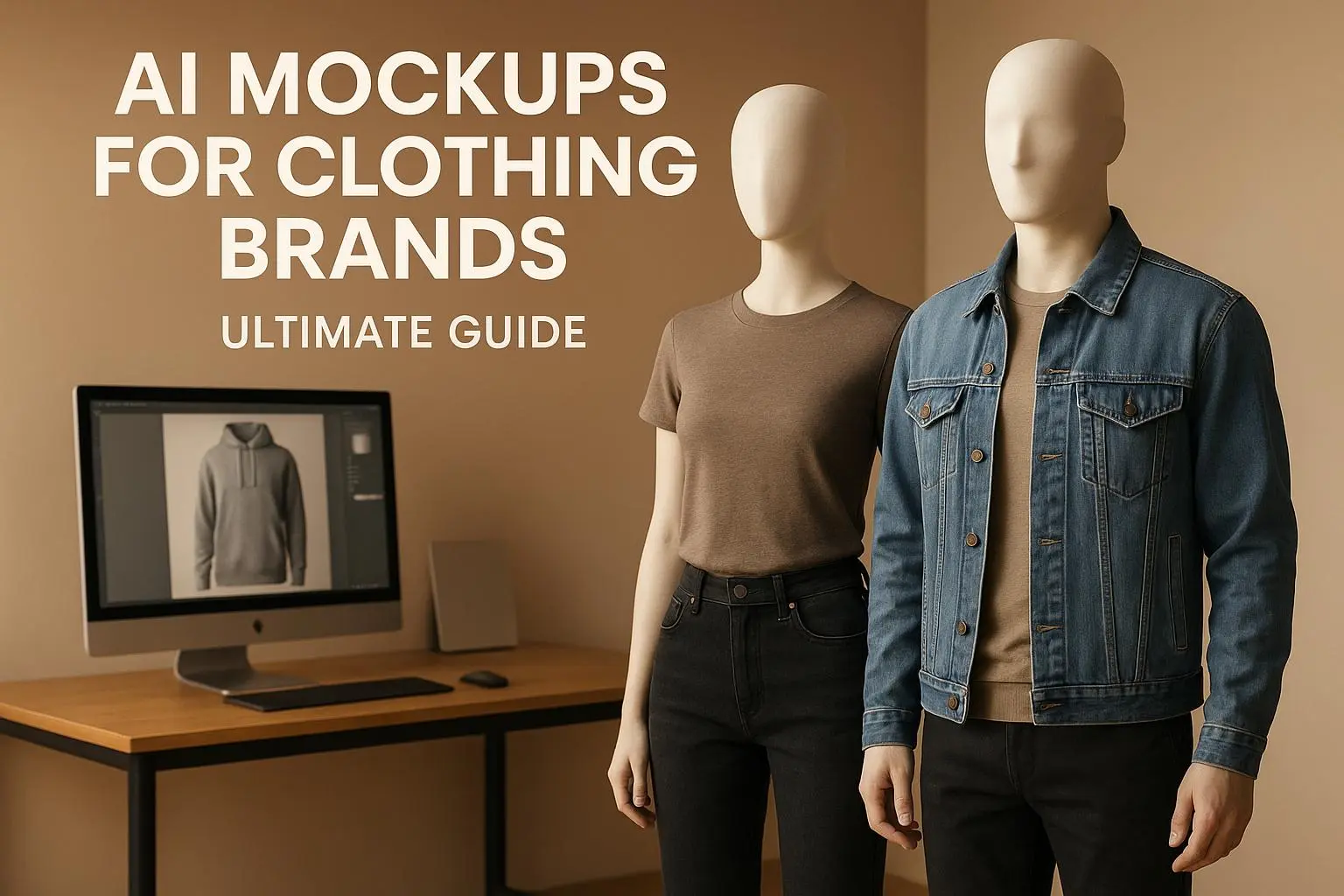
- What They Are: AI mockups let you upload designs onto virtual clothing templates, showcasing fabric textures, folds, and lighting for a realistic look.
- Why They Matter: They save time and money by eliminating the need for physical samples and professional photography.
- How They Work: Platforms like Mock It AI let you customize models (age, ethnicity, pose), garments, and backgrounds with just a few clicks.
- Cost: Plans start as low as $12/month, making them accessible for small brands.
With AI tools, you can quickly test designs, create consistent visuals, and launch products faster – all while maintaining a professional online presence. Whether you’re a startup or an established brand, AI mockups are a game-changer for apparel marketing.
Benefits of AI-Powered Mockups for Apparel Design and Marketing
AI mockups are revolutionizing the way clothing brands approach design and marketing. By addressing common challenges like high costs, lengthy production times, and inconsistent visuals, these tools are reshaping the industry. Instead of juggling complex photoshoots with multiple vendors and waiting weeks for results, brands can now generate professional-grade images in just minutes. This is a game-changer, especially for startups and smaller labels, offering clear advantages in terms of cost, speed, and brand presentation.
Affordable Alternatives to Traditional Photoshoots
Photoshoots in the U.S. can easily run between $1,000 and $5,000 or more. AI-powered mockup platforms, on the other hand, provide a much more budget-friendly solution. With subscription plans ranging from $30 to $100 per month – or even as low as $12 for 100 credits on platforms like Mock It AI – brands can create hundreds of images featuring virtual models and customizable scenes. This flexibility allows for instant adjustments to colors, backgrounds, or poses without incurring additional costs for reshoots. The result? Greater creative freedom without breaking the bank.
Accelerating the Design-to-Market Timeline
Speed is everything in today’s fast-paced market. AI mockups allow designers to visualize new graphics or color options on realistic garments in just minutes. Tools that support bulk or template-based rendering make it possible to create entire product lines from a single design upload, drastically reducing the time needed to prepare catalogs for online stores and marketplaces. This quick turnaround also benefits marketing teams, who can test designs on social media and gather feedback before committing to production. The ability to make fast, informed decisions helps streamline the entire process, from concept to launch.
Polished and Consistent Brand Imagery
AI mockups ensure consistent lighting, angles, and overall image quality across a brand’s collection. This gives smaller brands the ability to present a polished, professional look similar to high-budget catalogs – all without needing a full studio setup. High-resolution visuals make products feel more premium and trustworthy, which is especially important for online shoppers. Plus, the ability to customize backgrounds, models, and styling allows brands to align their imagery with their target audience’s preferences, whether it’s urban streetwear, sleek athleisure, or outdoor gear. Platforms like Mock It AI take this a step further by offering detailed model customization and standardized image dimensions (e.g., square for Instagram or 16:9 for web banners), ensuring a professional appearance across all digital channels.
How Mock It AI Simplifies Custom Clothing Mockups
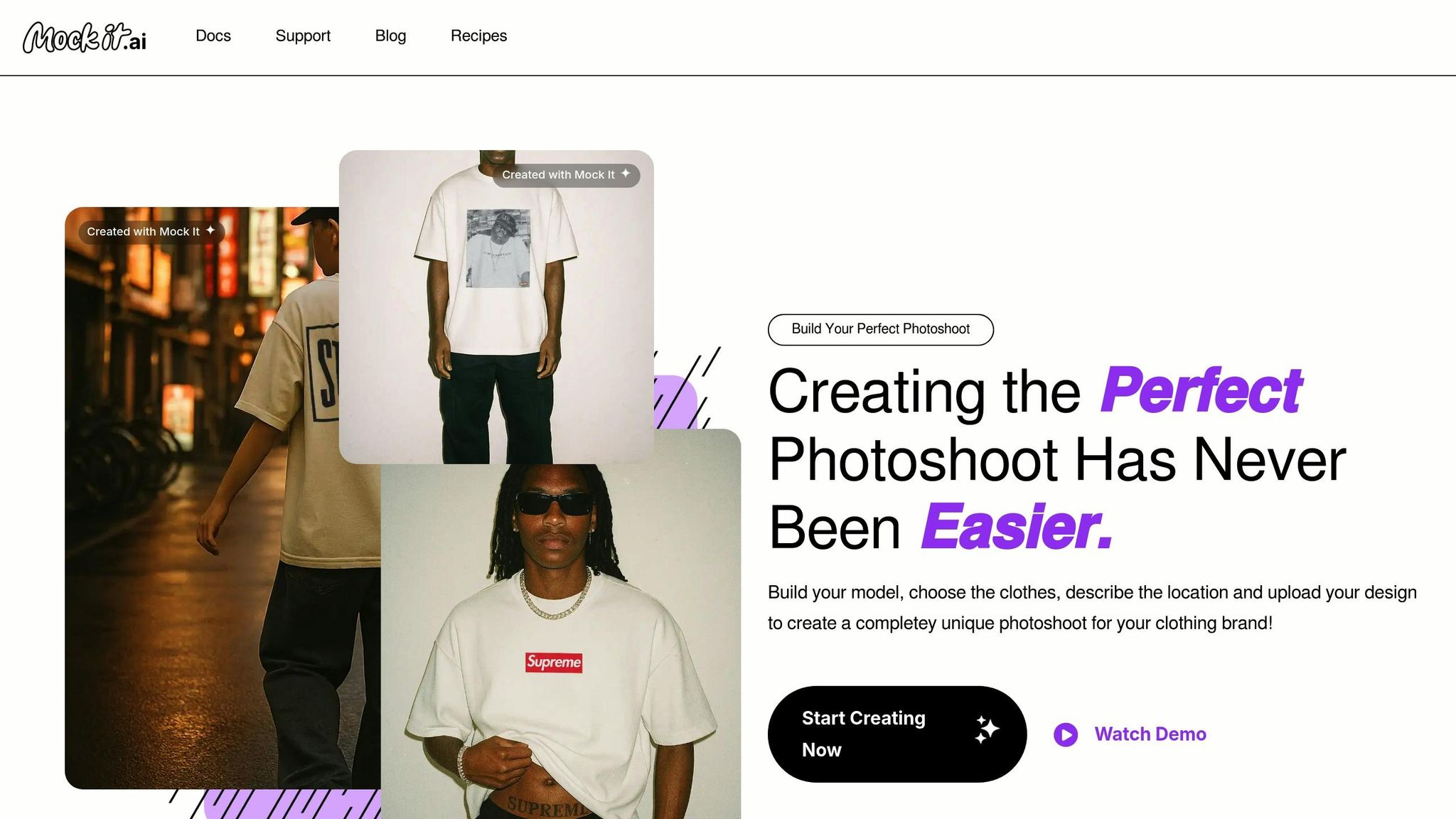
Mock It AI takes the hassle out of traditional photoshoots by offering a quick, three-step digital process that puts brands in the driver’s seat. With just a few clicks, you can log in, make your selections, and create professional-quality images in less than 30 seconds. Tailored specifically for apparel, this platform ensures precise garment visualization, diverse model options, and adaptable styling – all designed with the U.S. market in mind. Here’s a closer look at how it works.
Model Building and Customization
The first step is creating a virtual model that represents your brand’s audience. You’ll choose from options like gender, age, ethnicity, hairstyle, pose, and expression, allowing you to craft a digital persona that mirrors your customer base. For example, a streetwear brand targeting Gen Z might create relaxed, urban-styled models, while an activewear company could opt for athletic builds in action poses. This level of customization helps U.S. brands highlight diversity and inclusive sizing, ensuring their marketing resonates with a broad audience. Once you’ve built a model, it can be reused across your entire collection, giving your campaigns a consistent look and feel.
Clothing Selection and Design Upload
Next, you’ll select the type of garment – t-shirts, hoodies, jeans, sweatpants, and more – along with fit and color options that align with your product line. After that, you can upload your designs as high-resolution PNG files with transparent backgrounds. Mock It AI uses 3D mapping, shadows, and clipping masks to place your artwork with precision. This feature is especially valuable for U.S.-based print-on-demand businesses and screen printers who need an accurate preview of how their designs will appear before committing to production.
Location Description and Photoshoot Generation
Finally, you’ll describe your desired setting using simple prompts like “urban rooftop at sunset,” “minimal white studio,” or “beach boardwalk in summer.” The platform then creates a photorealistic background and seamlessly integrates your model, clothing, and setting into a polished image that looks like it came from a professional photoshoot. You can even fine-tune technical details such as camera type, lens preferences, image dimensions, and framing. This flexibility allows brands to tailor their visuals for specific U.S. regions – think fall foliage in New England or skate parks on the West Coast – without the need for travel or multiple photoshoots.
Step-by-Step Guide to Creating Mockups with Mock It AI
Creating mockups with Mock It AI is a breeze. In just three simple steps, you can go from concept to a polished, professional image in under five minutes. Here’s how to make it happen:
Step 1: Build and Customize Your Model
Start by crafting a virtual model that mirrors your ideal customer. You’ll select details like gender, age range, ethnicity, hairstyle, pose, and facial expression to create a digital persona that aligns with your brand. For instance, a streetwear brand might choose a laid-back, urban-styled model in their 20s, while an activewear line might prefer an athletic figure in a dynamic pose. The idea is to make the model relatable to your audience. Once created, you can reuse this model across multiple campaigns for consistency.
After your model is ready, upload your design and pair it with the garment you want to showcase.
Step 2: Upload Your Design and Select Clothing
Next, pick the garment style from the platform’s options to ensure the mockup reflects the actual product’s fit and fabric drape. Whether it’s a t-shirt, hoodie, or tank top, choose the view that best highlights your design – front for chest logos, back for larger graphics, or side angles for sleeve prints. Then, upload a high-resolution PNG file (300 DPI with a transparent background) of your design. The platform’s tools let you position, resize, and align your design with precision. Stick to standard U.S. placement guidelines for professional results.
Want to experiment with colors? Quickly create multiple color variations like black, white, or heather gray to see what resonates most with your audience. Once your design placement is perfect, it’s time to set the stage.
Step 3: Customize Locations and Generate Mockups
Now, bring your mockup to life by selecting a background that complements your brand. Enter a prompt like “urban rooftop at sunset”, “minimalist white studio”, or “college campus lawn in fall”, and the platform will generate a photorealistic setting. If prompts feel tricky, use the Prompt Builder to simplify the process and fine-tune details like lighting, mood, and photography style. Whether you want clean studio shots or candid lifestyle scenes, the platform has you covered.
To add variety, you can tweak poses, adjust crops (full body, waist-up, or close-up), and explore different locations while keeping the garment consistent. Once satisfied, export your mockups in high resolution, ready to shine on your U.S. e-commerce store or social media campaigns.
sbb-itb-2c1a147
Mock It AI Pricing Plans Comparison
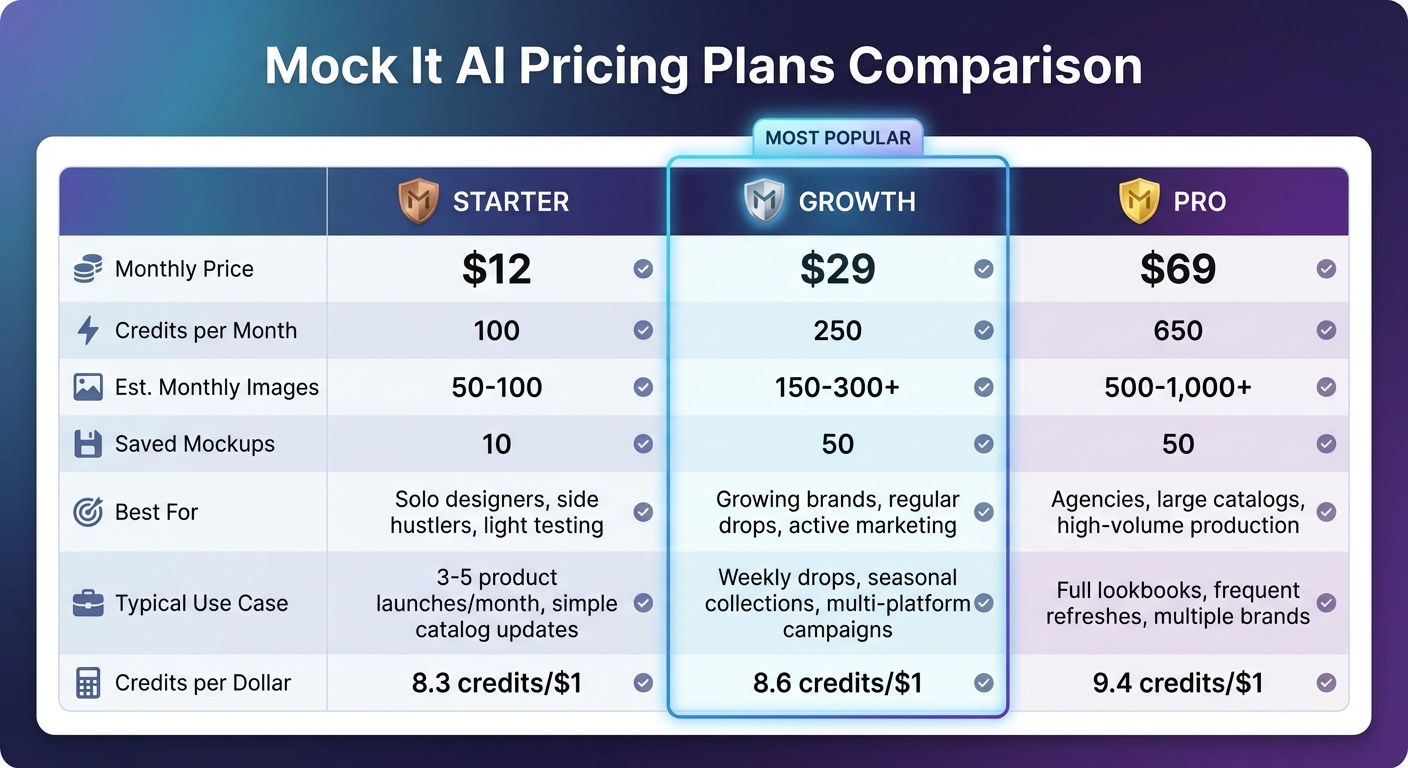
Mock It AI Pricing Plans Comparison: Starter vs Growth vs Pro
Mock It AI has three subscription options to fit different needs: Starter, Growth, and Pro. The Starter plan is priced at $12/month and comes with 100 credits, the Growth plan costs $29/month and provides 250 credits, while the Pro plan is $69/month and offers 650 credits. Each credit lets you generate one AI-driven mockup image, so the plan you pick determines how many product images you can create in a month.
All plans include essential features like fast image generation, custom model building, full clothing control, and custom camera settings. The main differences lie in the number of credits and saved mockups. The Starter plan allows for 10 saved mockups, whereas Growth and Pro both allow up to 50 saved mockups. If you use up your credits before the month ends, you can easily buy more from your account dashboard.
Starter, Growth, and Pro Plans Comparison Table
| Feature | Starter | Growth | Pro |
|---|---|---|---|
| Monthly Price | $12 | $29 | $69 |
| Credits per Month | 100 | 250 | 650 |
| Est. Monthly Images | 50–100 | 150–300+ | 500–1,000+ |
| Saved Mockups | 10 | 50 | 50 |
| Best For | Solo designers, side hustlers, light testing | Growing brands, regular drops, active marketing | Agencies, large catalogs, high-volume production |
| Typical Use Case | 3–5 product launches/month, simple catalog updates | Weekly drops, seasonal collections, multi-platform campaigns | Full lookbooks, frequent refreshes, multiple brands |
| Credits per Dollar | 8.3 credits/$1 | 8.6 credits/$1 | 9.4 credits/$1 |
This table breaks down which plan suits your needs best. The Starter plan is ideal for solo designers or those testing the waters with a few product launches. The Growth plan is better for brands that release products regularly or run active marketing campaigns. For agencies or businesses managing large catalogs or frequent updates, the Pro plan is the go-to option.
To get the most out of your credits, plan your mockups in batches. Decide on your models, clothing, and locations ahead of time, and prepare a detailed shot list with specific angles (e.g., square for marketplaces or vertical for social media). Reusing hero images with different layouts can also help you stretch your credits further.
Best Practices for Design Upload and Template Customization in Mock It AI
Preparing High-Quality Design Uploads
To create sharp and realistic mockups, start with high-quality design files. Export your artwork as a PNG with transparency or a high-quality JPG at 300 DPI, ensuring it matches the actual print size. For example, a 12-inch print should be 3,600 pixels wide. The smallest dimension of your file should measure between 2,500 and 4,000 pixels. Use a transparent background and flatten your file to avoid processing issues.
When designing for apparel, leave a safe margin of 0.25–0.5 inches (6–12 mm) within the print area to prevent elements from appearing too close to seams, collars, or hems. It’s also a good idea to retouch jagged edges and rasterize complex effects to avoid aliasing problems. These steps ensure your mockups not only look professional but also translate well to physical products.
Customizing Templates for Brand Consistency
Once you’ve uploaded high-quality designs, focus on maintaining a consistent visual style across all your mockups. Mock It AI provides a variety of brand-specific apparel templates with multiple views and an extensive color library, making it easier to create cohesive designs. To reinforce your brand identity, stick to a fixed selection of garment styles – like unisex crew t-shirts, midweight hoodies, or classic joggers – and use a brand-approved color palette.
Pay attention to details like lighting, background tones, and camera angles. For example, use consistent model poses and views, such as a front-facing catalog shot for product listings and lifestyle angles for social media. This approach ensures your product grids look polished and unified.
When selecting colors, start with actual manufacturer color codes or swatches, then match them as closely as possible using Mock It AI’s color library. Regularly calibrate your monitor and review mockups on different devices to account for screen variations. For specialty fabrics like mineral washes or heathers, choose templates that showcase fabric texture and lighting to give customers a more accurate sense of the garment’s appearance.
To establish a strong visual identity, align your mockup environments with your brand’s style. For example:
- Use light-gray studio backgrounds for basics.
- Choose urban backdrops for streetwear.
- Opt for bright, energetic scenes for activewear.
Keep the backgrounds simple to ensure the focus remains on the garment. By following these steps, even a small brand can create a master set of mockups, organizing them by collection and season (e.g., “Spring 2026 Tees – Pastel Line”) to streamline future projects. This level of organization and attention to detail will save time while enhancing your brand’s overall presentation.
Branding Tips for Professional AI Mockups
Creating a Consistent Brand Aesthetic
Mockups are often the first visual impression your potential customers have of your brand. To make that impression count, focus on building a cohesive aesthetic. Start by locking in key visual elements: use Mock It AI’s model builder to select consistent features like skin tone, body type, hairstyle, and poses that align with your target audience. For instance, urban-styled models work well for streetwear, while clean studio settings suit activewear.
Stick to a consistent color palette. Use your brand’s hex codes for garments and backgrounds, limiting your palette to two or three signature colors. This creates instant recognition for your products. Research shows that brands using uniform visuals experience up to 3.5 times higher engagement rates on social media because repeated visual cues foster familiarity and trust.
Additionally, pick two to four signature locations for your mockups – such as concrete walls for streetwear, outdoor trails for activewear, or minimalist white for basics. Reuse these settings across collections, ensuring consistent lighting, camera angles (e.g., front, back, or ¾ views), and framing (like waist-up for product grids or full-body for lifestyle shots). Even small brands can achieve a polished, professional look by following these guidelines. To keep everything aligned, document your choices in a simple mockup style guide that everyone on your team can reference.
Once your visual identity is locked in, you can use these assets to supercharge your marketing efforts across all platforms.
Using AI Mockups in Marketing Campaigns
A unified brand look builds trust and drives customer engagement. AI mockups are a powerful tool for advertising, social media, and email campaigns. High-quality images can boost e-commerce conversion rates by up to 30%, making it crucial to use your mockups strategically. For platforms like Shopify, include multiple AI-generated angles with neutral backgrounds to give shoppers a complete view of your product. Brands that swap generic stock photos for realistic, on-brand mockups report 20–30% higher add-to-cart rates.
On social media, lifestyle mockups consistently outperform other types of visuals. Use Mock It AI to create themed sets – like “Summer Festival” or “Back to School” – where all images share the same model, lighting, and setting. For Instagram and TikTok, stick to square or portrait formats and add US-style pricing overlays (e.g., $49.99) for paid ads. AI mockups in Facebook Ads have been shown to reduce cost-per-click by around 15%, thanks to their ability to feature diverse and realistic models. Running A/B tests with studio shots versus lifestyle images can help you pinpoint which visuals generate higher click-through rates.
For email campaigns and landing pages, aim for simplicity and focus. Use the same visual system – matching backgrounds, model styling, and framing – across all images to ensure your campaign feels unified. Batch-generate mockups by color or design using presets, and organize them by collection (e.g., “Spring 2026 Tees – Pastel Line”) to streamline your launches while reinforcing your brand identity.
Conclusion
AI mockups have become an essential tool for U.S. clothing brands aiming to cut costs, speed up launches, and strengthen their online presence. By replacing traditional photoshoots, brands can significantly lower expenses and reduce material waste, while testing colors, fits, and graphics in just minutes instead of waiting weeks. High-quality mockups not only improve conversion rates but also help maintain a consistent brand image across platforms – from Shopify stores to Instagram ads. This approach simplifies workflows and encourages a more creative process.
With tools like Mock It AI, you can take full control of your mockup creation. Build a custom model, upload your designs, choose garments and settings, and produce polished visuals. Everything from model features and clothing styles to lighting and camera angles can be tailored to align seamlessly with your brand identity.
For fashion and print-on-demand businesses, AI-generated on-model imagery has become a game-changer for product launches. These visuals shape customer perceptions and fuel online sales. Whether you’re a startup using AI fashion design tools to develop initial clothing concepts or an established brand rolling out a seasonal collection, AI mockups allow you to experiment with image variations, minimize inventory risks, and launch faster than competitors still relying on physical samples.
If you’re ready to experience the benefits, try Mock It AI. Spend just 30–60 minutes creating your first model and designs, then compare how your new mockups perform against your current images. This simple test will demonstrate the impact AI mockups can have on your results.
FAQs
How do AI mockups speed up the design-to-market process for clothing brands?
AI mockups allow clothing brands to speed up their product development process by generating high-quality, customizable visuals in just seconds. This replaces the lengthy process of traditional photoshoots and editing, making it easier to visualize designs and tweak them as needed.
By using AI mockups, brands can simplify their workflows, experiment with multiple design options, and create polished marketing materials with minimal effort. This streamlined approach helps teams make decisions faster and move from concept to launch in less time.
What customization features can I use to create virtual models with Mock It AI?
With Mock It AI, you have the freedom to tailor virtual models to align perfectly with your brand’s identity. Select from options such as gender, age, ethnicity, hairstyle, pose, and facial expression. These customization tools allow you to create models that genuinely reflect your clothing line and resonate with your target audience.
How can AI mockups help create a consistent brand image across platforms?
AI mockups simplify the process of building a cohesive brand image by providing customizable, high-quality visuals tailored to your brand’s style, colors, and messaging. These tools make it easy to design polished product presentations that maintain a consistent look across your website, social media, and marketing materials.
By aligning every detail – whether it’s the models, backgrounds, or overall design – with your brand identity, AI mockups enhance recognition and trust, helping your brand leave a lasting impression.
