


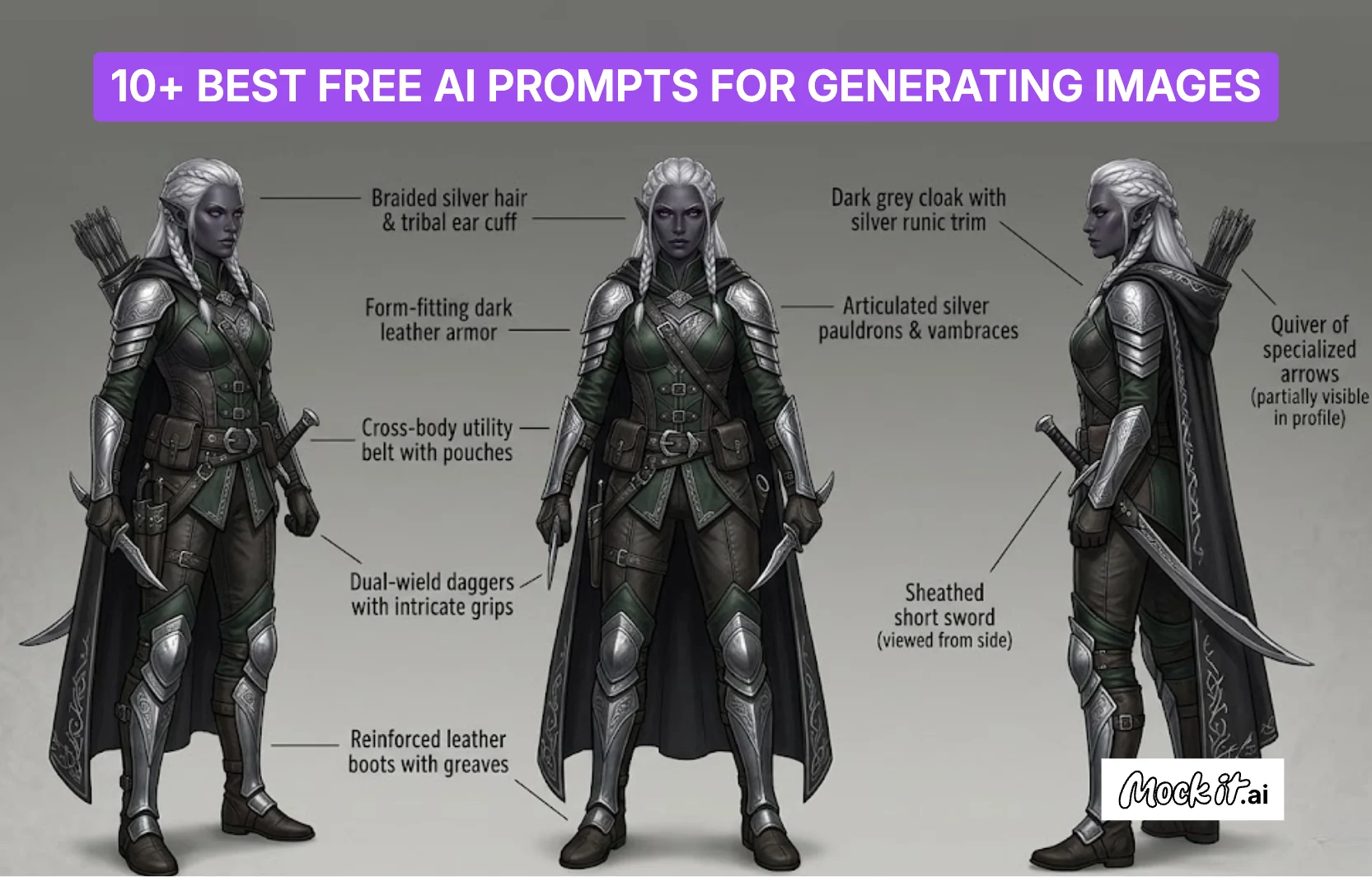
The best AI prompts for generating images combine structured descriptions with creative direction to produce diverse visuals across categories such as photorealistic scenes, artistic illustrations, 3D concept art, text effects, and social media content. Each prompt defines key elements such as subject, lighting, composition, and style, enabling AI models to generate images that match specific visual goals. This structured approach ensures consistency, clarity, and high-quality outputs across different design use cases.
From realistic portraits and product renders to stylized graphics and digital compositions, these prompts demonstrate how controlled inputs translate ideas into visually accurate results. By using well-defined prompts, designers and creators can generate scalable visuals, quickly test variations, and create images suited for branding, marketing, and creative workflows.
Photorealistic & Product
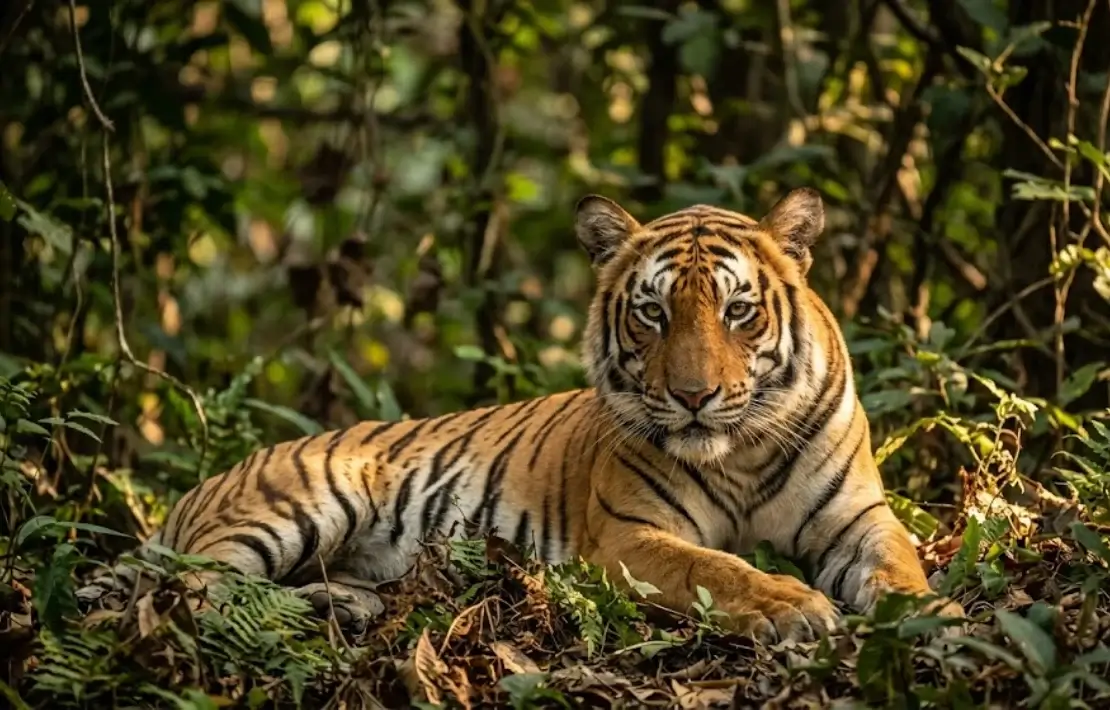
Photorealistic image prompts rely on precise descriptions of subject attributes, material textures, lighting conditions, and camera specifications to generate visuals that closely replicate real-world photography. A structured AI prompt defines how light interacts with surfaces, how depth is rendered, and how composition aligns with professional photography standards. By controlling elements such as lens type, resolution, and environmental context, these prompts enable the generation of high-detail images suitable for product visualization, editorial use, and architectural rendering workflows.
Prompts to generate photorealistic & product images:
- Ultra-Realistic Portrait
Prompt 1: “A hyper-realistic portrait of a 30-year-old woman with freckled skin, piercing green eyes, and curly auburn hair, soft studio lighting, shallow depth of field, shot on a Canon EF 85mm f/1.4 lens, 8K resolution.” - The National Geographic Wildlife Portrait
Prompt 2: “A majestic Bengal tiger resting in dense jungle undergrowth, golden hour sunlight filtering through the canopy, ultra-sharp focus on the eyes, National Geographic style photography, 4K wildlife photography.” - The Architecture & Interior Scene
Prompt 3: “A modern Scandinavian living room with floor-to-ceiling windows, warm afternoon sunlight casting long shadows, minimalist furniture in neutral tones, indoor plants, architectural digest style, photorealistic render.”
Artistic & Illustration
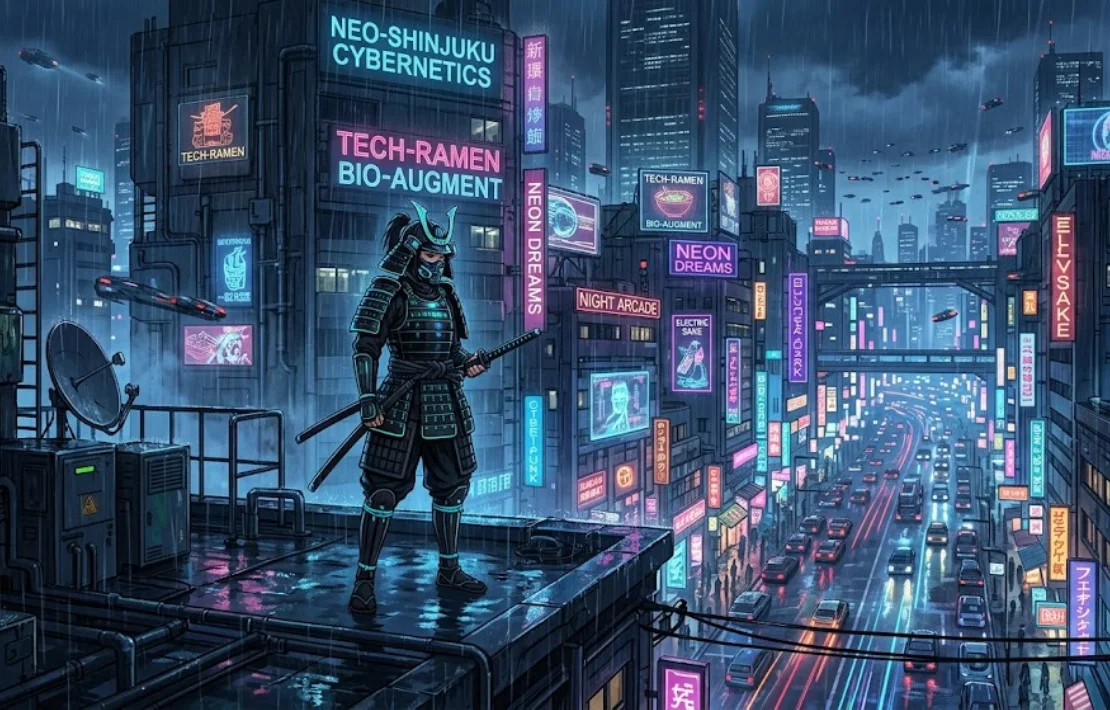
Artistic and illustration-based AI prompts generate images that emphasize style, creativity, and visual storytelling instead of realistic accuracy. These prompts define key elements such as art medium, color palette, lighting mood, and composition, which guide the AI in producing stylized outputs, including watercolor illustrations, anime scenes, and vector graphics. By clearly describing the subject, artistic influence, and environment, each prompt ensures the generated image reflects a consistent design direction, making it suitable for branding, concept art, and narrative-driven visual content.
Prompts to generate high-quality artistic and illustration images:
- The Storybook Watercolor
Prompt 1: “A whimsical watercolor illustration of a small cottage in an enchanted forest, soft pastel colors, hand-painted texture, children’s storybook style, warm and dreamy atmosphere, white paper background.” - The Cyberpunk Anime Screenshot
Prompt 2: “An anime-style screenshot of a lone female samurai standing on a neon-lit rooftop in a futuristic Tokyo, rain-soaked streets below, glowing cyberpunk signs, Studio Ghibli meets Blade Runner aesthetic, cinematic wide shot.” - The Vector Art Logo (Flat Design)
Prompt 3: “A flat design vector logo of a minimalist mountain with a rising sun, limited color palette of deep navy and burnt orange, clean geometric shapes, professional brand identity style, white background, SVG-ready.”
3D & Concept Art
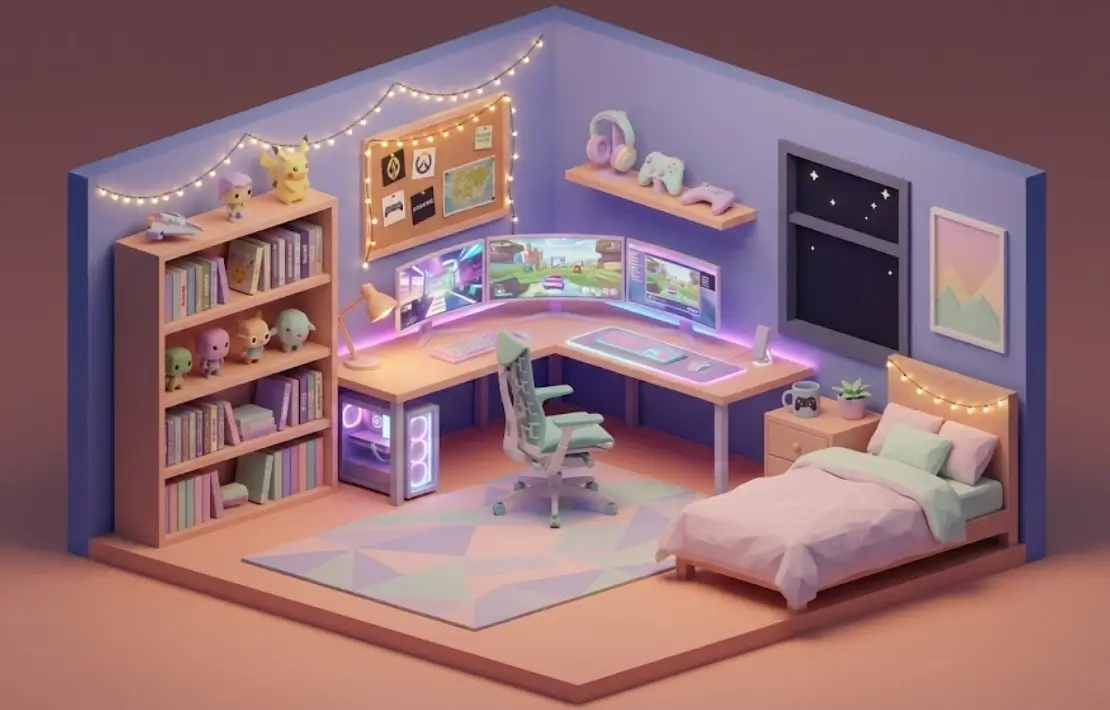
Generating 3D and concept art images combines spatial design, material detail, and imaginative visualization to produce structured, immersive visuals. AI prompts guide the process by defining form, surface texture, lighting direction, camera perspective, and environmental layout, while also controlling depth, scale, and composition. This results in images that reflect clear design intent and dimensional accuracy. Suitable for game design, character creation, and environment modeling, these prompts translate conceptual ideas into visually rich and production-ready digital scenes.
Prompts to generate 3D and concept art:
- The Isometric Room (Cozy Gamer)
Prompt 1: “An isometric 3D render of a cozy gamer bedroom at night, glowing RGB monitor, fairy lights, bookshelf full of games, warm ambient lighting, low-poly art style, pastel color palette, clean and detailed.” - The Fantasy Character Sheet
Prompt 2: “A full character reference sheet of a dark elf rogue, front and side view, detailed armor with leather and silver accents, concept art style, neutral gray background, game-ready character design, fantasy RPG aesthetic.” - The Surreal Double Exposur
Prompt 3: “A double exposure portrait of a woman merged with a dense pine forest, moonlight filtering through the trees, soft blue and silver tones, surreal and ethereal mood, fine art photography style, high contrast.”
Text Effects & Patterns
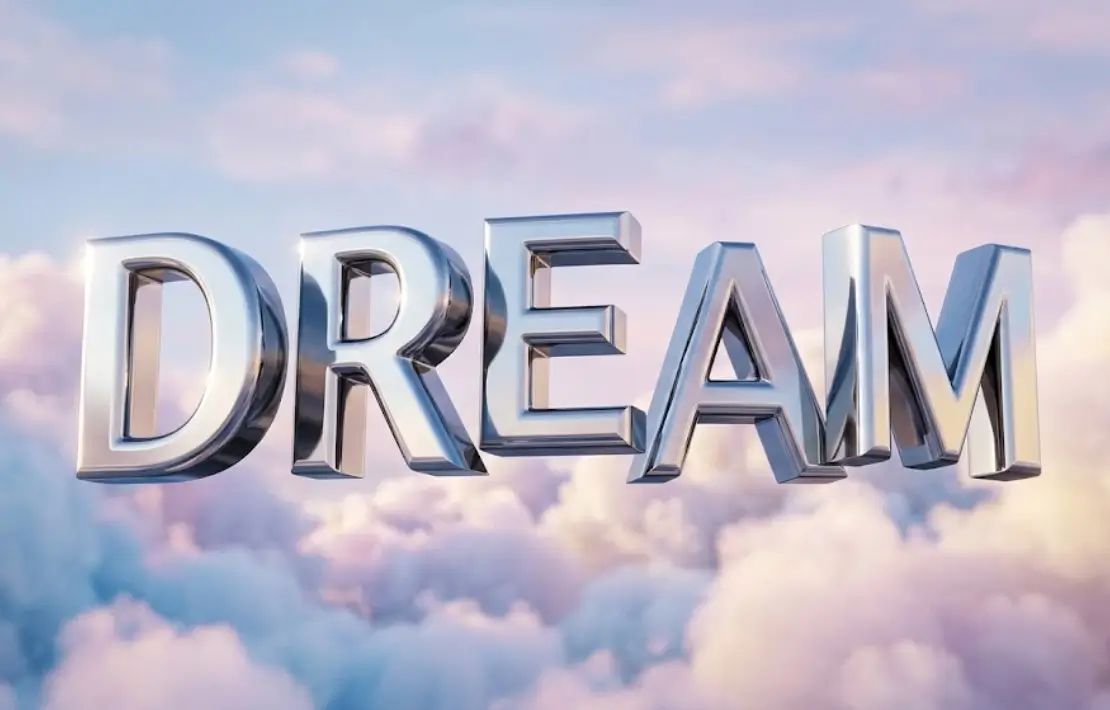
Text effects and pattern-based AI prompts generate images that emphasize typographic styling, surface repetition, and visual composition, creating design-ready graphics. These prompts guide the AI by defining letter structure, material finish, lighting effects, and pattern continuity, and by controlling spacing, symmetry, and alignment. This approach produces visually consistent outputs that are suitable for branding, textiles, and digital design assets. By combining structured typography with repeatable patterns, these prompts create scalable visuals that maintain clarity, detail, and strong design identity.
Prompts to generate text effects and patterns:
- The 3D Text Effect
Prompt 1: “3D text effect of the word DREAM in chrome metallic letters, reflective surface with soft pastel cloud background, dramatic lighting with highlights and shadows, floating composition, glossy finish, cinematic render style, high detail, clean background.” - The Seamless Textile Pattern
Prompt 2: “A seamless repeating pattern of tropical leaves and exotic flowers, vibrant green and pink color palette, flat design illustration style, top-down view, balanced composition, clean edges, high resolution, suitable for fabric printing, white background.”
Social media content

Social media content AI prompts generate images that focus on visual engagement, platform-specific composition, and message clarity to create scroll-focused graphics. These prompts guide the AI by defining layout structure, focal elements, typography placement, color contrast, and branding style, while also controlling aspect ratio and visual hierarchy. This ensures outputs are optimized for platforms such as Instagram, Facebook, and YouTube. By combining strong visuals with clear messaging, these prompts create content suitable for promotions, posts, ads, and digital campaigns.
Prompts to generate high-quality social media content images:
- The Instagram Post Design
Prompt 1: “A modern Instagram post design for a fashion brand, minimal layout with a centered model wearing a neutral-toned outfit, soft beige background, clean typography space at top and bottom, elegant serif font placeholder, balanced composition, high resolution, square aspect ratio, lifestyle aesthetic.” - The Promotional Banner Ad
Prompt 2: “A bold promotional banner for a sale event, bright red and black color palette, large discount text ‘50% OFF’, dynamic composition with diagonal shapes, product images layered with shadows, high contrast lighting, clean typography placement, professional advertising style, widescreen format.” - The YouTube Thumbnail Style
Prompt 3: “A high-impact YouTube thumbnail featuring a surprised facial expression, bright background with yellow and blue contrast, large bold text ‘AI SECRETS’, dramatic lighting, sharp focus, exaggerated composition, click-worthy design, high saturation, clean cutout subject.”
How to Write Better AI Image Prompts?
To create effective AI image prompts, begin with a well-defined subject and support it with clear details about the setting, atmosphere, and visual tone. Use natural, descriptive language that explains how elements should appear, including color, perspective, and artistic direction. Prioritize key details early in the prompt so the AI processes them correctly. Adding technical cues such as resolution or focus improves output clarity, while refining variations of the same prompt helps achieve more accurate and consistent image results.
Steps to write better AI image prompts:
- Define the subject clearly: Specify object, color, material, and form.
- Set the environment: Place the subject in a relevant scene or setting.
- Choose an art style: Mention styles like cinematic, watercolor, or 3D.
- Control lighting: Use terms like soft light, neon glow, or high contrast.
- Guide composition: Add angles like close-up, wide shot, or top-down.
- Include quality details: Use terms like 4K, sharp focus, depth of field.
- Refine iteratively: Adjust prompts to improve output consistency.
What are the Best AI Tools to Use These Prompts With?
The best AI tools for advanced prompts include general-purpose assistants like ChatGPT (OpenAI), Claude (Anthropic), and Gemini (Google), which help structure and refine prompts through strong reasoning and language clarity. When paired with image-generation tools such as Midjourney, DALL·E, Adobe Firefly, Stable Diffusion, and Leonardo AI, these prompts produce high-quality visuals. This combination improves accuracy, consistency, and creative control across design, branding, and concept-based image generation.
The 5 best AI tools to use for generating images with AI prompts are:
- ChatGPT (OpenAI): Refines and structures prompts using strong language understanding and reasoning.
- Claude (Anthropic): Generates detailed, context-aware prompts with a focus on clarity and long-form coherence.
- Gemini (Google): Supports prompt creation with real-time reasoning and integrates well with Google tools, and includes features like Nano Banana for lightweight, fast AI interactions.
- Midjourney: Creates highly stylized and artistic images with strong control over mood and composition.
- Adobe Firefly: Generates clean, design-focused visuals ideal for branding and commercial graphics.
How to Use These AI-Generated Images in Mockups?
To use AI-generated images in mockups, start by selecting a suitable template, preparing the image in the correct format, uploading it to the mockup tool, adjusting placement and perspective, and exporting the final design at high resolution. For apparel workflows, using a dedicated tool to generate fashion designs first ensures clothing visuals are ready before mockup placement. This process helps designers preview visuals on products such as apparel, packaging, websites, or device screens, making it easier to create realistic presentations for branding, marketing, and client use.
Steps to integrate AI-generated images into mockups:
- Select a suitable mockup template: Choose from templates such as t-shirts, posters, or device screens based on your use case.
- Prepare the AI-generated image: Ensure it has proper resolution, a clean background, and the correct aspect ratio.
- Import the image into the mockup tool: Upload the generated image to the mockup tool or design software.
- Adjust placement and scaling: Fit the image accurately within the mockup area while maintaining proportions.
- Apply lighting and perspective effects: Match shadows, highlights, and angles to blend the design naturally.
- Export the final mockup: Save the output in high resolution for presentation, marketing, or client use.
