


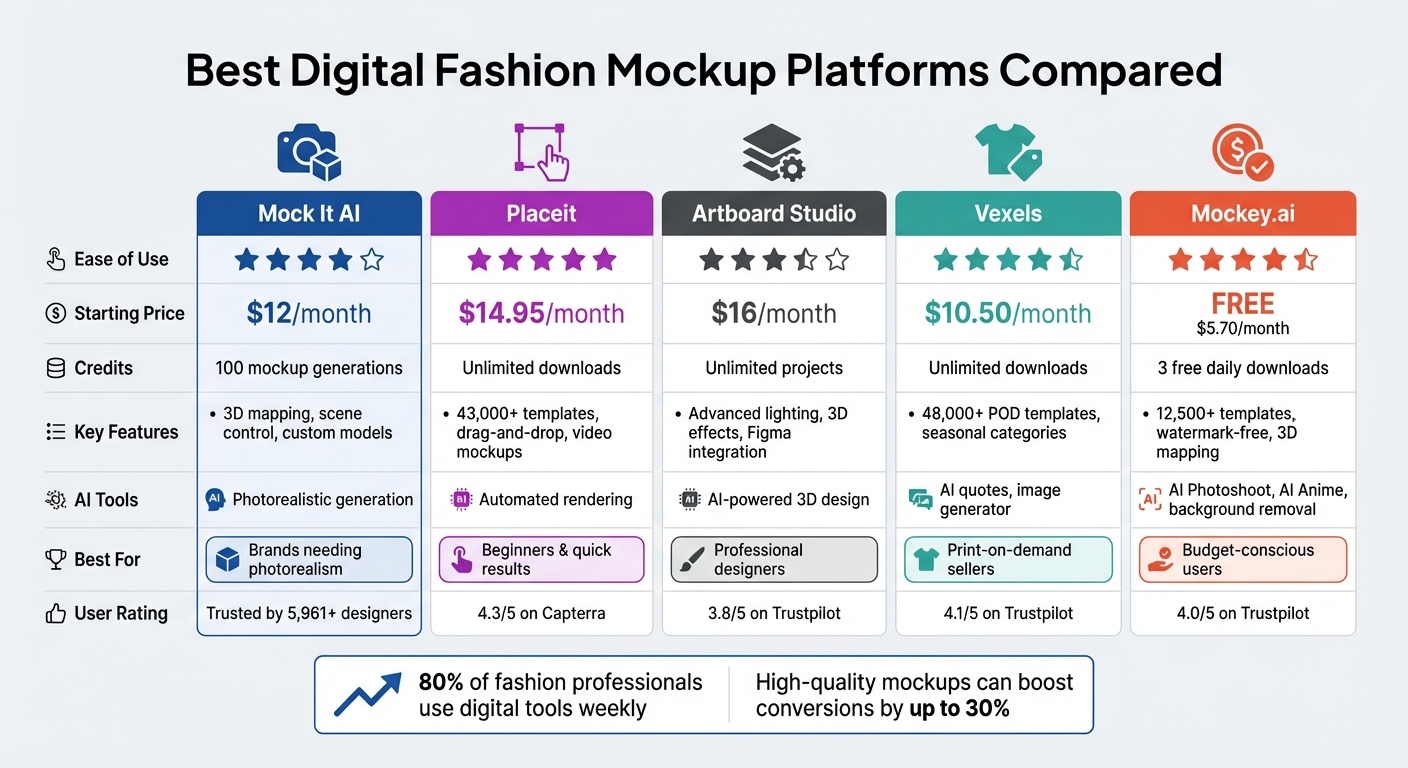
- Mock It AI: Offers photorealistic mockups with advanced customization like 3D mapping and AI-driven workflows. Pricing starts at $12/month.
- Placeit: Known for its simplicity and vast template library. Unlimited downloads for $14.95/month.
- Artboard Studio: Advanced tools for professionals, including 3D layers and animations. Starts at $16/month.
- Vexels: Tailored for print-on-demand sellers with a focus on ready-to-use templates. Plans start at $10.50/month.
- Mockey.ai: Budget-friendly with free watermark-free downloads and AI tools. Paid plans start at $5.70/month.
Each platform caters to different needs, from beginners seeking ease of use to professionals requiring detailed customization. Choose based on your workflow, budget, and design goals.
Quick Comparison:
| Platform | Ease of Use | Starting Price (USD) | Key Features | AI Tools |
|---|---|---|---|---|
| Mock It AI | High | $12/month | 3D mapping, scene control | Photorealistic generation |
| Placeit | Very High | $14.95/month | Drag-and-drop, large template base | Automated rendering |
| Artboard Studio | Moderate | $16/month | Advanced lighting, 3D effects | AI-powered 3D design |
| Vexels | High | $10.50/month | POD-focused templates | AI quotes, image generator |
| Mockey.ai | High | Free/$5.70/month | Background tools, animations | AI Photoshoot, Anime |
Keep reading for detailed insights into each platform’s strengths and pricing.
Digital Fashion Mockup Platform Comparison: Features, Pricing & AI Tools
1. Mock It AI
Usability
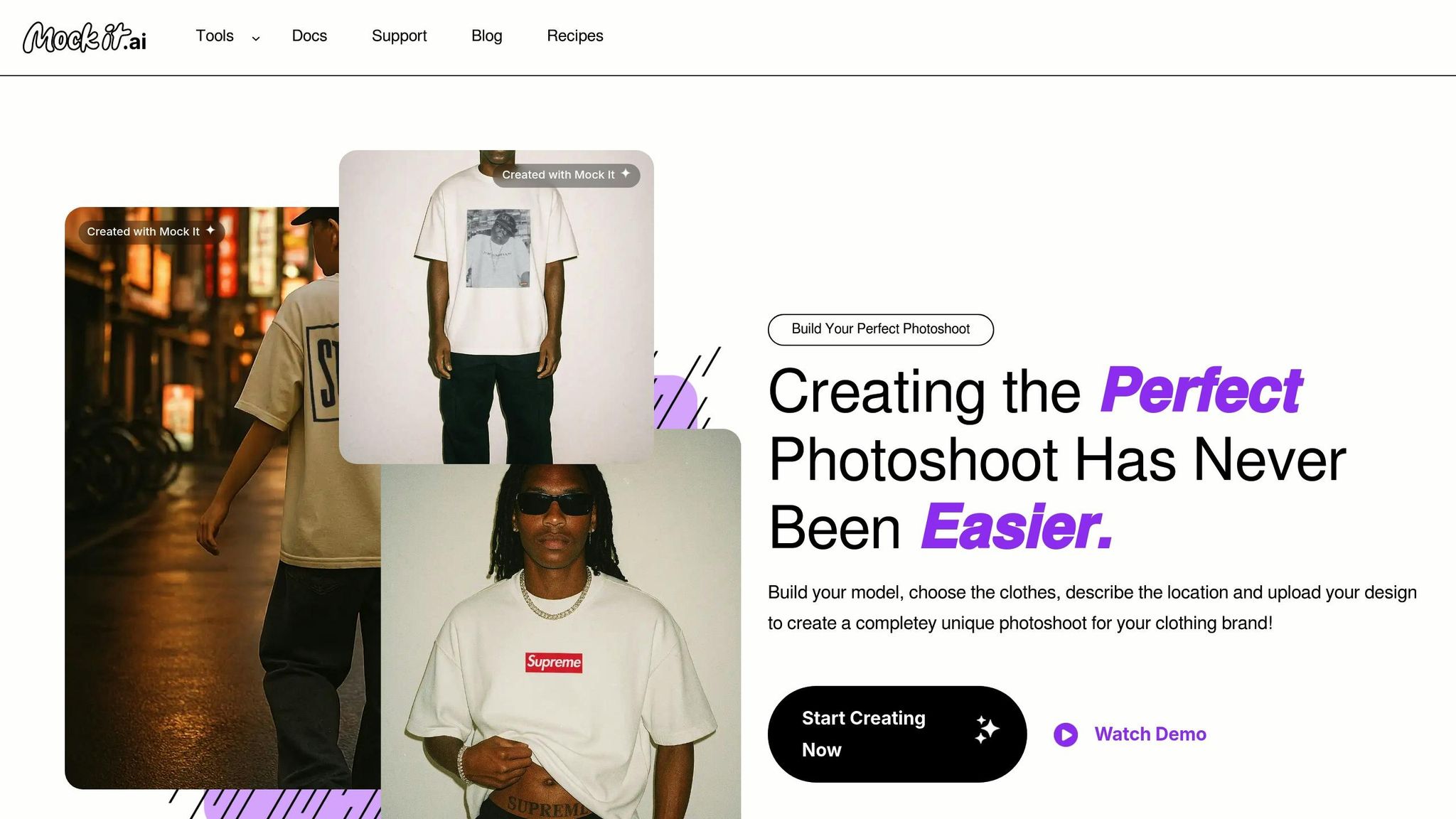
Mock It AI simplifies the process of creating apparel visuals with its visual prompt builder, removing the need for complicated text prompts. Its streamlined 4-step workflow – Build Model, Dress Model, Create Location, and Add Design – makes it easy to use, requiring just about five minutes to get the hang of it. This setup not only minimizes wasted credits but also ensures reliable results on the first attempt by translating your choices into structured commands. Trusted by over 5,961 designers and businesses, Mock It AI delivers fully rendered photoshoot-quality images in less than 30 seconds.
“Mock It AI has changed how I create product visuals. I get professional mockups in under a minute without going back and forth on prompts”.
- Jordan Lee, clothing brand owner
Its user-friendly interface pairs seamlessly with a straightforward pricing model.
Pricing (USD)
Mock It AI offers three subscription plans to suit different needs. The Starter plan costs $12 per month and includes 100 mockup generations. The Growth plan, at $29 per month, provides 250 credits, making each image roughly $0.10. For larger-scale needs, the Pro plan is available at $69 per month with 650 credits. Additional credits can be purchased as needed.
“The image quality is reliable from the first try. I don’t waste time on reruns. The prompt builder helps me get exactly what I need for client projects”.
- Priya Kapoor, clothing brand owner
The Growth plan is particularly appealing for brands running regular campaigns, as it allows users to save up to 50 mockups for future use. This transparent pricing structure complements the platform’s robust customization capabilities.
Customization Options
Mock It AI offers extensive customization, letting users fine-tune details like gender, age, ethnicity, hairstyle, facial expression, and pose for their models. You can tweak clothing fit, choose colors, and add accessories such as footwear. Advanced camera settings allow you to pick the type of camera, lens, and framing (e.g., full-body or torso-only shots). Its standout 3D mapping feature automatically adjusts uploaded designs to fit fabric folds and wrinkles, ensuring logos and patterns look naturally printed rather than artificially overlaid.
“The 3D mapping and clipping mask features mean I don’t have to manually edit layers anymore”.
- Sienna Brooks, e-commerce owner
For added realism, users can apply finishing effects like distressing, motion blur, noise/grain, and light leaks.
AI Features
The AI engine behind Mock It AI converts your menu selections into precise instructions, reducing errors and saving credits – especially valuable when working under tight deadlines.
“Started on the basic plan, bumped up because the quality helped us convert better online. Quick to learn and gives consistent results”.
- Lucas Nguyen, brand creative lead
Additionally, the combination of clipping mask and 3D mapping features eliminates the need for time-consuming post-production editing in Photoshop, significantly speeding up the workflow.
2. Placeit
Usability
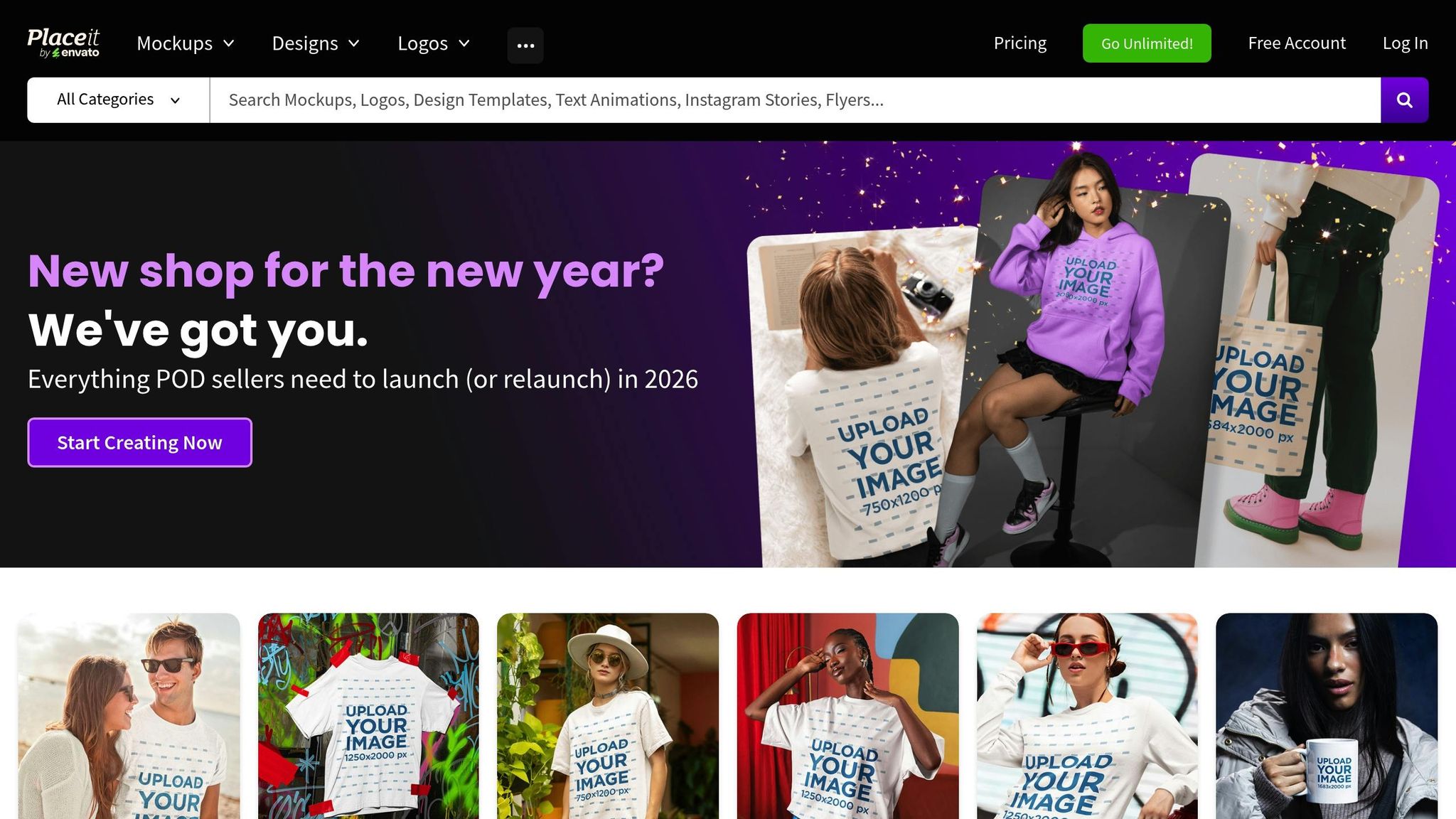
Placeit is a browser-based platform, meaning there’s no need to download or install additional software. Its intuitive drag-and-drop interface makes it easy to upload your designs, tweak them, and download polished mockups in minutes. The platform’s search filters let you sift through its massive library of over 43,000 graphics, narrowing results by gender, age, and ethnicity for more targeted selections.
“Placeit simplifies product mockup creation. I love the different mockup types and lifestyle scenes.” – Beth Waller
Another standout feature is its ready-to-use video mockups, specifically designed for apparel. These can be uploaded directly to social media platforms without requiring extra edits. For Canva users, Placeit offers a dedicated app that seamlessly integrates mockups into your Canva projects, streamlining the creative process even further.
Pricing (USD)
Placeit uses a subscription-based pricing model with two main options. The monthly plan costs $14.95 and includes unlimited downloads of mockups, designs, and videos. For those looking for a better deal, the annual plan is priced at $89.69 per year, which breaks down to about $7.47 per month – offering a 50% discount compared to monthly billing. Both plans come with a commercial license, making them suitable for marketing and advertising purposes.
If you’re not ready to commit to a subscription, you can opt to purchase individual items as needed. Plus, a free account grants access to a rotating selection of templates at no charge – just search for the “free” tag in the library.
“It allowed us to create a professional-looking clothing site that costs nothing – a tiny fraction of the cost of buying clothing and model photo shoots.” – LoveSoul
Customization Options
Placeit offers a wide range of customization tools to make your mockups stand out. You can change garment colors using a built-in color picker, add text or logos, and adjust the scale or rotation of your uploaded designs. Many templates also feature transparent backgrounds, making it easy to layer them over other brand assets seamlessly.
The library includes a variety of apparel categories, such as t-shirts, hoodies, sportswear, hats, and leggings. It even offers templates tailored to specific Print-on-Demand products from popular brands like Gildan 5000, Comfort Colors, and Bella+Canvas. Additionally, Placeit provides access to over 100,000 exclusive designs, icons, and photo assets that you can incorporate into your projects.
AI Features
Placeit incorporates AI-driven tools to simplify time-consuming tasks. These include an automatic background remover, image resizer, video cropper, and video-to-GIF converter. The platform also features a dedicated section for AI-Made Mockups, offering quick solutions for users who need results fast. While these tools are great for streamlining workflows, they may not offer the same depth of customization as advanced editing software.
3. Artboard Studio
Usability
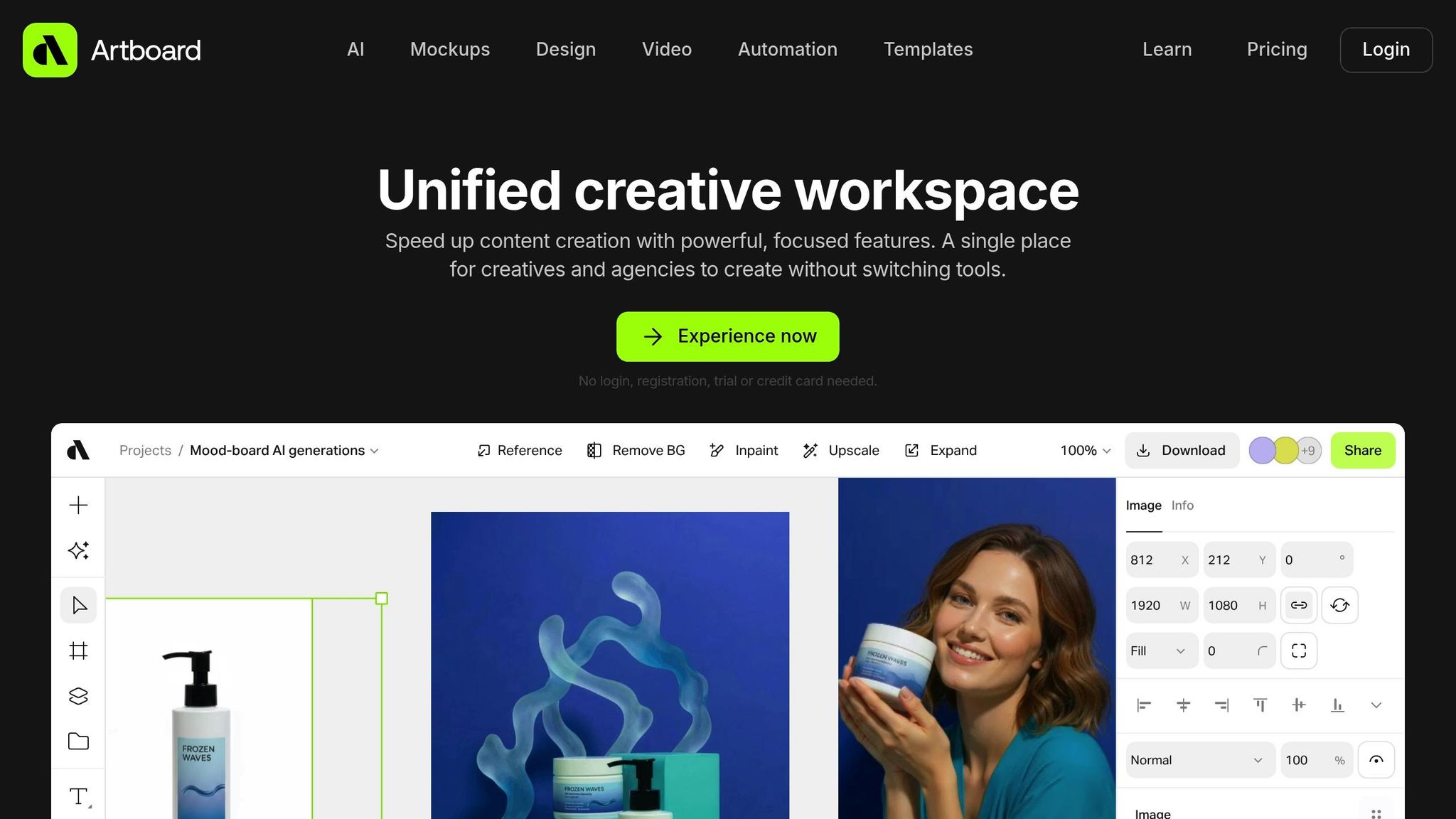
Artboard Studio provides a browser-based platform with an infinite canvas designed for vector graphics, photos, and video animations. Its drag-and-drop editor makes it user-friendly, and you can even try it out without signing up.
One standout feature is its smart objects and warping capabilities, which automatically wrap designs around clothing’s natural folds and contours, creating realistic apparel mockups without requiring manual tweaks. Additionally, Artboard Studio integrates seamlessly with Figma and Adobe Express through plugins, allowing direct access to mockup items within those tools.
For brands managing diverse product lines, the platform’s creative automation feature is a game-changer. It connects a data feed to a master template, enabling quick generation of variations with different colors, logos, or text. The auto-resize tool further simplifies workflows by generating layouts in multiple aspect ratios. All these features are supported by flexible pricing plans.
Pricing (USD)
Artboard Studio offers three options to suit different needs:
- Free Plan: Includes 3 projects, 30 days of content storage, and low-resolution exports under a personal license.
- Lite Plan: Costs $16 per month (billed yearly) and offers 100 AI credits, unlimited projects, high-resolution exports, and access to Figma and Adobe Express plugins with a commercial license.
- Professional Plan: Priced at $24 per month (billed yearly), this tier adds unlimited AI credits, up to 8K video exports, creative automation, data feed integration, and branding tools.
These plans cater to a wide range of users, from casual designers to professionals needing advanced features.
Customization Options
Artboard Studio shines when it comes to customization. Its typography tools let you upload custom fonts, create text-on-path designs, and convert text into editable vectors for precision. The platform supports both vector and raster content, making it easy to blend intricate illustrations with photo mockups.
To maintain brand consistency, you can use the brand guideline creation feature to store and organize your assets, media, and styles in one centralized location. For marketing, the timeline editor with keyframe animation allows you to turn static mockups into dynamic video content, with export resolutions reaching up to 8K.
AI Features
Artboard Studio incorporates several AI-powered tools to streamline your workflow. It can generate images or videos from text prompts and reference files, remove backgrounds from photos and videos, upscale images for sharper quality, and use an inpainting tool to add or remove elements from your designs.
The AI reframe tool adjusts images to any aspect ratio without losing context, while the background replacement feature lets you position products in new environments using text prompts. These AI tools work seamlessly with manual editing options, giving you the freedom to decide how much automation suits your project.
4. Vexels
Usability
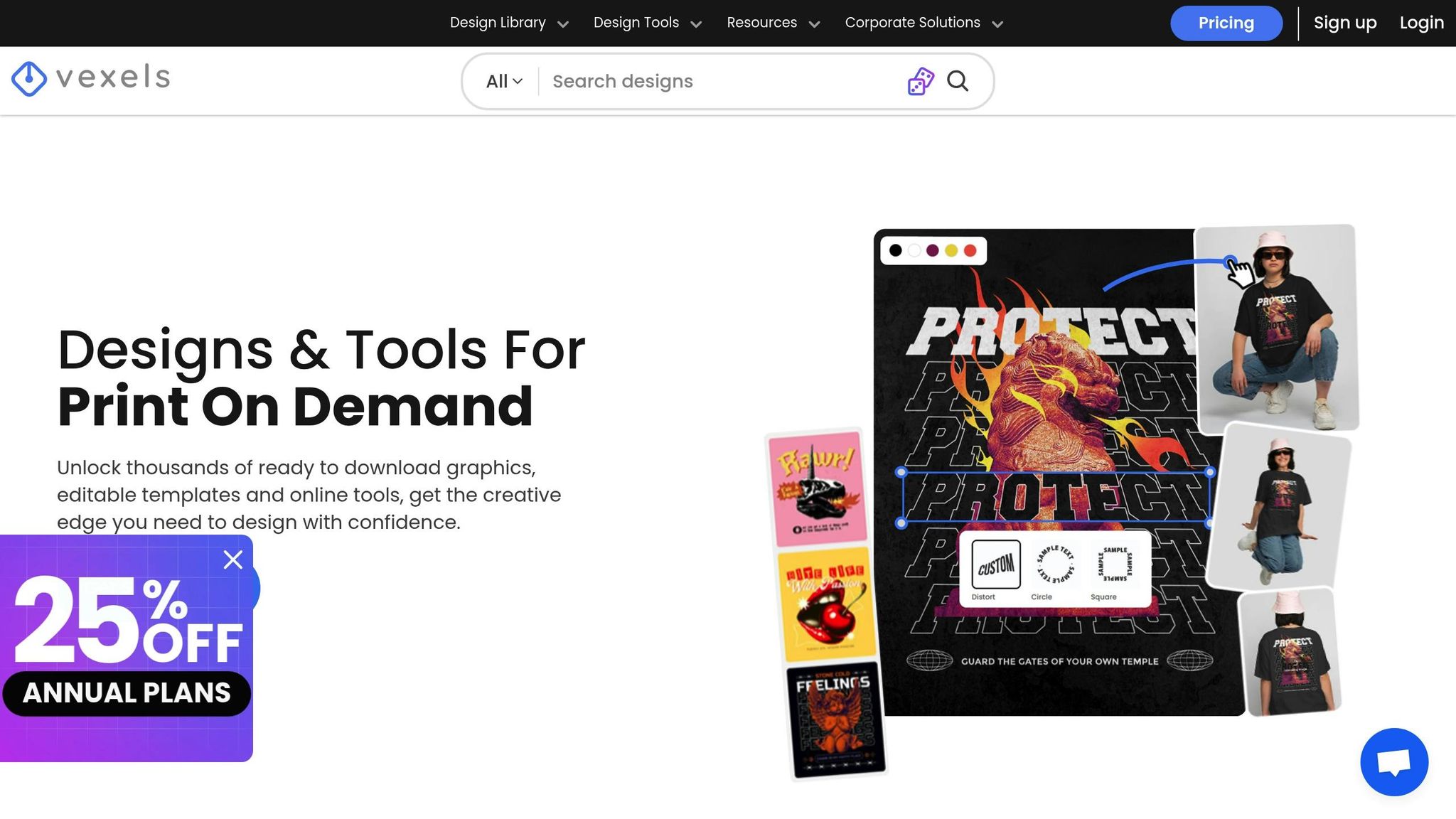
Vexels takes a straightforward “merch-first” approach tailored for print-on-demand (POD) sellers and clothing brands. Its four-step process – browse templates, upload your design, customize elements, and download the mockup – makes creating professional designs simple, even without Photoshop or advanced design skills.
The platform boasts a library of over 48,000 t-shirt mockup templates. Beyond basic tees, it includes options for hoodies, sweatshirts, tank tops, hats, socks, leggings, and tote bags. Each template is optimized for POD standards, ensuring printable colors and ready-to-use specifications. The collection also features models of various ages, ethnicities, and styles, along with lifestyle scenes that help brands connect with specific audiences. With its intuitive design and clear pricing structure, Vexels makes it easy for users to get started.
Pricing (USD)
Vexels operates on a subscription model, with no free plan for mockup downloads. Pricing is divided into four tiers:
- Merch Starter: $10.50 per month
- Merch Seller: $21.75 per month
- Merch Expert: $36.75 per month
- Merch Lifetime: $550 as a one-time payment
Annual plans often include a 25% discount. Higher-tier plans also feature a Design Request option, allowing users to request custom graphics tailored to their specific niche.
Customization Options
Vexels offers plenty of customization tools to ensure your mockups align with your vision. You can adjust product colors using recommended POD palettes, change or remove backgrounds, reposition and resize designs, and even view apparel from multiple angles, including front and back [23, 24]. Templates come in both model-wearing and flat-lay formats, giving you flexibility in how you present your products.
The platform is designed with POD sellers in mind, basing its templates on real products from major POD platforms. It even includes seasonal mockup categories for holidays like Halloween, Christmas, and Valentine’s Day [23, 24]. Plus, with commercial use licenses, Vexels is a solid choice for sellers on platforms like Etsy, Shopify, and Amazon Merch [23, 27].
AI Features
Vexels integrates AI tools to streamline the design process. Its AI Design Generator offers 18 curated merch styles, including Anime, Minimalist, and Vaporwave, all tailored to meet print-ready standards. The “Redesign with AI” feature lets you tweak designs using text prompts, while the AI Quote Generator helps craft niche-specific phrases for your products.
Additional tools include a background remover and an Image Vectorizer, which converts AI-generated images into scalable vectors for detailed editing [23, 26]. If you don’t have a ready-made design, you can create one from scratch using the platform’s design library or AI generator.
sbb-itb-2c1a147
5. Mockey.ai
Usability
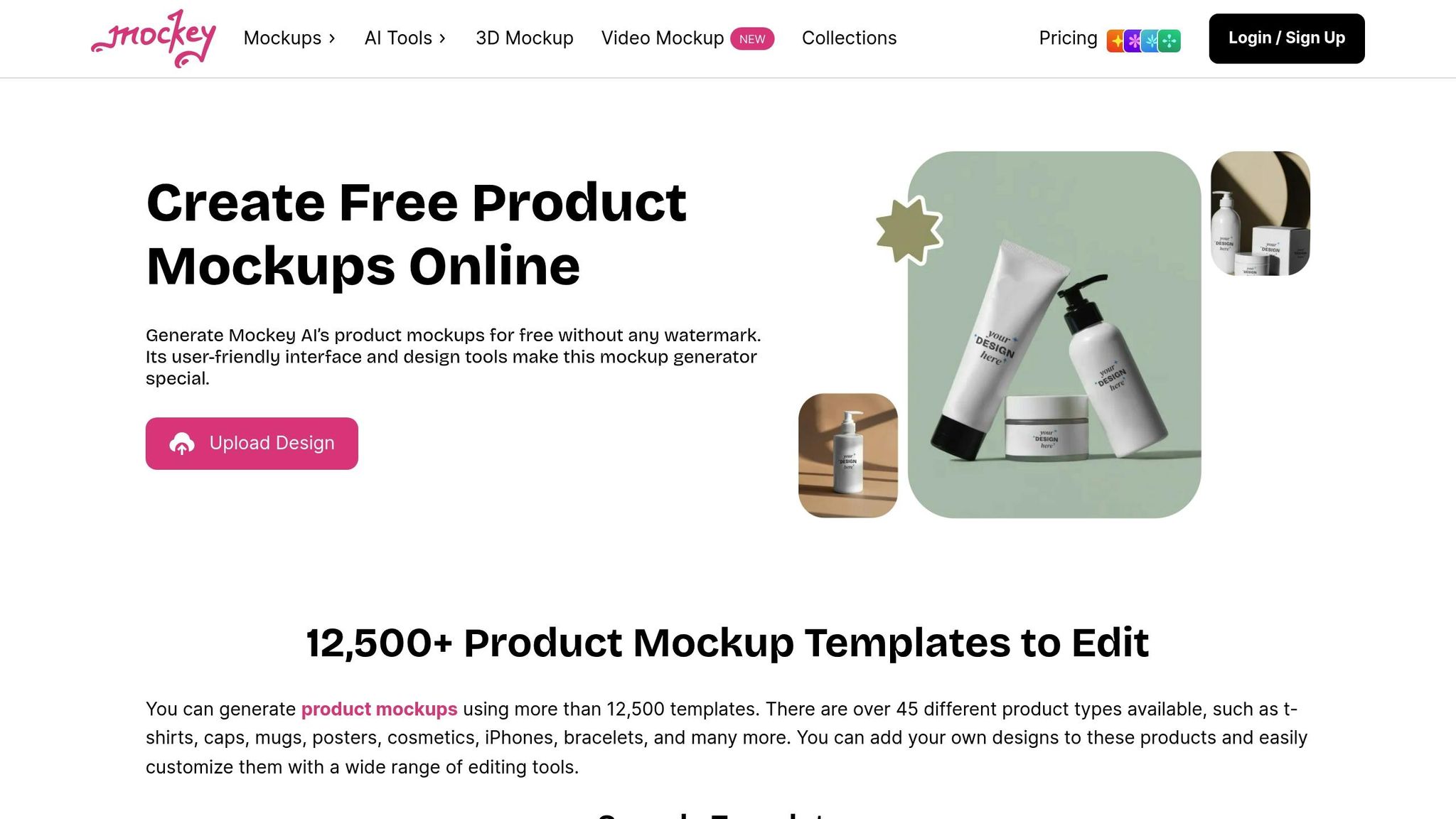
Mockey.ai keeps things straightforward with a simple three-step process: pick a template, upload your design, and download the final product right away. Designed with beginners and non-designers in mind, the platform doesn’t require any Photoshop skills or technical expertise. It’s accessible directly through your browser on both PC and mobile, and there’s even a dedicated Android app available on the Play Store.
The platform boasts a massive library of over 12,500 mockup templates spread across 45+ categories, with more than 5,000 templates tailored specifically for apparel. The apparel section offers specialized designs that cater to a wide range of audiences. A major perk? Mockey.ai allows watermark-free downloads even on the free plan, which sets it apart from many competitors. Free users can download up to three mockups per day without any branding. Its user-friendly approach is complemented by a flexible and affordable pricing model.
Pricing (USD)
Mockey.ai provides three pricing options to suit different needs. The Free Plan costs nothing and allows watermark-free downloads – up to three per day. The Pro Plan is priced at $5.70 per month, while the Max Plan costs $15.20 per month and includes advanced AI tools like AI Photoshoot and AI Anime. For businesses or high-volume users, there’s an Enterprise option with custom pricing and on-demand custom templates. These pricing tiers are designed to offer flexibility without compromising on features.
Customization Options
Mockey.ai’s real-time editor makes customization easy and precise. You can adjust the size and position of designs, tweak garment colors using a full color palette, and even change or blur backgrounds. The platform’s 3D mapping technology ensures that designs seamlessly follow the contours of the model’s body and fabric textures for a more realistic look. With new templates added weekly, there’s always something fresh to explore.
AI Features
Mockey.ai’s AI tools bring professional-grade features to your fingertips. The AI Photoshoot feature helps create lifelike model poses, while AI Anime adds animated effects. You can also generate AI models in various poses and ethnicities. The platform supports 3D mockups, complete with over 10 animation options that can be downloaded as MP4 files. Additionally, you can create 5-second video mockups, and use background removal or blur tools. Upcoming features include an AI image generator and “AI Outfits”, promising even more creative possibilities.
(NEW) How To Make REALISTIC A.I. T-Shirt Mockups (Fastest Method)
Advantages and Disadvantages
Understanding the strengths and limitations of each platform is key to choosing the right fit for your brand’s needs.
Mock It AI stands out with its guided workflow, allowing users to create custom models, choose clothing, and define locations for photorealistic mockups. Features like 3D mapping and scene control offer precise customization. Pricing starts at $12 per month for 100 credits, but the credit-based system requires careful planning to manage usage effectively.
Placeit is celebrated for its simplicity, earning a 4.3/5 rating on Capterra. At $14.95 per month for unlimited downloads, it’s perfect for beginners looking for quick results. However, customization is limited to basic color tweaks and placement, which might not meet advanced design needs.
Artboard Studio caters to professionals with advanced control over lighting, shadows, and 3D layers. It also integrates seamlessly with tools like Figma and Sketch. With a Trustpilot rating of 3.8/5, its pricing starts at $16 per month after a free tier. The downside is its steeper learning curve, which might pose challenges for non-designers.
Vexels combines a vast graphic library with mockup generation, making it a go-to for print-on-demand sellers. Its Merch Starter plan costs $10.50 per month, and it holds a Trustpilot rating of 4.1/5. While it offers AI-powered tools for generating quotes and images, its customization options are somewhat limited.
Mockey.ai offers a budget-friendly solution with AI automation. It features a free tier and paid plans starting at $4.10 per month. The platform excels in automating background removal and scene creation, reflected in its Trustpilot rating of 4.0/5. However, it lacks the detailed garment customization offered by more advanced tools.
Here’s a quick comparison of the key metrics to help you decide:
| Platform | Usability | Pricing (USD) | Customization Features | AI Capabilities |
|---|---|---|---|---|
| Mock It AI | High (Guided workflow) | $12/mo (100 credits) | 3D mapping, scene/pose control | Photorealistic model & fabric generation |
| Placeit | Very High (One-click) | $14.95/mo (unlimited) | Limited customization | Automated rendering on photos |
| Artboard Studio | Moderate (Pro canvas) | $16/mo (Lite plan) | Advanced (lighting, 3D effects) | AI-powered 3D apparel design |
| Vexels | High (Simple UI) | $10.50/mo (Starter plan) | Moderate (color options, AI quotes) | AI quote & image generators |
| Mockey.ai | High (Automated) | Free tier; Starter at $4.10/mo | Moderate (background tools) | AI-driven background removal and scene creation |
Conclusion
Choose the digital fashion mockup platform that best fits your goals.
If you’re a beginner or a print-on-demand seller, Placeit offers quick results with its huge library of pre-made templates and an easy drag-and-drop interface. For those keeping an eye on costs, Mockey.ai is a great option, offering free downloads without watermarks – perfect for testing designs without breaking the bank.
For brands prioritizing photorealism, Mock It AI stands out. Its guided workflows allow you to create custom models, control scenes and poses, and produce shop-ready, photorealistic images. Considering that high-quality product images can boost conversion rates by up to 30%, choosing the right platform can directly impact your sales.
Each platform caters to specific needs based on usability, customization, and AI features. Professional designers seeking advanced tools might lean toward Artboard Studio, known for its professional-grade 3D layers and integrations. Meanwhile, Vexels is a solid choice for POD entrepreneurs looking for a platform that combines graphic assets and mockup generation in one place.
The rise of these platforms mirrors a growing trend: 80% of fashion professionals now rely on digital tools as part of their weekly workflow. Whether your focus is on e-commerce imagery, engaging social media content, or developing initial clothing concepts with an AI fashion design generator, there’s a platform tailored to help you achieve your vision.
FAQs
What should I look for in a digital fashion mockup platform?
When selecting a digital fashion mockup platform, it’s essential to focus on ease of use. Choose tools that let you create mockups quickly and seamlessly, even if you’re not a design expert. A straightforward interface can help you work more efficiently and reduce unnecessary hassle.
Another key factor is pricing and licensing. Look for platforms with budget-friendly plans – many start at around $12 per month – making them a good fit for small to mid-sized brands. Make sure the service includes full commercial licensing, so you can confidently use your mockups across marketing campaigns, e-commerce sites, and print materials without worrying about hidden fees.
Lastly, pay attention to customization and quality. The top platforms allow you to tweak details like model age, ethnicity, and poses, while also offering options to adjust clothing styles, backgrounds, and lighting. High-resolution outputs with lifelike details will ensure your mockups look polished and perfectly aligned with your brand’s style.
How does AI improve the quality and speed of creating digital fashion mockups?
AI is transforming the way digital fashion mockups are created, delivering hyper-realistic, polished visuals in a fraction of the time it would take using traditional methods. Advanced algorithms replicate fabric textures, natural folds, and lighting with incredible precision, making virtual garments look as convincing as images from a professional photoshoot – without ever needing physical samples.
With AI tools, designers can upload their creations, tweak model features, change poses, and pick backgrounds effortlessly. In just minutes, they can generate high-resolution, brand-consistent images. This digital approach eliminates the hefty costs of producing physical samples, renting studios, and hiring photographers. It also enables brands to experiment with various styles and colors quickly and efficiently. AI makes mockup creation faster, more cost-effective, and accessible to fashion brands of any size.
Can digital fashion mockups be used for e-commerce and social media marketing?
AI-generated digital fashion mockups are a fantastic tool for showcasing your designs across various platforms, from e-commerce stores to social media. They offer a polished, visually appealing way to present your products, making them a great asset for catching the eye of potential customers.
Whether you’re building product listings for your online shop or crafting engaging posts for Instagram or Facebook, these mockups provide a fast, customizable option that aligns with your brand’s unique aesthetic.
