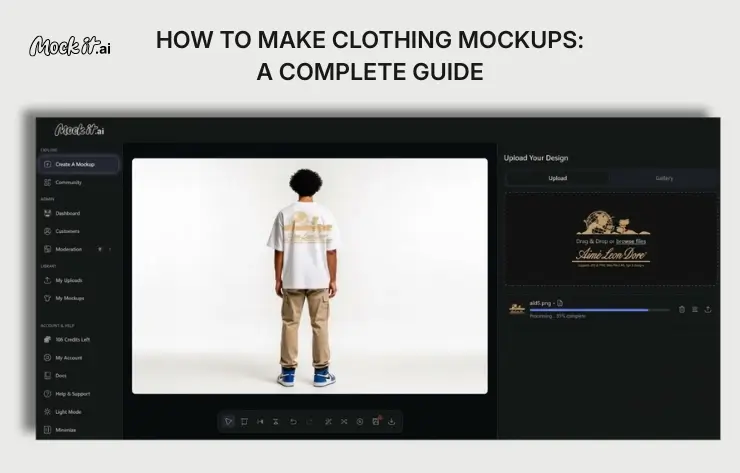
Clothing mockups are visual prototypes of apparel designs used to preview how logos, graphics, or artwork will appear on garments before production. The creation process involves five steps that include visiting a preferred design tool, selecting the apparel type, uploading the design in a compatible format, customizing placement, size, and colors, and previewing and downloading the final mockup.
Popular tools for creating mockups include Canva, Photoshop, Placeit, and Kittl, each offering templates and features suited for different skill levels. To achieve realistic results, it is important to use high-quality images and templates, apply proper shadows and lighting, select appropriate fabric textures, maintain correct design proportions, and test multiple angles and backgrounds. Common mistakes to avoid include using low-quality templates, ignoring garment fit and proportions, overcomplicating designs, using inconsistent or unnatural colors, and neglecting clarity and sharpness.
What Are Clothing Mockups?
Clothing mockups are visual prototypes used to finalize garment designs before production. They can appear as physical test garments, such as muslin or toile, to check fit and construction, or as digital images created in tools like Photoshop or AI mockup generators to preview graphics, colors, and placement. Designers and clothing brands use these mockups to place graphics, logos, or artwork on garment templates, allowing them to preview the appearance, adjust colors, resize designs, and refine design elements. This process helps create realistic product images for online stores, test different design variations, reduce production costs, and ensure the final product maintains clarity and accurate visual presentation.
5 Steps to Create Clothing Mockups
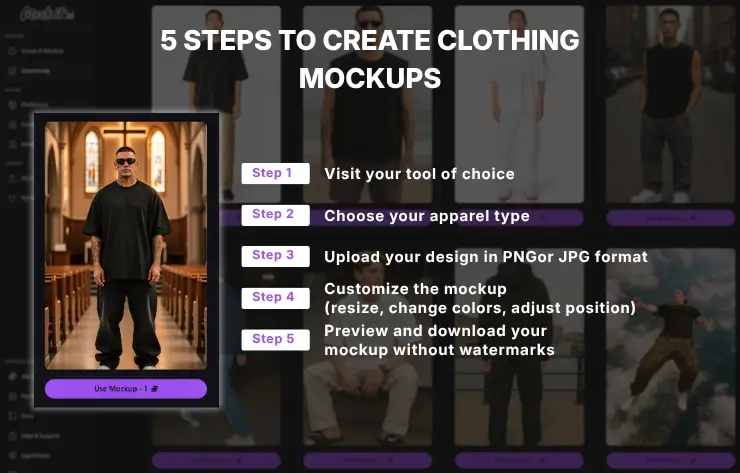
Steps to create clothing mockups include visiting a mockup tool, selecting the apparel type, uploading your design, customizing the mockup, and previewing and downloading the final mockup. This process helps designers visualize the final product’s appearance and ensure the design fits properly on the garment before production.
Step 1: Visit your tool of choice
Visit a clothing mockup generator such as Canva, Photoshop, Placeit, or an AI-based tool that provides apparel templates where designers can place graphics on garments. These platforms allow users to select garment models, upload their design files, and position the artwork accurately on the clothing layout. Using a reliable mockup tool helps create high-resolution product images that represent how the final garment will appear before production or online listing.
Step 2: Choose your apparel type
Select the apparel template that matches the product you plan to design, such as a T-shirt, hoodie, sweatshirt, or jacket. Each template represents the garment’s shape, dimensions, and fabric texture, which helps position the design accurately on the clothing. Choosing the correct apparel type ensures the mockup reflects how the design will appear when printed or manufactured. Designers can also compare different garment styles to see how the same design looks across multiple clothing products.
Step 3: Upload your design in PNG or JPG format
Upload your design file, such as a logo, graphic, or artwork, in PNG or JPG format to place it on the apparel mockup. PNG files are commonly used for designs with transparent backgrounds, which helps the artwork blend naturally with the garment, while JPG files work well for standard images. After uploading, the mockup tool applies the design to the clothing template so you can see how the graphic appears on the garment and prepare it for further customization.
Step 4: Customize the mockup (resize, change colors, adjust position)
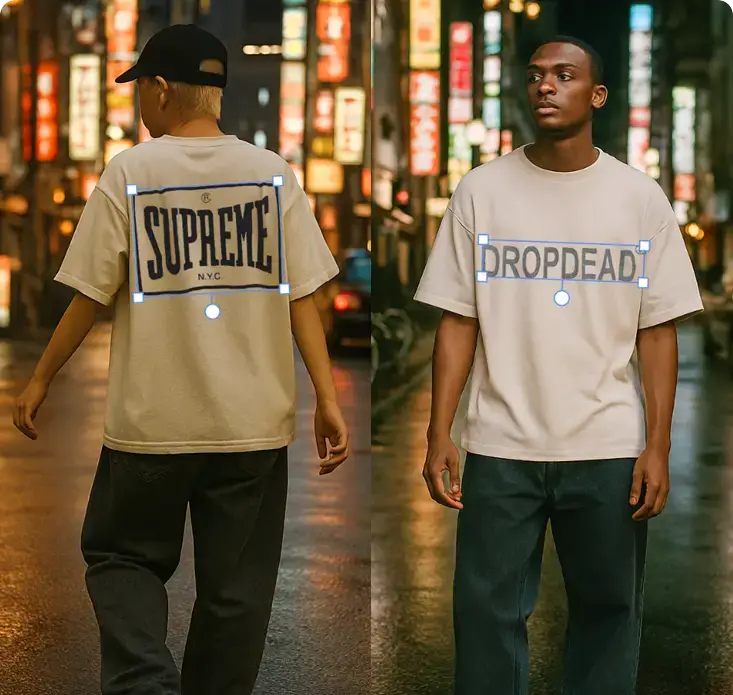
Adjust the design on the garment template by resizing it, changing colors if needed, and repositioning it to the appropriate area, such as the chest, back, or sleeves. Most mockup tools let you drag, scale, or rotate the artwork to align it properly with the clothing layout. This customization helps ensure the design appears balanced, clear, and realistic before generating the final mockup.
Step 5: Preview and download your mockup without watermarks
Preview your mockup to review how the design appears on the garment before downloading it. Check the placement, colors, and clarity of the design to ensure it looks accurate and realistic on the apparel template. After confirming the design, download the mockup without watermarks so it can be used for product listings, marketing materials, or production reference.
What’s the best tool for creating clothing mockups?
The best tools for creating clothing mockups include Canva, Photoshop, Placeit, and Kittl. Each tool offers apparel templates and customization features that allow designers to upload artwork, adjust garment placement, and generate realistic product images before production or online display.
Canva
Canva is suitable for beginners because it offers a simple interface, free apparel templates, and easy design tools. It’s Magic Studio, a suite of AI-powered creative tools for design, writing, and image generation, which helps users quickly create and edit clothing mockups. Designers can upload artwork, place it on apparel templates, and adjust colors or positioning in minutes, helping generate clear product images for online stores without requiring advanced design skills or complex software. According to Forbes, Canva users create an average of 38.5 million designs on Canva per day. The total number of designs created using Canva hit 30 billion in December 2024.
Mock It AI
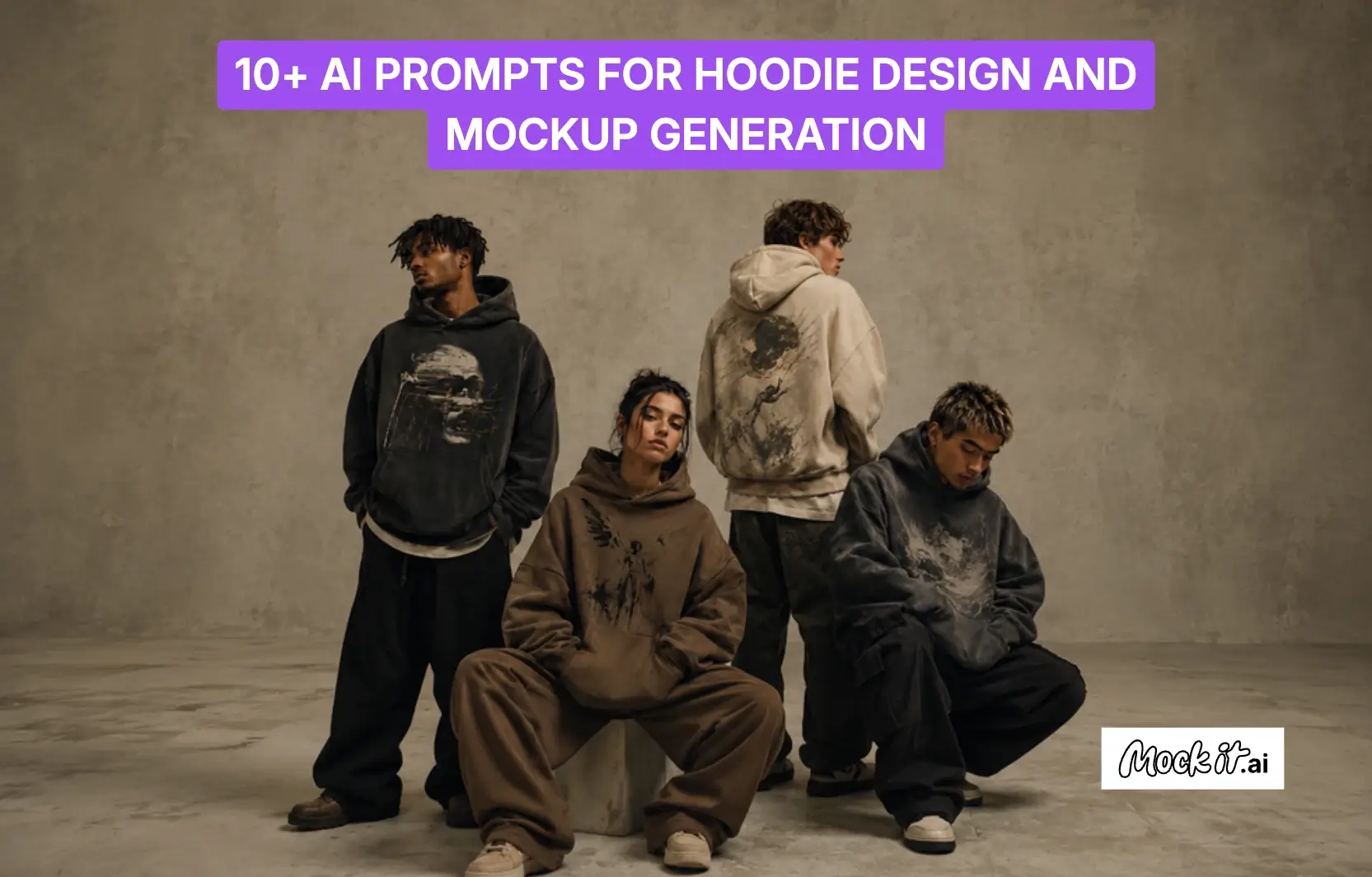
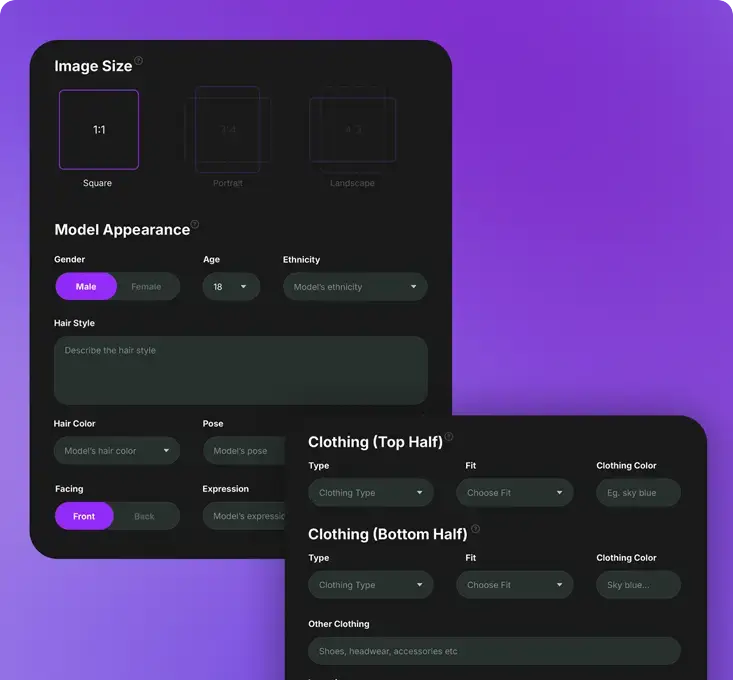
Mock It AI is a powerful AI‑driven clothing mockup generator that helps designers, brands, and online sellers effortlessly turn their artwork into professional‑looking apparel visuals. With just a design upload, it uses artificial intelligence for AI fashion design to place your graphics onto T‑shirts, hoodies, and other garments, automatically generating realistic models, lighting, angles, and backgrounds, all without needing a photoshoot or advanced design skills.
Photoshop
Photoshop is considered one of the best tools for creating clothing mockups because it provides precise control over every design element. Designers can use layered PSD mockup templates to place artwork on garments while adjusting shadows, lighting, fabric texture, and color blending. Photoshop also supports advanced features such as smart objects, layer masks, and high-resolution editing, which allow designers to replace designs quickly while maintaining accurate garment details. This level of customization allows designers to produce highly realistic clothing mockups that accurately represent how the final product will appear after printing or manufacturing.
Placeit
A template-based mockup generator like Placeit, owned by Envato, allows designers to create clothing mockups quickly without advanced design skills. It is a cloud-based design tool designed for e-commerce marketers, content creators, and print-on-demand sellers to create mockups, logos, videos, and branding assets. For clothing mockups, users can upload their artwork and automatically apply it to apparel templates such as T-shirts, hoodies, or sweatshirts, which helps generate realistic product images quickly for online stores, product listings, and marketing materials without creating physical samples.
Kittl
An AI-first graphic design platform like Kittl provides an efficient environment for creating clothing mockups directly in the browser. It is a browser-based design tool tailored for creators, print-on-demand sellers, and marketers who need to produce apparel visuals without complex software. The platform includes apparel templates, typography tools, and AI-powered design features that enable users to place artwork on garments, adjust layout elements, and quickly generate clear product images. This workflow helps designers create professional clothing mockups for product listings, branding materials, and online stores without requiring advanced graphic design experience.
What are the tips for Generating Realistic Clothing Mockups?
The tips for generating realistic clothing mockups include high-quality templates, proper shadows and lighting, suitable fabric textures, balanced design proportions, and varied angles. These factors help clothing mockups appear more realistic and accurately represent how the design will look on the final garment.
Choose High-Quality Images and Templates
High-quality images and templates improve the visual accuracy of clothing mockups by clearly displaying garment details and design elements. Using high-resolution apparel templates helps maintain sharp edges, proper color representation, and realistic garment structure. This accuracy allows designers and brands to present product images that closely resemble real garments, which improves visual credibility in online stores and marketing materials.
Use Proper Shadows and Lighting
Proper shadows and lighting make clothing mockups appear more realistic by replicating how light naturally interacts with fabric. Shadows form around folds, seams, and curved areas of the garment, which adds depth and helps show the structure of the clothing. Balanced lighting highlights the surface of the fabric and ensures the design colors remain visible and accurate. When these elements are adjusted correctly, the artwork blends naturally with the garment’s texture and contours, making the mockup look closer to a real, photographed product rather than a flat graphic placed on the clothing.
Select Appropriate Fabric Textures
Using appropriate fabric textures helps clothing mockups appear more realistic by showing how a design interacts with the material of the garment. Different fabrics, such as cotton, polyester, or fleece, influence how colors, shadows, and printed graphics appear on the clothing surface. Applying the correct texture allows the design to follow the fabric’s folds and material patterns, which helps the mockup represent how the final garment will look after printing or production.
Keep the Design in Proportion
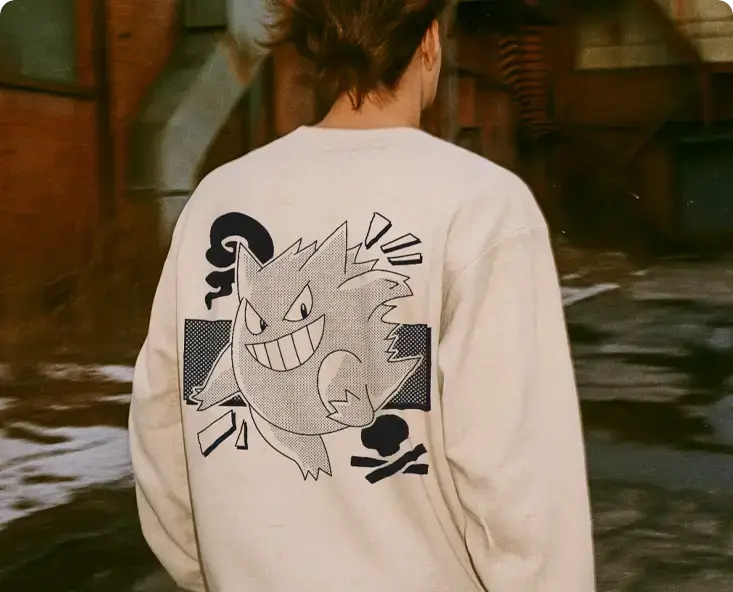
Accurate design proportion improves the realism of clothing mockups by ensuring the artwork fits naturally on the garment template. Designers can maintain proper proportions by scaling the design according to standard print areas such as the chest, back, or sleeves and by aligning the artwork with the garment’s layout and dimensions. Many mockup tools also provide grid guides or resizing controls that help adjust the design without stretching or distortion. Maintaining these proportions allows designers to evaluate how the final printed garment will look and present more reliable product images for online stores or marketing materials.
Test Different Angles and Backgrounds
Viewing clothing mockups from multiple angles and using suitable backgrounds improves their realism and presentation. Designers can evaluate the garment from front, side, or angled views to check design placement, garment shape, and visual balance. Backgrounds such as plain studio settings or lifestyle scenes make the mockup resemble real product photography, which helps clothing mockups appear more realistic and improves how the apparel design is presented in online stores or marketing materials.
What are Common Mistakes to Avoid in Clothing Mockups?
The common mistakes to avoid in clothing mockups include low-quality templates, incorrect garment proportions, overly complex designs, unnatural colors, and poor image clarity. Avoiding these issues helps clothing mockups appear more realistic and ensures the design accurately represents the final garment.
Using Low-Quality Templates
Using low-quality templates is a common mistake in clothing mockups because poor-resolution images often lack fabric details, realistic lighting, and accurate garment structure. As a result, the design may appear blurry or unnatural, which reduces the overall visual quality of the mockup. Low-quality templates also fail to accurately represent garment folds, seams, and texture, making the design look artificially placed on the clothing. This can misrepresent how the final printed garment will appear and may reduce the credibility of product images used in online stores or marketing materials.
Ignoring the Fit and Proportions of the Garment
Incorrect garment fit or proportions can make clothing mockups look unrealistic because the design may not align properly with the shape and structure of the apparel. When the artwork is placed too large, too small, or in the wrong position, it can appear stretched or poorly balanced on areas such as the chest, back, or sleeves. This misalignment prevents the mockup from accurately representing how the design will appear after printing. Maintaining proper garment proportions ensures the mockup reflects the real size, placement, and overall appearance of the final clothing product.
Overcomplicating Your Design
Overly complex designs often reduce the effectiveness of clothing mockups because too many design elements can make the garment look cluttered and difficult to interpret. When multiple graphics, colors, or text elements are placed on the same apparel area, the main design loses focus, and the mockup becomes visually unbalanced. This complexity also makes it harder to evaluate how the design will appear once printed on the garment. Keeping the design simple and well-structured allows the clothing mockup to display the artwork clearly and represent the final product more accurately.
Using Inconsistent or Unnatural Colors
Unnatural or inconsistent color choices can make clothing mockups look unrealistic because the design may not blend properly with the garment’s color and lighting. When colors are too bright, mismatched, or visually conflicting with the fabric, the artwork can appear artificially placed on the clothing. Inconsistent color tones can also distort how the design will look after printing on real fabric. Maintaining balanced and natural color combinations helps the mockup represent the garment accurately and improves the overall visual presentation of the clothing design.
Forgetting to Check for Clarity and Sharpness
Overlooking image clarity and sharpness reduces the quality of clothing mockups because blurry or pixelated designs make the garment appear unprofessional. When the artwork or template lacks clear resolution, important design details such as logos, graphics, or typography become difficult to see. This may misrepresent how the design will appear on the final printed clothing. Reviewing clarity and sharpness before finalizing the mockup ensures the design remains crisp and suitable for product images used in online stores or marketing materials.
How to make clothing mockups for free?
Clothing mockups can be created for free by using online mockup generators such as Canva, Kittl, or free Placeit templates. These tools allow designers to select apparel templates, upload their design files, adjust placement or colors, and generate product images without requiring advanced design software.
What’s the best tool for creating clothing mockups?
The best tool for creating clothing mockups depends on the level of design control and ease of use required, with Canva, Photoshop, Placeit, and Kittl being among the most commonly used options. These tools provide apparel templates, customization features, and mockup generation capabilities that allow designers to upload artwork, adjust placement, and create realistic product images before production or online display.
How realistic can clothing mockups look?
Clothing mockups can look highly realistic when they use high-resolution templates, accurate fabric textures, proper shadows and lighting, and correctly scaled design placement. These elements allow the design to blend naturally with the garment, making the mockup closely resemble real product photographs used in e-commerce listings and marketing materials.
How do you create a clothing mockup from scratch?
A clothing mockup can be created from scratch by starting with a blank garment image or template, then adding fabric texture, shadows, and lighting to simulate how real clothing looks. Designers place their artwork on the garment using design software such as Photoshop and adjust the size, perspective, and blending so the design follows the folds and contours of the fabric.
Can clothing mockups help increase sales?
Yes, clothing mockups can increase sales because they show realistic product images before production. Clear mockups help customers visualize how the design will look on the garment, which improves product presentation and encourages more confident purchasing decisions