Artificial intelligence is revolutionizing the way designers, marketers, and creators produce visual content. Valued at $9.10 billion in 2024, the AI image generation market is projected to reach $63.29 billion by 2030, growing at a 38.16% compound annual growth rate (CAGR) between 2025 and 2030, according to Global Risk Community. This rapid expansion reflects the increasing adoption of AI-powered design tools by businesses to meet the growing demand for scalable and customized visuals.
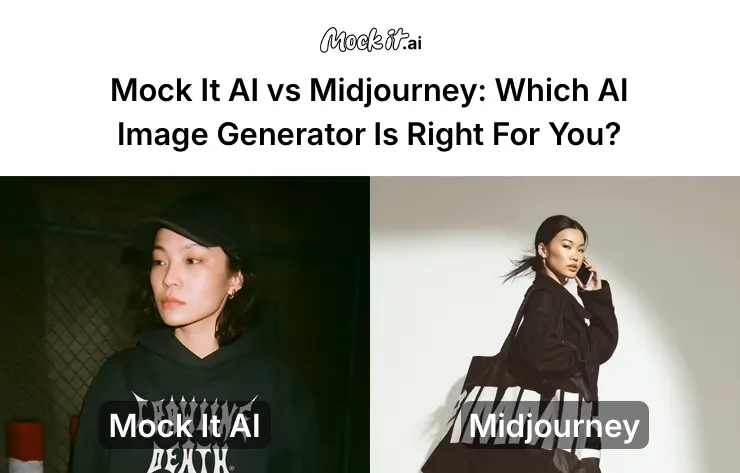
Among the top contenders, Mock It AI and Midjourney represent two distinct approaches to AI image creation. Mock It AI is built for professionals seeking commercial-grade, editable, and brand-safe visuals for marketing campaigns, eCommerce stores, and product showcases. Midjourney, in contrast, is designed for creative exploration, helping artists and storytellers craft imaginative, stylized, and expressive imagery that prioritizes creativity.
Deciding between these two tools involves more than comparing design quality or generation speed. By the end of this guide, you will understand which AI image generator fits your purpose best, whether for creating professional marketing visuals or experimenting with conceptual art.
At a Glance: Mock It.ai vs Midjourney
Mock It AI focuses on business-ready visuals that meet brand and licensing standards, whereas Midjourney thrives on artistic experimentation and expressive visual storytelling. While both Mock It AI and Midjourney are AI-powered image generators, each serves a distinct creative intent.
The table below provides a clear snapshot of how Mock It AI vs Midjourney compare.
| Feature | Mock It AI | Midjourney |
| Primary Focus | Commercial-grade, realistic visuals for professional use | Creative, stylized imagery for artistic exploration |
| Best For | Businesses, marketers, product designers, agencies | Artists, illustrators, concept creators, storytellers |
| Learning Curve | Beginner-friendly (5 min setup) | Moderate (command syntax required) |
| Interface | Web dashboard + API | Discord bot |
| Style Focus | Photorealistic, editable, and brand-safe | Abstract, artistic, and interpretive |
| Generation Speed | 3-8 seconds average | 12-60 second (queue-dependent) |
| Editing Tools | Built-in editor (crop, background removal, color adjust) | Prompt-based iteration only |
| API Access | Yes | No |
| Ideal Use Case | Product mockups, ad creatives, and eCommerce visuals | Concept art, storytelling, and inspiration boards |
| Pricing | Starting at $12/month | Starting at $10/month (Extra $4 for extra GPU time) |
Who Should Use Which Tool?
If you are a professional or business owner completely focusing on visuals for digital marketing purposes, Mock It AI is the best option. On the other hand, if you are a creator or artist looking for imaginative visuals, Midjourney is the better choice. Therefore, choosing between Mock It AI and Midjourney depends on your purpose, workflow, and creative expectations. Understanding where each tool fits helps you save time, maintain visual consistency, and achieve the desired outcome without unnecessary trial and error.
Mock It AI: Best for Professionals and Businesses
Mock It AI is designed for users who prioritize efficiency, brand safety, and commercial clarity. It streamlines production workflows for marketing teams, digital agencies, and brands that rely on frequent, high-volume image generation. Its interface minimizes learning curves, making it easy to onboard new users quickly.
You should choose Mock It AI if you:
- Need high-quality visuals for ads, websites, product catalogs, and eCommerce listings.
- Work under tight deadlines where generation speed and reliability are critical.
- Require consistent, editable, and on-brand outputs without complex prompts.
- Want built-in editing tools such as background removal, color correction, and resizing.
- Operate in commercial settings where IP ownership and licensing must be clear.
Midjourney: Best for Creators and Artists
Midjourney is ideal for creators who value artistic freedom and experimentation. It transforms prompts into unique, expressive visuals, rewarding creativity and curiosity. Best suited for artists, storytellers, and designers, the platform helps develop concept art, personal projects, and inspiration boards through its interpretive and imaginative approach.
You should choose Midjourney if you:
- Focus on concept art, mood boards, or visual storytelling.
- Enjoy tuning prompts to achieve unique aesthetics.
- Prefer artistic expression over rigid commercial precision.
- Do not need API access or structured workflow integration.
- Thrive in a community-driven environment with open collaboration.
How We Tested These Platforms
To provide an accurate comparison between Mock It AI and Midjourney, we tested both platforms using a structured evaluation framework focused on consistency, fairness, and real-world relevance. Each tool was assessed under identical creative objectives, using the same thematic prompts, project categories, and evaluation criteria.
Here are the nine core parameters we focused on to test both Mock It AI and Midjourney’s AI image generation capability:
- Image Quality and Prompt Accuracy: How well the output matched the intended concept.
- Style Range and Realism: The diversity and believability of generated visuals.
- User Interface and Learning Curve: Ease of use, onboarding, and prompt setup.
- Speed and Generation Time: Average time to first render and batch output efficiency.
- Editing and Post-Processing: Availability and effectiveness of in-tool adjustments.
- Pricing and Value: Cost per image relative to plan tiers and generation limits.
- Licensing and Commercial Use: Clarity and flexibility of ownership rights.
- Integration and Workflow Fit: Compatibility with professional design ecosystems.
- Ethical Safeguards and Content Control: Measures to prevent misuse or bias in generated content.
Note: All images were reviewed by experts familiar with AI design tools to ensure consistency in scoring and interpretation. Quantitative aspects like rendering speed were measured in seconds, while qualitative elements such as visual realism and usability were rated properly.
Head-to-Head Comparison: Mock It AI Vs MidJourney
Both Mock It AI and Midjourney lead the AI image generation space, but their strengths serve very different creative and commercial needs. Mock It AI emphasizes photorealistic, editable, and commercially compliant outputs, while Midjourney focuses on artistic variety and imaginative storytelling.
Below is a detailed, category-by-category breakdown highlighting how each platform performs in practice.
Image Quality and Prompt Interpretation
In terms of visual realism, Mock It AI delivers highly accurate, photorealistic results with precise lighting and consistent object placement, while Midjourney takes a more artistic approach, emphasizing creativity over technical precision.
When comparing output purpose, Mock It AI performs best for commercial visuals such as product shots and marketing imagery, where brand accuracy matters. Midjourney excels in conceptual and fantasy compositions, generating unique textures and painterly effects suited for artistic exploration.
From a control standpoint, Mock It AI maintains stronger prompt fidelity (8.5/10), ensuring results closely match input intent. Midjourney, with a 7/10 fidelity score, provides broader stylistic freedom but often delivers less predictable outcomes for structured projects.
Style Range and Flexibility
When it comes to visual range, Mock It AI offers structured versatility through preset modes like Photorealistic, 3D Render, Sketch, Cartoon, and Illustration. These predefined options help maintain visual consistency and make it easier for brands to align images with their marketing style.
In contrast, Midjourney provides unlimited stylistic control through prompt-based parameters such as style, chaos, and stylize. This flexibility allows users to create diverse outputs with varying textures, moods, and artistic effects, making it ideal for creative experimentation.
However, while Mock It AI ensures repeatable, brand-safe results, Midjourney prioritizes artistic freedom at the cost of consistency. Businesses benefit from Mock It AI’s controlled outputs, whereas artists and designers thrive on Midjourney’s open-ended exploration
Ease of Use and Interface
Mock It AI provides a straightforward browser-based interface available on both desktop and mobile. Users can navigate visually through dashboards and guided workflows, while Midjourney operates exclusively within Discord, requiring setup and command-line interaction that may feel less intuitive to new users.
When comparing onboarding, Mock It AI allows beginners to start generating images within minutes using a drag-and-drop prompt builder and predesigned templates. Midjourney, by contrast, demands a longer learning period as users must master text commands and parameters to produce desired outcomes.
From a usability perspective, Mock It AI is optimized for quick adoption and collaborative use in professional teams. Midjourney appeals more to experienced creators who prefer manual control and enjoy experimenting with prompt syntax for creative variation.
Speed and Performance
In terms of speed and reliability, Mock It AI outperforms Midjourney. Its dedicated cloud servers deliver fast, queue-free rendering, enabling image generation within seconds even during peak usage. In contrast, Midjourney runs on shared GPU clusters, where processing times fluctuate based on server load. During peak hours, image generation can slow significantly, making it less practical for large-scale or deadline-driven projects.
The table below highlights the key performance differences between the two platforms:
| Metric | Mock It AI | Midjourney |
| Average Generating Time | 5 seconds | 35 seconds |
| Fastest Generation | 3 seconds | 12 seconds |
| Slowest Generation | 12 seconds | 90 seconds |
| Uptime Reliability | 99.2% | 97.8% |
| Queue Wait (Peak Hours) | None | Up to 5 minutes |
Editing and Customization
Mock It AI integrates a built-in editing suite, enabling post-generation adjustments without external software. Users can perform background removal, object isolation, color grading, resolution upscaling, and targeted regeneration directly within the dashboard. Supported export formats include PNG, JPG, WebP, and SVG, offering flexibility across workflows.
Midjourney provides limited post-generation options such as variations (V1–V4), upscaling (U1–U4), remixing, and panning/zooming to extend the canvas. For detailed refinements, users must rely on third-party tools like Photoshop. Images exported in PNG format only require manual saving from Discord.
Pricing and Value for Money
When comparing pricing, Mock It AI and Midjourney take different approaches based on their target users. Mock It AI starts at $12 per month and offers three structured packages tailored for business use. Midjourney starts at $10 per month and provides four subscription tiers designed for creative flexibility.
Mock It AI Plan and Pricing:
- Free Trial: Free (Generate up to 30 images)
- Starter: $12/month (100 credits)
- Growth: $29/month (250 credits)
- Pro: $69/month (650 credits)
- Cost Per Image: 1 Credit
Midjourney Plan and Pricing:
- Basic Plan: $10/month
- Standard Plan: $30/month
- Pro Plan: $60/month
- Mega Plan: $120/month
- Cost Per Image: $0.05 – $0.10 (varies by usage)
For the value comparison of Mock It AI and Midjourney, here is a table highlighting different usage scenarios:
| Scenario | Better Value |
| High-volume production (500+/month) | Mockit.ai |
| Occasional creative projects (<50 images/month) | Midjourney Basic |
| Team collaboration (5+ users) | Mockit.ai |
| Individual artist portfolio | Midjourney Standard |
| API automation needs | Mockit.ai (Only option) |
Licensing and Commercial Rights
Mock It AI grants full commercial rights across all paid tiers. Users retain non-exclusive ownership, with no attribution required. Outputs can be used freely in ads, merchandise, and NFT sales, backed by a transparent Terms of Service designed for business compliance.
Midjourney applies tiered licensing. Basic plan users have limited commercial use, while Pro and Mega plans unlock full rights. Companies with revenue above $1 million annually must subscribe to the Mega plan for unrestricted usage. Stealth mode allows privacy for high-tier subscribers.
Support and Community
With Mock It AI, users get structured, responsive assistance through email support (24-48 hours), live chat for Pro+ users, and a comprehensive knowledge base with video tutorials. Its smaller but focused official Discord community prioritizes technical help and feature feedback.
On the other hand, Midjourney operates a community-first model with minimal direct support. Its public Discord hosts over one million members, fostering prompt sharing, collaborative learning, and peer-driven assistance. While vibrant, the structure favors informal help over official response.
Ethical Controls and Safety
Mock It AI incorporates automated filtering systems for NSFW, violent, or discriminatory content, combined with bias detection and a copyright-trained dataset sourced from licensed media. The platform ensures compliance with GDPR and CCPA standards, maintaining strong brand safety.
Midjourney relies on community moderation with a public banned-word list and manual reporting. While it supports artist opt-out programs, its controls are more lenient to preserve creative freedom.
Which One Should You Choose? Mock It or Midjourney
Both Mock It AI and Midjourney deliver impressive image generation capabilities, but the right choice depends entirely on your purpose. If you need polished, editable visuals for real-world use, Mock It AI is built for business performance. If your focus is creative experimentation, Midjourney offers the freedom to explore abstract and artistic concepts.
The table below compares both tools across common professional and creative use cases:
| Use Case | Best Choice | Reason |
| Product mockups & business visuals | Mockit.ai | Fast, consistent, and commercially safe |
| Concept Art and Creative Visuals | Midjourney | Allows stylistic freedom through advanced prompt manipulation. |
| Developer API Automation | Mockit.ai | Provides API integration for automated image generation within workflows. |
| Artistic Collaboration | Midjourney | Excels in imaginative, painterly visuals that support narrative and concept art. |
| Agency Scalability & IP Clarity | Mockit.ai | Provides transparent licensing and full commercial usage rights across all paid plans. |
| eCommerce and Product Visualization | Mockit.ai | Produces consistent, editable images ideal for catalogs and online listings. |
| UI/UX Mockups and Business Collateral | Mockit.ai | Offers template-based control and professional-grade accuracy for design teams. |
| High-Volume Production Workflows | Mockit.ai | Cloud infrastructure ensures fast, scalable generation without queue delays. |
| Personal Creative Exploration | Midjourney | Ideal for hobbyists and visual artists exploring unique styles and textures. |
How to Start with Mock It AI?
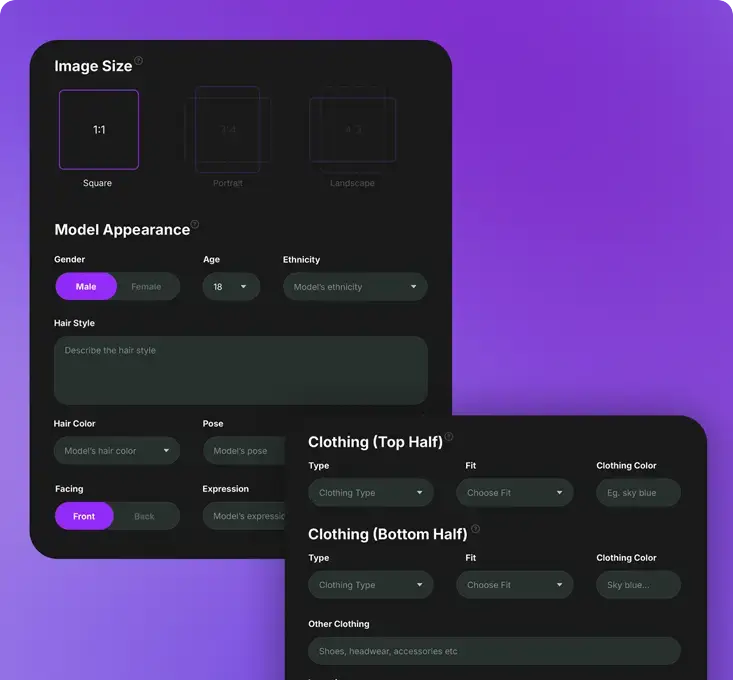
To create AI-generated photoshoots and product visuals with Mock It AI, sign up for an account and use its guided creation tool. You can customize your model, choose outfits, set the background, and apply your design to produce professional-quality mockups in minutes without complex editing.
Follow these simple steps to create your first AI-generated image with Mock It AI:
- Go to the mockit.ai website and explore available features and examples to understand the platform’s visual capabilities.
- Create your account and choose a plan that matches your workflow. Once inside your dashboard, you will have access to credits, editing options, and export flexibility.
- Start by setting up a virtual model using Mock It AI’s guided interface. Choose the gender, pose, and body type that best fit your campaign or product needs.
- Upload or select outfits, accessories, and textures from the library to match your desired style or brand aesthetic.
- Choose from preset backgrounds or generate new environments to place your model in realistic or themed scenes.
- Apply product visuals, logos, or patterns directly to your model or background for instant visualization.
- Use Mock It AI’s built-in editor to adjust lighting, composition, and framing. Once satisfied, export your results in high-resolution and ready-to-publish formats.
Frequently Asked Questions
Can I use both tools together?
Yes, you can use both Mock It AI and Midjourney together for creativity and marketing. Many creators use Midjourney for conceptual or artistic exploration and Mock It AI for refining those ideas into production-ready visuals. Midjourney can help generate mood boards or creative directions, while Mock It AI transforms them into realistic, editable assets suitable for marketing, eCommerce, or brand use.
Can Mockit.ai match Midjourney’s artistic output?
Mock It AI is designed for photorealism and commercial precision, not abstract or painterly aesthetics. While it delivers high-quality, visually rich results, its focus remains on brand-safe realism rather than interpretive art. For stylized or experimental outputs, Midjourney still holds the creative edge.
Can I train custom models on either platform?
Currently, Mock It Ai offers limited customization for model appearances and poses within its interface, but does not support external dataset training. Midjourney also does not allow direct model training or dataset uploads. Both platforms rely on pre-trained AI systems, optimized for accessibility and performance rather than deep customization.
Are the generated images from Mock It AI commercially usable?
Yes, every image generated under Mock It AI’s paid plans includes full commercial usage rights, allowing you to use, modify, and resell generated visuals across ads, product listings, websites, and printed materials. Images come with clear IP ownership and no attribution requirements, making them fully compliant for business use.