



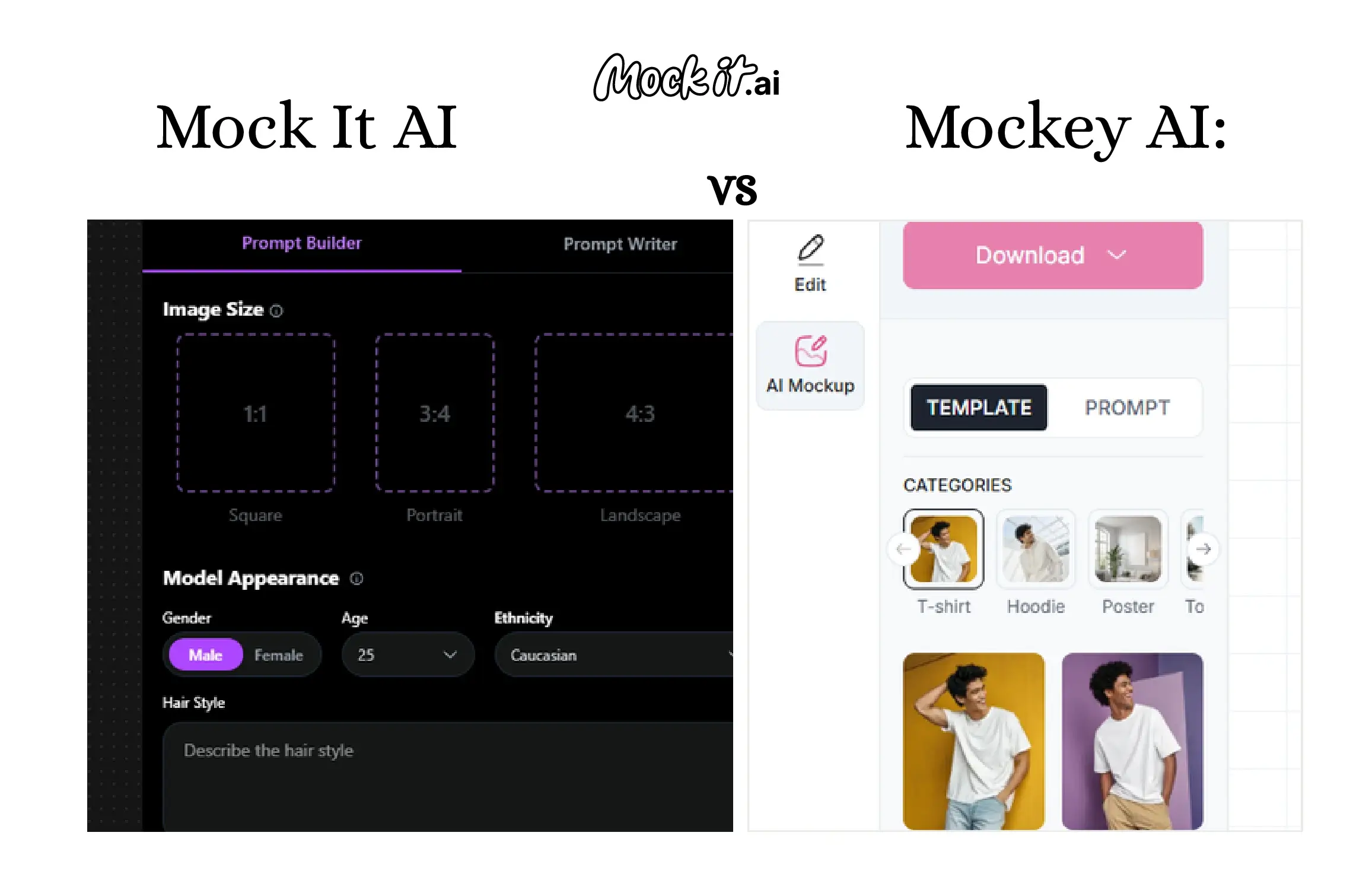
Mock It AI is an AI-powered tool for customizable, realistic mockups, whereas Mockey AI is a template-based platform for quick, simple mockups. Mock It AI excels at creating highly detailed, flexible product visuals, ideal for eCommerce brands and marketers who need professional-grade images. On the other hand, Mockey AI focuses on speed and simplicity, providing a hassle-free solution for those who want to generate product visuals quickly without complex customization. Both stand out for very different reasons, which makes comparing them important for businesses choosing the right workflow.
Each platform was tested in practical scenarios to evaluate performance, scalability, and real-world usability, helping you determine which option aligns best with your creative goals, production demands, budget, and long-term business strategy. Throughout this guide, both tools were analyzed across image quality, flexibility, ease of use, speed, editing capabilities, pricing structure, commercial licensing, ethical safeguards, and overall workflow fit.
At a Glance: Mock It AI vs Mockey AI
| Category | Mock It AI | Mockey AI |
| Type | AI- Powered mockup & image generator | Template-based mockup generator |
| AI Capability | Full AI generation with Prompt Builder, scene & mode control | Limited AI (background removal, effects), mostly manual |
| Templates | AI-driven scenes + product mockup presets | 12,500+ ready-made mockup templates |
| Ease of Use | Easy-moderate (guided AI workflow) | Very easy (drag &drop) |
| Customization | High-AI scenes, lighting, placement, regeneration | Medium-positioning, colors, backgrounds |
| Output Style | Photorealistic, lifestyle, studio-quality visuals | Clean, static,catalog-style mockups |
| Speed | About 2 minutes per image | Few minutes (template-based) |
| Editing Tools | AI background, object isolation, upscale, regenerate | Basic edits only |
| Pricing Model | Credit-based monthly plans | Free + low-cost paid plans |
| Free Plan | Yes (limited credits) | Yes (watermark-free) |
| Commercial Use | Allowed on all paid plans | Allowed on free & paid plans |
| Best For | e-commerce brands, DTC, marketing visuals | POD sellers, beginners, quick mockups |
Who Should Use Which Tool?
If you are looking for customizable, photorealistic mockups with advanced control over backgrounds, choose Mock It AI, whereas if you are looking for quick, simple mockups, choose Mockey AI. Mock It AI is perfect for users who need high-quality visuals for marketing and product displays, while Mockey AI is ideal for those who prioritize speed and simplicity.
Choose Mock It AI if you:
- Run an eCommerce or DTC brand that needs realistic, AI-generated product images
- Want full control over backgrounds, models, lighting, and environments
- Create scalable visuals for catalogs, ads, and marketplaces
- Prefer prompt-based scene generation over fixed templates
- Handle tight deadlines with high-volume output
- Need built-in AI editing tools without relying on external software
Choose Mockey AI if you:
- Need quick mockups using ready-made templates
- Prefer drag-and-drop simplicity without writing prompts
- Create basic visuals for print-on-demand products
- Are a beginner with little to no design experience
- Want consistent, predictable layouts for listings and social media posts
How We Tested These Platforms?
Both Mock It AI and Mockey AI were tested against key criteria, including image quality and realism, customization depth, ease of use, learning curve, speed, output consistency, editing flexibility, pricing, and value. Each platform was evaluated over a set period using identical creative scenarios, including product visuals, apparel mockups, and marketing graphics, to ensure a fair comparison.
For Mock It AI, its AI-driven prompt builder allowed for scene and model creation with minimal manual input, offering advanced customization options. In comparison, Mockey AI relied on manual template placement, in which users adjusted predefined elements to fit product themes and compositions. This approach ensured a consistent and balanced evaluation of both platforms’ performance.
- Image Quality and Realism
- Customisation Depth
- Ease of Use and Learning Curve
- Speed and Output Consistency
- Editing Flexibility
- Pricing and Value
- Commercial Licensing
- Workflow Fit
- Ethical Safeguards
- Support and Resources
Head-to-Head Comparison: Mock It AI vs Mockey AI
Image Quality and Output Realism
Mock It AI is designed to generate realistic, photo-style visuals with dynamic scenes and depth, whereas Mockey AI delivers structured, template-driven mockups with consistent layouts. Their output realism and presentation style differ significantly, making each platform perfect for specific image usage.
Mock It AI:
- Excels at photorealistic scenes, lighting accuracy, and model placement.
- Delivers high output consistency with repeatable results.
- Best for lifestyle mockups, apparel, and product photography-style visuals.
- Less useful for static flat mockups.
Mockey AI:
- Excels at clean, simple product mockups using templates.
- Offers very high consistency due to fixed layouts.
- Best for T-shirts, mugs, phone cases, and POD visuals.
- Limited realism and no AI-generated environments.
Style Range and Flexibility
When it comes to speed and elasticity, Mock It AI offers multiple style options with AI-driven scene control and regeneration. At the same time, Mockey AI relies on fixed templates with limited adjustments but offers greater flexibility and a wider creative range.
Mock It AI:
- Style options include lifestyle, studio, outdoor, model-based, and flat lay.
- Offers high flexibility via AI prompts and regeneration.
- Provides scene-level control for customisation.
- Best suited for marketing, ads, websites, and product pages.
Mockey AI:
- Provides fixed templates only as style options.
- Delivers low to medium flexibility.
- Supports positioning and color adjustments for basic customisation.
- Works well for POD stores, Etsy sellers, and quick previews.
Ease of Use and Interface
Regarding speed and elasticity, Mock It AI offers a guided prompt builder with a visual UI, providing more control and customization. In contrast, Mockey AI has a simple, template-based interface, resulting in quicker onboarding and a shorter learning curve.
Mock It AI:
- Accessible through a web-based platform.
- Onboarding includes a prompt builder combined with a visual UI.
- Generates the first image in around two minutes.
- Designed with a low-medium learning curve.
Mockey AI:
- Runs entirely in the browser with web-based access.
- Features an extremely simple onboarding process.
- Produces the first mockup within a few minutes.
- Built to be beginner-friendly and easy to learn.
Speed and Performance
In the context of speed and performance, Mock It AI is web-based, with a prompt builder and a visual UI, and takes around two minutes to create the first image, with a low-to-medium learning curve. In comparison, Mockey AI is web-based, with extremely simple onboarding that generates a mockup in about a few minutes and remains beginner-friendly.
| Speed &Performance Metric | Mockit It AI | Mockey AI |
| Image/Mockup Generation Time | 1-2 minutes | Few minutes |
| AI Processing | Yes (AI generation) | No (template rendering ) |
| Queue/Load Handling | AI model may take longer under heavy load | No queues, template is instant |
| Batch Generation | Supported via credits | Limited or none |
| Consistency of Output Time | Varies by prompt complexity | Very consistent |
Editing and Customisation
In terms of editing and customisation, Mock It AI includes AI background replacement, object isolation, scene regeneration, resolution upscaling, and multiple export formats. In contrast, Mockey AI provides basic tools such as resizing, repositioning, background color changes, template switching, and standard exports.
Mock It AI:
- Editing features include AI background replacement.
- Supports object isolation.
- Offers scene regeneration and resolution upscaling.
- Export formats include PNG, JPG, WebP, and SVG (for vector modes).
Mockey AI:
- Provides tools for resizing and repositioning design elements.
- Enables background color changes.
- Includes template switching options.
- Offers basic export options.
Pricing and Value for Money
As for pricing, Mock It AI uses a credit-based monthly model designed for scalable AI image generation. Mockey AI offers flexible plans, including a free tier and a one-time payment option, making their pricing structures suited to different budgets and usage needs.
Mock It AI Pricing:
- Starter: $12/month (100 credits), cost per credit – $0.12
- Growth: $29/month (250 credits), cost per credit – $0.116
- Pro: $69/month (650 credits), cost per credit – $0.106
Mockey AI Pricing:
- Free Plan: 1000+ free mockups/3 downloads per day
- Starter Plan: $9.9/monthly
- Creator Plan: $19/monthly
- Forever Plan: $199 (one-time payment)
| Pricing Metric | Better Value |
| Free Plan Availability | Mockey AI (free plan with watermark-free downloads) |
| Entry- Level Paid Plan Value | Mockey AI (lower cost for basic mockups) |
| Credit Efficiency/ Cost Per Use | Mock It AI (AI credits provide high utility per output) |
| Cost for High-Volume Usage | Mock It AI (scales better for large batches of AI imagery) |
| Overall ROI for Business | Mock It AI (more versatile and output value for marketing/e-commerce) |
Licensing and Commercial Rights
Mock It AI is structured to provide commercial rights with fewer usage restrictions, whereas Mockey AI is designed for commercial use primarily for product promotion while restricting template resale.
Mock It AI:
- Provides a non-exclusive commercial license to use, reproduce, display, and create derivative works from generated outputs.
- Permits commercial usage across ads, websites, social media, merchandising mockups, email campaigns, and client work.
- Maintains the license as long as users remain compliant with the Terms.
- Retains ownership of all outputs and underlying model changes.
Mockey AI:
- Commercial use is allowed on paid plans.
- The license is intended for product promotion and marketplace listings.
- Resale or redistribution of the original templates themselves is not permitted.
Ethical Safeguards and Content Control
For ethical safeguards and control, Mock It AI applies AI-driven safeguards such as prompt filtering and brand-safe models, while Mockey AI relies on its template-based system and standard content rules to maintain brand safety and minimize risk.
Mock It AI:
- Complies with GDPR and CCPA privacy regulations.
- Requires users to confirm they own or have rights to any visuals they upload.
- Automatically filters prompts to block NSFW content, violence, and hate speech.
Mockey AI:
- No AI risks (template-based), since it does not rely on generative AI models.
- Follows standard platform content rules for acceptable use.
- Considered safe for brand use due to its controlled, template-driven system.
Support and Resources
Mock It AI offers email and live chat support along with tutorials, documentation, and a growing community. In contrast, Mockey AI provides email support, help guides, and FAQs, but offers limited community interaction.
Mock It AI:
- Email and live chat support
- Tutorials and documentation
- Growing community
Mockey AI:
- Support available via email
- Access to help guides and FAQs
- Smaller, less active community presence
Which One Should You Choose: Mock It AI or Mockey AI?
If you need highly customizable, photorealistic mockups with advanced control over scene creation and model placement, choose Mock It AI. Whereas, if you prefer quick, simple mockups using pre-designed templates with minimal customization, choose Mockey AI. Both are excellent tools, but the choice depends on the level of customization and speed you require for your projects.
| Use Case | Recommended Tool | Reason |
| eCommerce Product Visuals | Mock It AI | AI generates realistic, lifestyle, and studio-style scenes |
| Print-on-Demand (POD) Listings | Mockey AI | Fast template mockups without AI complexity |
| Social Media Creatives | Mock It AI | More Visual variety and AI background |
| Quick Catalog Images | Mockey AI | Instant templates, no waiting for AI generation |
| Brand Campaign Visuals | Mock It AI | Custom AI prompts deliver unique,on-brand assets |
How to Start with Mock It AI?
Getting started with Mock It AI is simple and efficient. You can generate your first image in just a few minutes by following the guided prompt builder and visual workflow.
Here are 6 simple steps to generate the first image with Mock It AI:
Step 1 – Create your account: Go to Mock It AI, register with your email, and confirm your account via the verification email. The free trial activates right away without requiring payment details.
Step 2: Purchase a plan: Select the plan that matches your needs, complete the secure payment process, and your subscription becomes active immediately.
Step 3: Build your model: Set up your custom model by choosing the pose, facial expression, camera angle, and overall appearance. Then pick the appropriate apparel category and fit for your product.
Step 4: Dress and apply your design: f you need to create your artwork first, use an AI clothing design tool to develop your concept. Then upload your artwork in PNG or JPG format and place it onto the garment. Adjust the size, positioning, and rotation so the design aligns naturally with the clothing.
Step 5: Set the scene: Select a background or environment and fine-tune lighting, framing, and perspective using available preset controls to create a realistic composition.
Step 6: Edit and export: Make final refinements with tools such as color adjustments and background removal. Download the completed image in PNG, JPG, or WebP format for use in ads, online stores, or promotional materials.
Frequently Asked Questions
Can I use Mock It AI and Mockey AI together?
Yes, you can use Mock It AI and Mockey AI together, since one focuses on AI-generated photorealistic visuals and the other provides quick template-based mockups, allowing you to combine realistic marketing images with fast product previews in the same workflow.
Is Mock It AI better than Mockey AI for eCommerce?
Yes, Mock It AI is generally better than Mockey AI for eCommerce because it creates photorealistic, customizable visuals suited to product pages and ads, whereas Mockey AI is designed for quick, template-based mockups.
Can I train custom models on either platform?
No, neither platform lets you train fully custom models,Mock It AI uses its built-in AI system with adjustable prompts, and Mockey AI relies on fixed templates without custom model training.
Are generated images from Mock It AI commercially usable?
Yes, images generated under a Mock It AI’s paid plan include a commercial license that permits use in ads, eCommerce listings, social media campaigns, and client projects without requiring attribution.
