


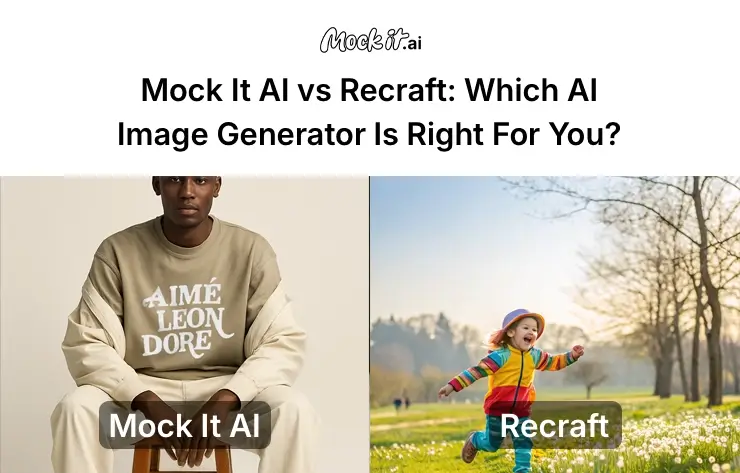
AI-generated visuals are now a core part of how brands, designers, and marketers develop content. The market for AI image generation reached $9.10 billion in 2024, signaling rapid adoption across industries and a flood of competing tools. In this crowded field, Mock It AI and Recraft stand out for their distinct focus and creative direction.
Mock It AI targets e-commerce, marketing, and product teams who value speed, realism, ownership clarity, and brand-safe results along with a structured workflow. Users can build a model, select apparel, define a scene, and apply designs to create ready-to-use product visuals. Recraft, on the other hand, appeals to professionals who need design flexibility and stylistic control. It converts text prompts into detailed raster and vector graphics, supporting custom styles, branding elements, and mockups.
This article compares the usability, image quality, customization, and pricing of both of these tools, helping you decide which aligns best with your workflow, budget, creative or commercial goals.
At a Glance: Mock It AI vs Recraft
| Feature | Mock It AI | Recraft |
| Primary Focus | Business-first mockups, product visuals, and e-commerce imagery | Creative design generation for branding assets, logos, and vector graphics |
| Target Audience | E-commerce teams, marketing departments, and product designers | Designers, creative teams, and branding agencies |
| Image Quality | High realism with photorealistic precision and professional-grade output | Lifelike detail with rich aesthetics and texture details |
| Customization | Template-driven setup for model, clothing, and scene selection | Prompt-based customization with style references and design flexibility |
| Ease of Use | Beginner-friendly visual interface with drag-and-drop workflow | Moderate learning curve requiring manual prompt adjustment |
| Speed | Optimized for fast, low-latency image generation suited for commercial runs | Quick for basic tasks, slower for complex visual configurations |
| Editing Tools | Built-in editor supporting background removal, color correction, cropping, and resizing | Limited in-platform editing; external tools needed for advanced editing |
| Licensing & Commercial Use | Commercial rights included across all paid plans; resale allowed for marketing visuals | Licensing terms vary by plan; basic users face restrictions on commercial usage |
Who Should Use Which Tool?
Deciding between Mock It AI and Recraft depends on how you want to create visuals and the degree of control you need over the design process. Each platform fits a different type of professional and workflow setup, making the right choice a matter of purpose and project style.
Choose Mock It AI if you:
- Need images for commercial projects like ads, websites, or product catalogs
- Work under tight deadlines and require high-volume output
- Value consistent, brand-aligned visuals for campaigns and stores
- Prefer built-in editing tools instead of relying on external software
- Require clear IP ownership and commercial licensing terms
Choose Recraft if you:
- Create diverse brand assets such as logos, icons, and illustrations with unique styling
- Focus on design-led workflows rather than production-oriented mockups
- Need scalable exports like SVG and integrations with tools such as Figma or Illustrator
- Work on creative projects that demand high customization and distinctive aesthetics
- Want complete control over layout, color palette, and design consistency across all visuals
How We Tested These Platforms
Both Mock It AI and Recraft were tested under controlled conditions to measure real-world performance, accuracy, and workflow efficiency. Each was evaluated over a two-week period using identical creative scenarios such as product visuals, apparel mockups, and marketing graphics. The intent was to observe how consistently each platform delivered quality results under equal visual and environmental setups.
For Mock It AI, its prompt builder handled scene setup, model creation, and apparel selection without requiring manual text input. To maintain parity, equivalent text prompts were written manually in Recraft to match the same themes, compositions, lighting, and design intent. This approach allowed a fair comparison across both systems.
Each image generator was reviewed across ten criteria:
- Image Quality and Prompt Accuracy
- Style Range and Visual Realism
- User Interface and Learning Curve
- Speed and Generation Time
- Editing and Post-Processing
- Pricing and Value
- Licensing and Commercial Use
- Integration and Workflow Fit
- Ethical Safeguards and Content Control
- Support and Community
Head-to-Head Comparison : Mock IT AI Vs Recraft
Image Quality and Prompt Interpretation
| Criteria | Mock It AI | Recraft |
| Prompt Fidelity | 8.5 / 10: High consistency between setup and output | 7.5 / 10: Accurate, but may need iteration for complex prompts |
| Excels At | Photorealism, lighting accuracy, object placement | Creative flexibility, style control, and vector-based design |
| Best Outputs | Product shots, headshots, clean commercial backgrounds | Logos, brand assets, scalable vector graphics (SVG), and stylized visuals |
| Realism and Detail | Excellent texture balance and shadow accuracy | Strong artistic definition, moderate depth realism |
| Weakness | Limited abstraction or experimental styling | Less suitable for exact product mockups or photorealistic visuals |
Both Mock It AI and Recraft delivered strong results in quality testing but approached image generation differently. Mock It AI focused on photorealism and visual precision, producing consistent lighting, sharp object placement, and clear spatial balance. Recraft emphasized creative control and stylistic variation, offering more freedom for design exploration but requiring refinement for exact realism.
Style Range and Flexibility
| Criteria | Mock It AI | Recraft |
| Pre-set Modes | Photorealistic, 3D render, sketch, cartoon, illustration | Photorealistic, illustration, vector art, 3D render, branding assets |
| Consistency | High: reliable, brand-safe repeatability | High: reusable styles for consistent brand identity |
| Customization | Template-based with parameter controls | Style library, style-mixing, and reference image uploads for bespoke looks |
| Use Case | Marketing assets, UI mockups, and product catalogs | Visual art, brand asset generation, logo and icon sets, creative illustrations, and stock images |
| Limitations | Restricted artistic abstraction | May require additional adjustments for precise brand tone |
Mock It AI maintained high consistency in brand-safe and photorealistic output, while Recraft offered greater stylistic range and customization for creative projects. Mock It AI predefined modes ensured predictable results, whereas Recraft’s reference-based style library encouraged broader experimentation.
Ease of Use and Interface
| Criteria | Mock It AI | Recraft |
| Access | Web browser (desktop and mobile) | Web browser (desktop and mobile) |
| Onboarding | Visual dashboard with drag-and-drop prompts | Visual dashboard with style library and guided design steps |
| Time to First Image | Around 2 minutes | Around 5 minutes, depending on style selection or reference uploads |
| Support Materials | Video tutorials, prompt library, and ready-to-use templates | Documentation, video tutorials, style templates, and community gallery |
| Rating | Beginner-friendly | Intermediate-friendly; more intuitive for experienced designers |
| Limitations | Limited interface depth for advanced creative control | Slightly longer setup due to customization options |
Ease of use determines how quickly users can begin generating visuals without a steep learning curve. Mock It AI focused on fast setup through a guided dashboard, while Recraft offered more control but required extra steps for customization. Both platforms operated smoothly across desktop and mobile browsers, though their workflows catered to different experience levels.
Speed and Performance
| Criteria | Mock It AI | Recraft |
| Average Generation Time | Around 2 minutes to first image | Approximately 9.9 seconds per image for standard tasks |
| Processing Method | Direct processing designed to eliminate queue delays | High-efficiency model optimized for prompt-to-output vector workflows |
| Consistency | Stable rendering under continuous sessions | Strong prompt adherence and visual quality (ELO rating ~1172) |
| Batching Capability | Not mentioned | Up to 4 images at a time |
| Peak Load Handling | Operates without queue system | Not publicly detailed in available resources |
Mock It AI focused on reliable, queue-free generation suitable for production teams, while Recraft emphasized processing speed for design-focused outputs. Both delivered stable results, though their strengths differed based on use case and system architecture.
Editing and Customization
Mock It AI integrates editing directly into its interface, allowing users to adjust visuals immediately after generation. Recraft, in comparison, provides more creative control through specialized AI design tools, better suited for iterative and style-driven work. Both platforms provide practical editing options, though Mock It AI workflow aligned better with quick commercial production, while Recraft supported a more open-ended creative process.
Mock It AI offers these built-in tools and exporting features:
- Background removal or replacement
- Object isolation for cleaner composition
- Color grading and filter adjustments
- Resolution upscaling for high-quality exports
- Cropping and rotation options for precise framing
- Regeneration of selected areas for detailed correction
- PNG, JPG, WebP, and SVG formats exporting.
Recraft’s features and exporting options include:
- In-painting and out-painting for contextual edits
- Object isolation and recoloring
- Text removal and layer blending
- Image combination for composite designs
- Vector generation and export (SVG) for scalable assets
- PNG, JPG, TIFF, PDF, or SVG formats exporting
Pricing and Value for Money
Both Mock It AI and Recraft offer flexible pricing designed for different creative and business needs. Mock It AI focuses on predictable, credit-based plans for commercial users, while Recraft’s model favors ongoing creative production with subscription-based credits.
Mock It AI Pricing:
- Free Trial: 30 credits with all editing tools available, no card required
- Starter Plan: $12/month for generating 100 images
- Growth Plan: $29/month for generating 250 images
- Pro Plan: $69/month for generating 650 images
- Average Cost per Image: $0.12–$0.106, depending on plan and usage volume
Recraft Pricing:
- Free Trial: 30 credits daily with basic editing tools, no commercial use permission, and images remain public
- Pro Plan: $12/month (billed annually at $120), 1,000 credits per month, private image storage, commercial license, unlimited uploads, up to 4 images per generation, and 10 parallel generations
- Team Workspace: $69/month per seat (billed annually at $660) — 9,000 credits per seat, shared workspace, centralized account management, premium 24/7 support, and Single Sign-On (SSO)
- Cost per Image: $0-$0.30, depending on credit consumption and generation type
Mock It AI plans are well suited for teams that require consistent image production and clear commercial licensing, while Recraft’s subscription system caters to individual creators and design teams producing high volumes of varied visual assets.
Licensing and Commercial Rights
Ownership and licensing terms play a significant role for businesses that rely on AI-generated visuals for advertising or commercial use. Mock It AI and Recraft both provide defined usage rights, though their policies differ in accessibility and scope.
Mock It AI ensures clarity and business readiness across all paid plans:
- All paid plans provide non-exclusive commercial ownership.
- Usage rights are unlimited with no attribution required.
- Resale of generated images is permitted, including NFTs, merchandise, and printed materials.
- Terms of Service are transparent and designed with business users in mind.
Recraft follows a tiered approach based on subscription level:
- Images created under the Free Plan remain publicly visible and are not licensed for commercial use.
- Paid Plans grant users full ownership, copyright, and commercial rights over generated assets.
- Licensing rights are applied at the time of image creation, and assets generated under the Free Plan do not gain commercial status after an upgrade.
Mock It AI straightforward licensing system simplifies compliance for commercial and enterprise users, while Recraft’s structure is more suitable for designers who operate under mixed personal and professional use cases.
Ethical Controls and Safety
Mock It AI emphasizes compliance and brand protection through content filtering and licensed datasets, while Recraft enforces strict data governance and operational transparency.
Mock It AI:
- Automated prompt filtering for NSFW, violent, or hateful content
- Bias detection systems embedded in training datasets
- Use of licensed and copyright-compliant data sources
- Built-in brand safety standards for enterprise clients
- Compliance with GDPR and CCPA for data handling and privacy
Recraft:
- SOC 2 certified infrastructure and PCI DSS compliance for payment security
- GDPR-aligned policies offering user data deletion, transparency on subprocessors, and secure storage
- Clear documentation on licensing, privacy, and data usage to support compliance evaluations
Both platforms demonstrated strong ethical frameworks, though Mock It AI focus on content control suits regulated and brand-sensitive environments, while Recraft’s transparency benefits design teams managing cross-platform data.
Support and Community
Access to dependable support and a responsive community determines how easily users can integrate a platform into their workflow. Mock It AI focuses on structured, professional assistance, while Recraft emphasizes community-driven collaboration and shared creativity.
Mock It AI:
- Email Support: Available with a 24–48 hour response window for all users.
- Knowledge Base and Tutorials: Provides detailed guides, FAQs, and video-based resources.
- Roadmap Transparency: Shares platform improvements and upcoming features publicly.
- Community: Smaller but steadily expanding user base with an official Discord server focused on direct support.
Recraft:
- Email Support: Available through help@recraft.ai.
- Documentation and Tutorials: Includes an extensive library of guides, examples, and FAQs for design workflows.
- Feature Roadmap: Publicly available to inform users about feature enhancements and upcoming releases.
- Community: Active public forums, social platforms, and Discord server to share visuals, feedback, and style presets along with a community-curated prompt and style library.
Mock It AI delivers structured and predictable support for business users, while Recraft builds its strength through an active creative network that promotes peer learning and experimentation.
Which One Should You Choose – Mock It or Recraft?
The right choice between Mock It AI and Recraft depends on whether your work focuses on commercial output or creative design. Mock It AI is ideal for e-commerce, marketing, and production workflows that need reliable photorealism and consistent branding. Recraft is better suited for creative teams who prioritize style variety, vector assets, and advanced control over visual composition.
| Use Case | Mock It AI | Recraft | Best Choice |
| Product Mockups (e-commerce, apparel, packaging) | Generates photorealistic product visuals, models, clothing, and scene composition with lighting accuracy | Can generate mockups but focuses more on creative composition, not true photorealism | Mock It AI |
| Branding & Logo Design | Limited flexibility for abstract logo or branding work | Excels at creating logos, brand assets, and custom styles with vector output | Recraft |
| Social Media Content & Marketing Assets | Quick generation of clean, commercial visuals for ads, campaigns, and web use | Great for stylized visuals, illustrations, and creative content for social channels | Both (Mockit for ads, Recraft for visuals) |
| Vector Graphics & Icons | Does not generate true vector assets | Built for scalable SVG vector generation with brand consistency | Recraft |
| High-Volume Image Production (Speed & Scale) | Optimized for fast, bulk image generation with minimal manual setup | Slow for bulk outputs, generating only 4 images at a time | Mock It AI |
| Editing & Post-Processing | Built-in editor (background removal, color grading, cropping, 3D texture mapping) | Advanced customization (inpainting, outpainting, background changes, style control) | Mockit for mockups, Recraft for design |
| Ease of Use for Non-Designers | Beginner-friendly with guided prompt builder and drag-and-drop UI | Requires some design knowledge and parameter control | Mock It AI |
| Custom Style Control / Branding Consistency | Limited customization options beyond product styling | Offers custom brand style upload, reusable palettes, and consistent design themes | Recraft |
| Licensing & Commercial Rights | Clear, business-safe licensing across all plans for commercial use | Varies by plan; commercial rights unavailable for free users | Mock It AI |
| Integration with Design Workflows (Figma, Adobe, etc.) | Focused on mockups rather than deep tool integration | Easily fits into professional design workflows, supports SVG exports | Recraft |
| AI Prompt Simplicity | No manual prompts needed, uses intuitive builders | Requires writing or tweaking prompts for best results | Mock It AI |
| Best For | E-commerce brands, marketing teams, apparel designers needing fast, realistic visuals | Designers, creative agencies, brand strategists, and illustrators needing full creative flexibility | – |
How to Start with Mock It AI?
Mock It AI is built for speed and ease of use, allowing anyone to create professional product visuals without design experience. Once your account is set up, you can begin generating high-quality mockups in just a few minutes.
Step 1 – Sign Up and Create Your Account: Sign up with your email address at Mock It AI and verify your account through a confirmation email. The free trial requires no payment details.
Step 2 – Build Your Model: Start by defining your model’s look, including pose, expression, and camera angle. Choose the apparel type and fit based on your product category.
Step 3 – Dress and Design: Upload your design file (PNG or JPG, up to 25 MB). Adjust placement, scale, and rotation to align the artwork precisely with the apparel or product surface.
Step 4 – Set the Location and Lighting: Select a background or environment. Lighting and angles can be fine-tuned through preset controls for realistic presentation.
Step 5 – Edit and Export: Use built-in tools to adjust colors, remove backgrounds, and fine-tune the output. Once complete, export your image in PNG, JPG, or WebP format for immediate use in ads, e-commerce stores, or promotional materials.
Frequently Asked Questions
Can you use both tools together?
Yes, you can create photorealistic product visuals in Mock It AI and design supporting brand assets or illustrations in Recraft.
Which tool is best for high-volume e-commerce product mockups?
Mock It AI structured workflow, pre-set templates, and built-in styling controls make it faster and more consistent for generating ready-to-use commercial visuals. A clothing design generator also helps teams produce apparel visuals with minimal setup and stronger brand consistency.
Can Mock It AI generate branding assets like Recraft?
No, Mock It AI focuses on product mockups and marketing visuals rather than logos, icons, and creative branding assets.
Is using a mockup generator worth the cost?
Yes, a mockup generator saves time, ensures brand consistency, and eliminates the need for costly professional photo shoots or complex editing software.
Do I own the images I created under the free plan?
No, Mock It AI owns the images created under the free plan and you receive no commercial license. You may only use those images for testing or personal reference. For non-exclusive, perpetual license for commercial business applications, a paid plan is required.
