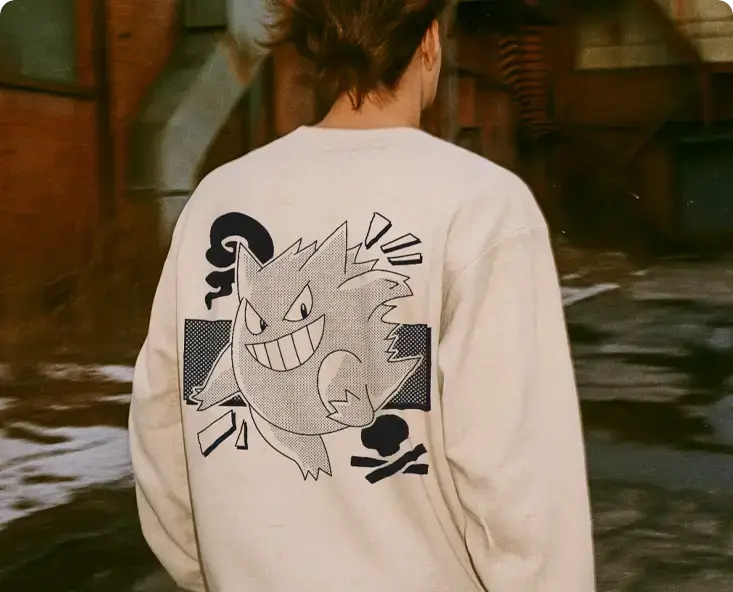
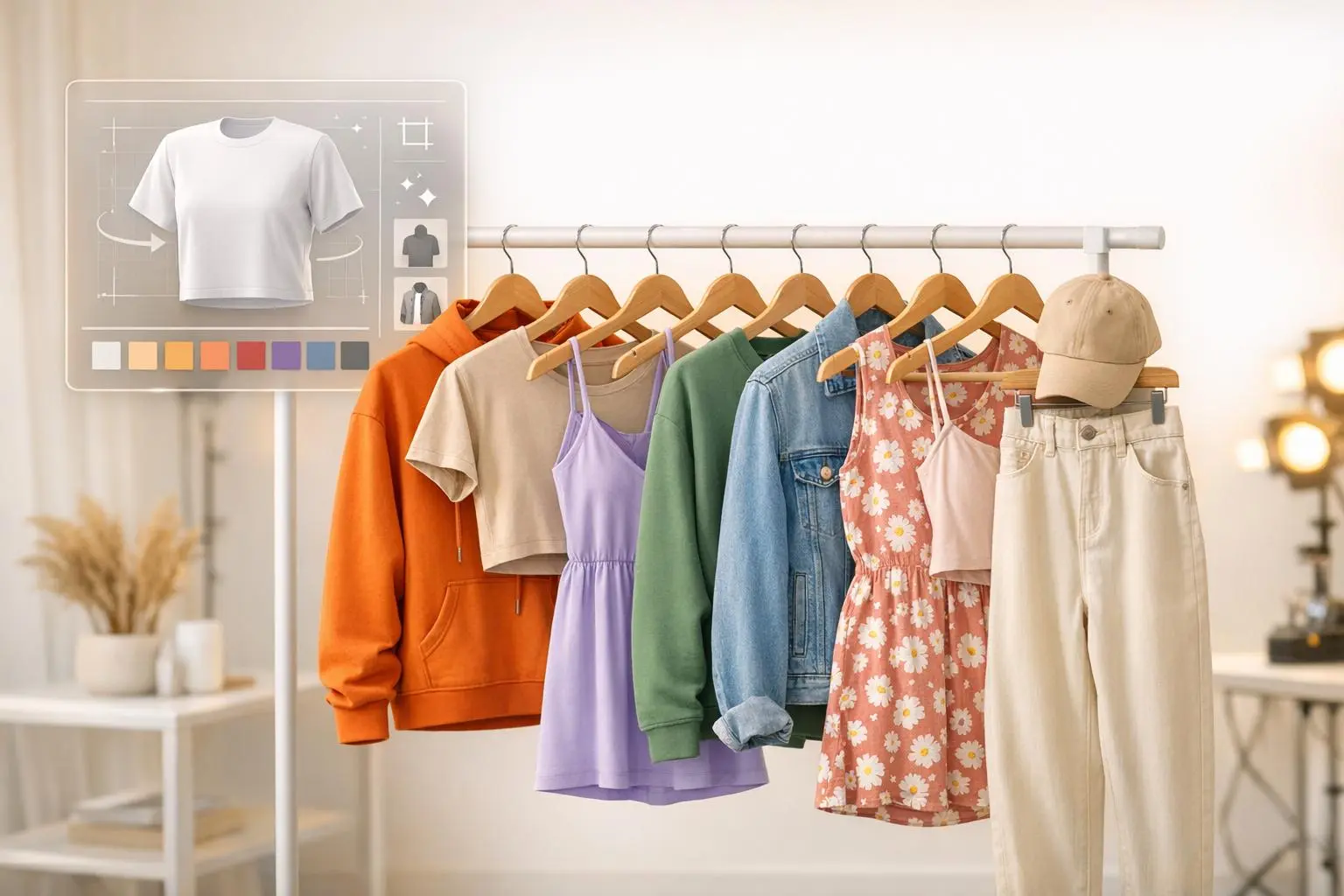
AI mockups are transforming how small clothing brands create product images. Instead of spending $2,000–$5,000 on photoshoots, you can now generate photorealistic visuals for as little as $0.20 per image. These tools save time, cut costs by up to 87%, and deliver professional-quality visuals in minutes.
Key Benefits:
- Cost Savings: Reduce photography expenses by replacing physical shoots with AI-generated images.
- Speed: Generate high-quality product visuals in 5–15 minutes instead of waiting weeks.
- Flexibility: Create multiple variations (colors, fabrics, models) without physical prototypes.
- Consistency: Maintain uniform branding across all product images.
- Sales Impact: Boost conversion rates by up to 34% with better visuals.
AI mockups also help brands test designs, create content for e-commerce and social media, and produce polished wholesale catalogs. Platforms like Mock It AI offer customizable tools for designing lifelike images tailored to your brand, starting at just $12/month.
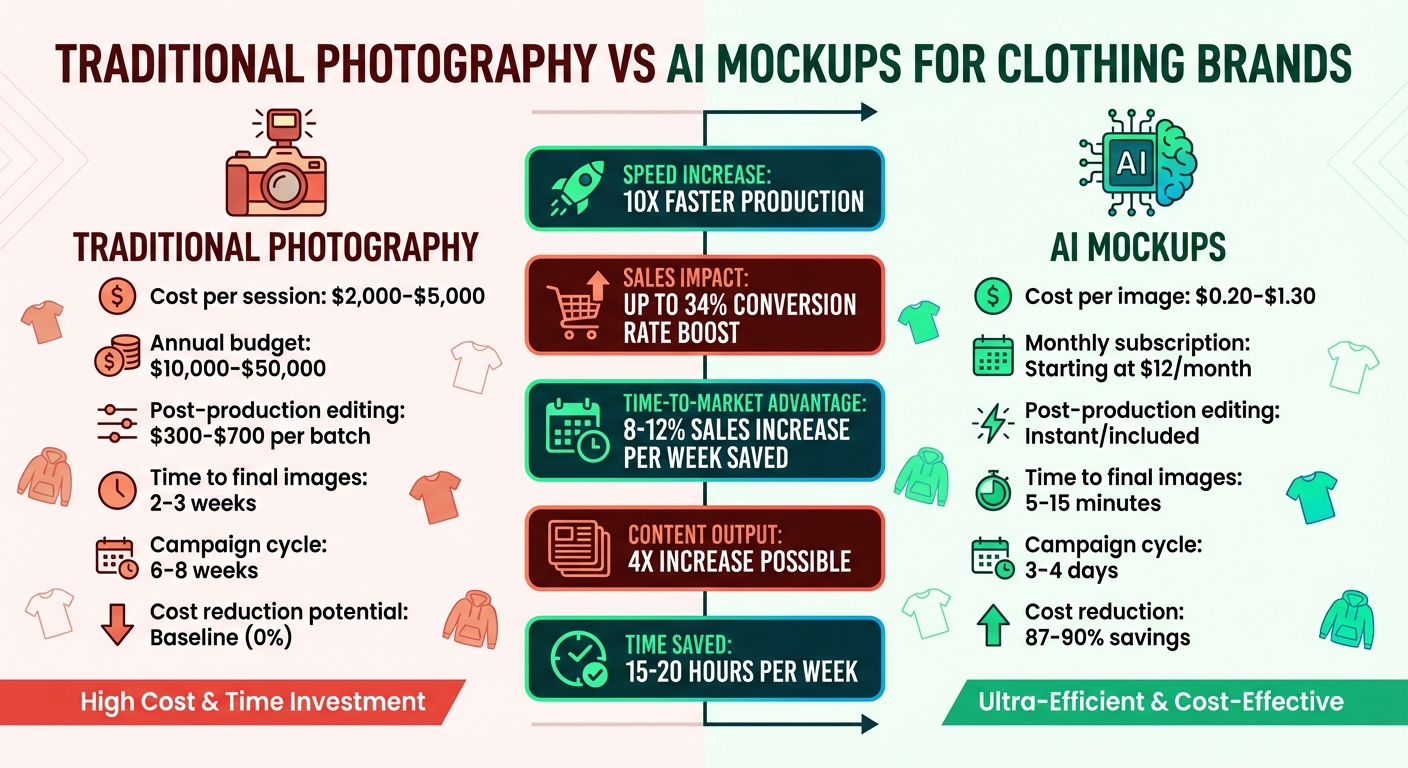
Traditional Photography vs AI Mockups: Cost and Time Comparison for Clothing Brands
Core Benefits of AI Mockups for Small Clothing Brands
Lower Costs and Better Efficiency
Photoshoots can be a major expense for smaller brands. A single session often costs between $2,000 and $5,000, and annual photography budgets for small to medium brands can range from $10,000 to $50,000. Post-production editing adds another layer of cost, typically running $300 to $700 per batch and taking days to complete. AI mockups, on the other hand, provide a much more budget-friendly option. Individual images can cost as little as $0.20 to $1.30, and many platforms offer subscriptions starting at $99 per month. By switching to AI, brands have slashed visual content costs by as much as 87%–90%. Retailers like Zalando have saved up to 90% on imagery costs through AI-generated digital twins, cutting tens of thousands from their campaign budgets.
"Traditional photoshoots that once cost brands $5,000-$10,000 per session are being replaced by low cost fashion AI solutions that deliver professional results in minutes."
Beyond the financial savings, AI tools simplify the entire process. There’s no need to juggle schedules with photographers, models, and stylists, or book expensive studios. Physical prototypes are no longer required either – you can visualize designs, from prints to fabric textures, directly on digital models. Modern AI platforms produce high-resolution images (up to 2400×2400 pixels) that capture the details of fabric folds, lighting, and textures. These efficiencies allow brands to redirect resources toward faster market launches or other business priorities.
Faster Product Launches
In the fashion world, speed matters. Delays in getting products to market can cost brands 15%–25% in lost revenue for trend-focused items. Traditional photography workflows, which take 2 to 3 weeks from booking to final images, and campaign cycles that stretch up to 8 weeks, simply can’t keep up. AI mockups, by comparison, can generate polished, professional photos in just 5 to 15 minutes. This faster turnaround can have a big impact – shortening time-to-market by even one week can boost seasonal sales by 8%–12%.
AI tools also make it easy to test different ideas quickly. Brands can generate multiple ad variations or localized styles in minutes, enabling rapid A/B testing. Many companies have quadrupled their content output while saving 15 to 20 hours per week that would have been spent coordinating photoshoots.
"Reducing time-to-market by just one week can increase seasonal fashion sales by 8-12%."
Additionally, AI eliminates the need for lengthy editing processes, cutting campaign timelines from 6–8 weeks to just 3–4 days. This speed ensures a consistent flow of brand imagery across all product lines, helping brands stay agile in a fast-moving market.
Scalability and Brand Consistency
Consistency in product imagery isn’t just about aesthetics – it directly affects sales. Inconsistent visuals can lower conversion rates by as much as 26%. Traditional methods, with their reliance on different photographers, stylists, and editing techniques, often lead to a fragmented visual identity. AI mockups solve this by maintaining uniform lighting, angles, and model presentations across every product SKU. This consistency reinforces buyer trust and strengthens brand recognition.
AI also makes it easy to expand catalogs. With a single set of assets, brands can create countless product variations and outfit combinations. Advanced platforms even ensure that product labels and logos remain perfectly rendered, protecting brand integrity. Another advantage? AI allows brands to showcase their collections on virtual models representing a variety of body types, skin tones, and ages – without the logistical challenges of traditional casting. Automation tools further simplify omnichannel marketing, ensuring consistent, on-brand visuals across platforms like Meta, Google, TikTok, and Instagram – all from one centralized dashboard.
How Small Brands Can Use AI Mockups
Testing Designs Before Production
AI mockups are a game-changer for small brands looking to refine their designs without breaking the bank. By uploading your artwork, you can instantly see how it interacts with fabric curves, folds, and lighting. This quick preview helps spot potential issues, like logos that appear too small or patterns that clash in ways you hadn’t anticipated.
Want to experiment with color options or fabric textures? AI tools make it simple. You can swap between cotton, jersey, or other materials digitally, allowing you to find the best fit for your design without creating physical prototypes. For all-over-print designs, these tools let you test patterns across an entire garment, freeing you from the limits of traditional design zones.
AI mockups also shine when it comes to testing your audience’s preferences. Before committing to production, you can run A/B tests on social media by showcasing multiple design versions with different model styles or backgrounds. Analyze the engagement to see which visuals resonate most. To make these mockups even more realistic, add shadows and highlights that integrate naturally with the design.
The insights gained from these tests can effortlessly translate into creating polished visuals for your online presence.
Online Store and Social Media Content
When it comes to online platforms, visuals are everything, and AI mockups make it easy to tailor content to the specific needs of each channel. For e-commerce product pages, flat lay mockups with clean white backgrounds offer a distraction-free view of your designs, making it easier for customers to focus on the product itself. On social media platforms like Instagram, Facebook, or TikTok, dynamic visuals like model mockups or animations can showcase how the design fits and moves, driving higher engagement.
Consistency is key for building trust, especially during rapid product launches. AI tools help you maintain uniform lighting, backgrounds, and model styles across your entire catalog, giving your brand a professional edge. You can even customize models to reflect diverse body types, skin tones, and poses that align with your audience. With access to template libraries offering thousands of options – ranging from 5,000 to over 12,500 – you’ll find mockups suited to virtually any product or campaign.
Scene creators take things up a notch by adding realistic shadows, wrinkles, and textures, mimicking the quality of professional photography. For e-commerce, stick to 1:1 aspect ratios with resolutions like 1,500×1,500px or 2,400×2,400px to ensure your images look sharp across all devices. On social media, 3:4 lifestyle mockups can help tell a story, while features like flattening text ensure logos and text follow the garment’s contours naturally.
Wholesale Catalogs and Lookbooks
AI mockups don’t just stop at online content – they’re also perfect for creating professional wholesale catalogs. Skip the costly photoshoots and use AI-generated images to craft polished lookbooks and line sheets that showcase your collection with consistency. High-resolution mockups (up to 2,400×2,400px) capture every detail wholesale buyers need, and you can create multiple angles – front, back, and side views – to provide a complete visual overview.
For lookbooks that emphasize your brand’s style, model-based mockups work well to demonstrate fit and drape. On the other hand, flat lay or technical mockups are ideal for line sheets that focus on product specifications and color options. Many platforms even offer mockups for popular wholesale blanks like Bella + Canvas, Gildan, and Los Angeles Apparel, ensuring your digital images closely match the actual garments.
Speed is another major plus. New designs can be added to your catalog in minutes, allowing you to test concepts and launch collections faster. Built-in libraries of colors and fabrics let you generate every variant without needing physical samples, saving both time and resources. Once ready, export your mockups as high-quality PNG or JPG files that work seamlessly in digital PDF catalogs or printed lookbooks.
How To Create Your Own Studio Model Mockups Completely Free Using AI
sbb-itb-2c1a147
Using Mock It AI for Custom AI Photoshoots
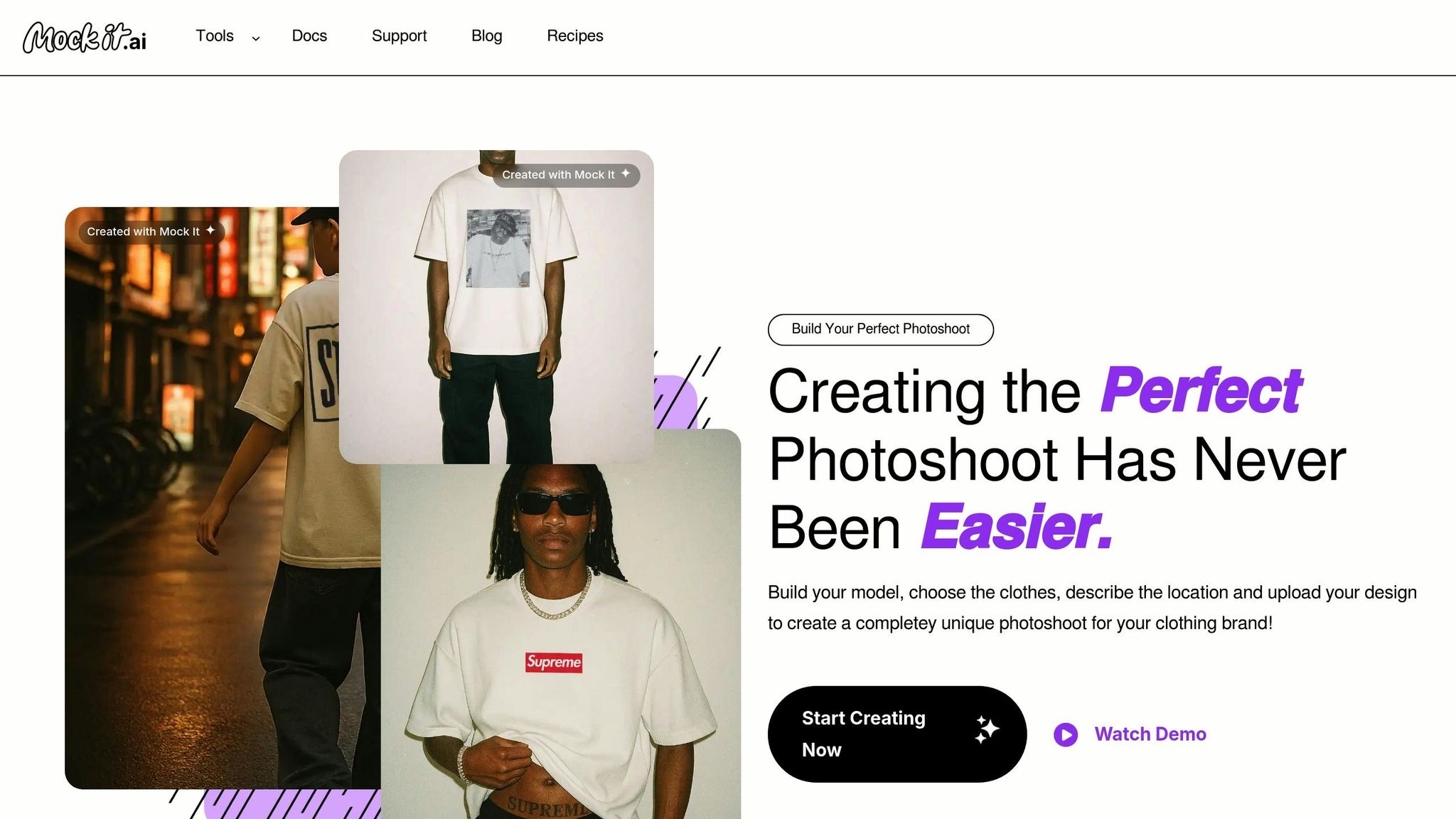
Mock It AI takes the concept of AI mockups to the next level by combining efficiency with creative freedom, letting you take full control of your photoshoots.
Main Features of Mock It AI
Mock It AI puts you in the role of Creative Director, allowing you to design photoshoots tailored to your vision. The platform uses advanced 3D mapping to seamlessly integrate your designs with garment folds, creating a natural and realistic look.
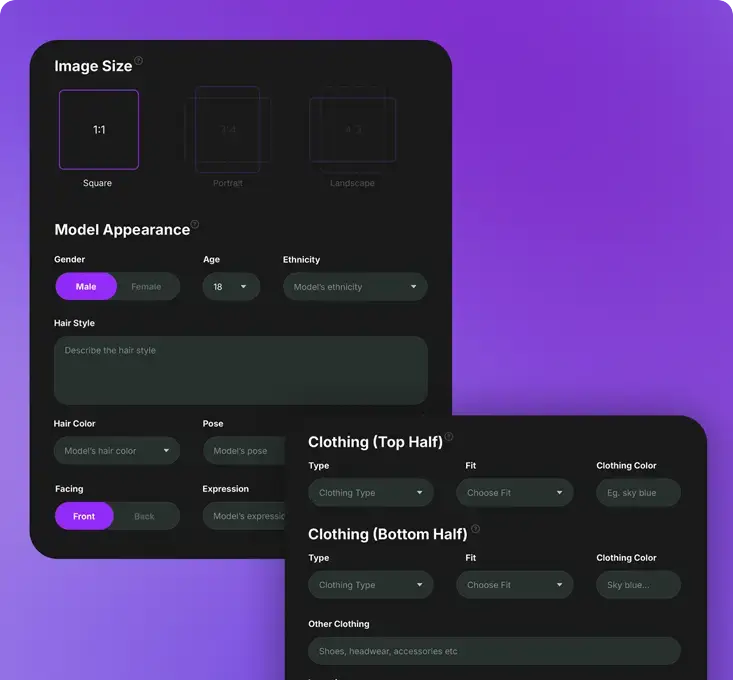
To start, you can fully customize your model by selecting options like gender, age, ethnicity, hairstyle, pose, and facial expression to match your brand’s target audience. Next, pick clothing items such as t-shirts, hoodies, or jeans, and adjust their fit, colors, and even add accessories or footwear.
The built-in Prompt Builder simplifies the process of creating campaign images. You can select technical photography details, including camera types (from DSLR to disposable), lens options, and framing styles like full-body, waist-up, or close-up shots. To add a touch of realism, you can apply effects like motion blur, light leaks, or film grain. Once everything is set, Mock It AI generates a unique, editable mockup in under 30 seconds. You can download your final images in square, portrait, or landscape formats, ready for use.
Pricing Plans and How to Choose
Mock It AI operates on a credit-based system, where one credit equals one image generation. There are three monthly subscription tiers to choose from, each designed to meet different needs. Plus, all plans come with a 30-day money-back guarantee on your first payment.
| Plan | Price | Credits/Month | Best For |
|---|---|---|---|
| Starter | $12/month | 100 Credits | Solo creators or new brands testing around 25 designs per week |
| Growth | $29/month | 250 Credits | Brands with regular social media posts and website updates |
| Pro | $69/month | 650 Credits | Established brands or agencies managing multiple collections |
The Starter plan is a good fit for those just starting out, offering enough credits to test up to 100 designs each month. The Growth plan, which provides 250 credits (about $0.10 per image), is the most popular choice for brands that frequently update their content. For larger-scale operations, the Pro plan allows for up to 650 image generations monthly. If you want to save on costs, consider opting for annual billing, which offers up to 25% in savings.
"We give you all the tools you will ever need to be your own Creative Director." – Mock It AI
Step-by-Step Guide to Using Mock It AI
Once you’ve chosen your plan, you’re ready to create your custom AI photoshoot. Here’s a quick guide to get started:
First, customize your model by selecting attributes like gender, age, ethnicity, hairstyle, pose, and facial expression. Pair these with clothing items, adjusting fit and colors, and add accessories or footwear to match your brand’s style.
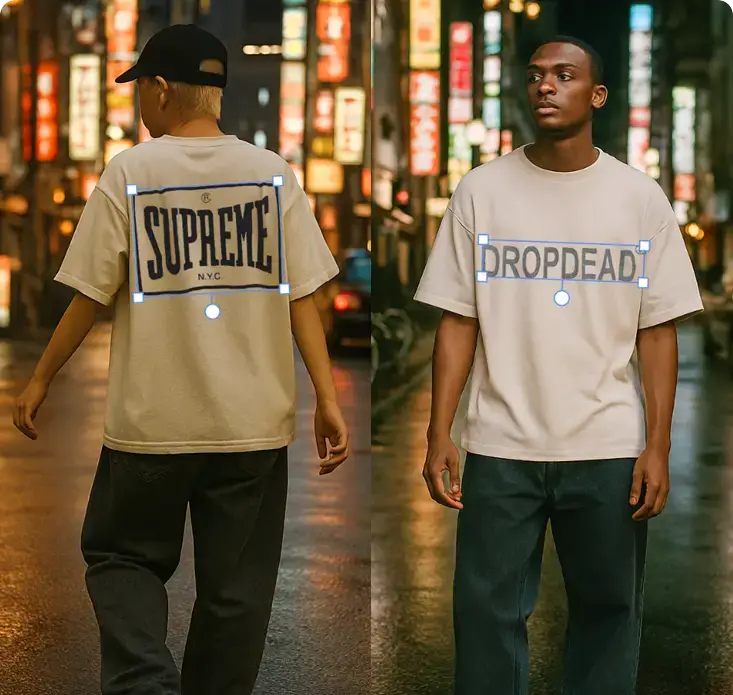
Next, set the scene by describing your desired location – whether it’s a professional studio or a bustling city street. Upload your design as a PNG or JPEG file, and the platform will automatically apply it to the garment using clipping masks and 3D mapping. This ensures your design wraps naturally around creases and folds for a lifelike appearance.
"Your design will automatically wrap to the folds and wrinkles of the garment, reinforcing the ultimate realism your images need." – Mock It AI
Finally, polish and download your mockup. Choose your preferred image size – square, portrait, or landscape – and select framing options like full-body, waist-up, or close-up shots. You can even generate multiple angles to showcase your product from various perspectives.
Best Practices for Quality AI Mockups
Maintaining Consistency and Realism
The difference between an amateur mockup and a polished, professional one often comes down to attention to detail. Start by using high-resolution images – at least 2,000 pixels on the longest side at 72 PPI. This ensures your designs are sharp and clear. One key to achieving realism is making sure your designs follow the natural curves and folds of the garment.
Lighting plays a huge role in creating believable mockups. Shadows and highlights should align with the fabric’s texture and the overall lighting conditions of the scene. Different materials interact with light in unique ways, so pay attention to how fabrics like cotton or polyester reflect or absorb light. To maintain consistent color across your collection, use precise hex codes for blank garments. For example, if you’re designing both a navy hoodie and a navy t-shirt, using the same hex code ensures the shades match perfectly. When changing garment colors, always begin with a blank product image, apply the base color first, and then layer your design elements on top.
By avoiding shortcuts and focusing on these details, you’ll create mockups that feel consistent and realistic.
Common Mistakes to Avoid
Overusing filters can make your mockups look overly processed and artificial. Similarly, relying on low-resolution or pixelated images not only diminishes quality but also conveys a lack of professionalism. Another common misstep is skipping crucial technical steps. For instance, when adding text or logos, make sure to flatten them into vector graphics. This allows the design to blend naturally with the garment instead of looking like it’s floating on top. Additionally, when resizing designs, always enable the "Scale strokes and effects" option in your vector software to prevent distortion of proportions.
In 2024, Emily, a small business owner running a print-on-demand t-shirt shop on Etsy, transitioned from flat product photos to mockups featuring realistic shadows and fabric textures. Within just three months, she saw her click-through rate rise by 35%, her conversion rate grow by 20%, and her mockup creation time drop by 70% thanks to AI-powered tools.
Quality Review Checklist
Once your mockups are complete, a final quality review is essential. Pay close attention to the details: ensure designs align with fabric folds, shadows match the lighting, and all text elements are properly flattened. Double-check that the resolution and colors meet the standards of your marketplace. It’s also a good idea to test your mockups in different contexts. For e-commerce listings, stick to clean 1:1 ratio images with white backgrounds. For social media, use 3:4 ratio visuals featuring scene-based settings to keep your content visually engaging and consistent.
Conclusion
AI mockups have transformed how small clothing brands create product imagery. Instead of relying on costly photoshoots, brands can now produce high-quality visuals in just seconds, saving both time and money. This shift has increased production speed by up to ten times.
But the benefits don’t stop at cost savings. AI mockups allow brands to test designs more efficiently, maintain consistent visuals across platforms, and create inclusive content. You can showcase your designs on different garments, in various settings, and from multiple angles – all without needing physical samples.
Mock It AI’s Prompt Builder makes it easy to create professional mockups, even for those without technical experience. With access to over 5,000 templates and partnerships with 45+ major apparel brands like Bella + Canvas, Gildan, and Champion, you can generate mockups that truly reflect the products you’re selling. Plus, their affordable pricing ensures brands of any size can achieve professional-grade imagery without breaking the bank.
"Our ultimate goal is to help brands reduce cost of fashion photography with a 10X increase in production speed." – Pranay Agarwal, Maker, Mockey AI
If your brand still relies on traditional photography, you may be missing out on faster, more consistent, and cost-effective solutions. With Mock It AI, you can create polished, realistic product imagery that drives sales and keeps you competitive in today’s fast-paced market.
FAQs
How can AI mockups help maintain consistent product images?
AI mockups provide a reliable way to create consistent product images by utilizing the same digital model, lighting, background, and settings for every shot. This approach ensures your entire catalog has a cohesive look, boosting your brand’s professional image and making your products more visually attractive to potential customers.
Can AI mockups replace traditional photoshoots for small clothing brands?
AI mockups provide small clothing brands with a quicker and more budget-friendly way to produce polished, professional-looking images. Unlike traditional photoshoots, which often require costly equipment, locations, and photographers, AI-generated mockups let you tailor every aspect – models, outfits, and backgrounds – to your needs.
Though they might not replicate every subtle detail of an in-person photoshoot, AI mockups are perfect for generating high-quality visuals efficiently. This approach allows smaller brands to create competitive marketing materials without stretching their resources.
What customization options does Mock It AI provide for creating mockups?
Mock It AI simplifies the process for small clothing brands to create personalized mockups that align perfectly with their vision. Here’s how it works: you start by creating a virtual model, customizing every detail – gender, age, ethnicity, hairstyle, pose, and even facial expressions. Once your model is set, you can style it with your choice of clothing types, colors, fits, and accessories, tailoring it to your brand’s aesthetic. The next step is to set the scene by selecting detailed backdrops, whether it’s a bustling city street, a serene outdoor space, or a professional studio. Finally, you can upload your designs and place them directly onto the clothing, producing unique, ready-to-use visuals.
To make things even easier, Mock It AI includes a prompt builder that automatically converts your selections into detailed AI instructions, so there’s no need to craft prompts yourself. The platform also offers advanced features like custom model options, precise clothing adjustments, and simulated camera settings, giving you complete creative control – all through an intuitive web interface. Pricing is clear and displayed in U.S. dollars, making it an accessible tool for businesses of all sizes.