


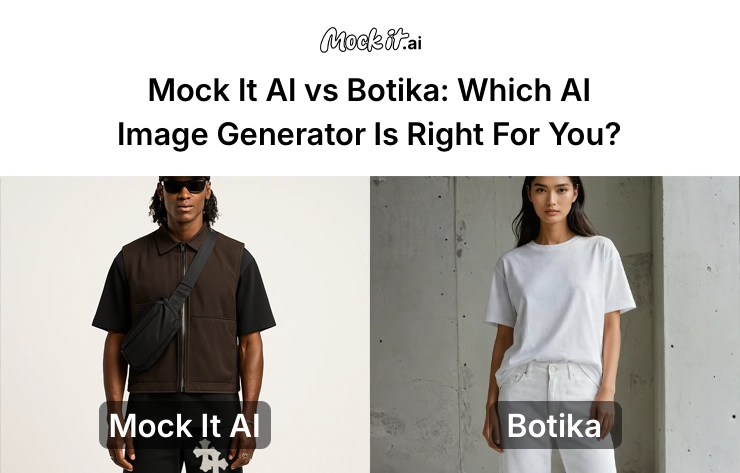
AI-generated visuals have become central to how clothing brands, marketers, and designers produce apparel images. Valued at $9.10 billion by the end of 2024, the AI image generation market is flooded with thousands of tools promising realistic fashion outputs, leading to confusion for teams that need affordable, commercially usable imagery. Among the options available, Mock It AI and Botika have emerged as highly relevant choices for apparel-focused workflows.
Mock It AI focuses on fast, photorealistic, business-ready apparel visuals with full control over model creation, lighting, and design placement without writing prompts. In contrast, Botika lets users upload real photos of their flatly laid or mannequin-worn clothes, and places them on an AI model to create studio-quality on-model images. It focuses on rendering real garments accurately on its library of pre-existing AI models and high resolution backgrounds, but does not support custom models or backgrounds.
This guide compares both platforms in terms of image quality, generation speed, usability, editing capabilities, commercial rights, and value for money so you can determine which tool better aligns with your apparel production needs.
At a Glance: Mock It AI Vs Botika
| Feature | Mock It AI | Botika |
| Interface | Web dashboard + API | Web-based platform (no public API) |
| Learning Curve | Beginner-friendly, 5-minute setup | Easy for apparel teams, minimal prompt input needed |
| Generation Speed | 3–8 seconds on average | 15 minutes, results sent by email |
| Style Focus | Photorealistic, consistent visuals with commercial focus | Fashion-specific focus with on-model visuals and background realism |
| Editing Tools | Background removal, color grading, cropping, upscaling, selected area regeneration | AI touch-up requests; refinement workflow |
| Commercial Rights | Full commercial use on all paid plans | Full usage rights; resale restrictions apply on AI models |
| API Access | Yes | Not available |
| Starting Price | $12/month | $22/month |
| Ideal User | E-commerce brands, marketers, product teams | Fashion retailers, catalog teams, apparel brands |
Who Should Use Which Tool?
Mock It AI suits users who want fast, photorealistic outputs with full control over model, camera settings, and background, while Botika is designed for brands that want to turn real garment photos into consistent on-model images without running photoshoots.
Choose Mock It AI if you:
- Need apparel visuals ready for e-commerce, ads, or catalogs on the same day.
- Want a custom model, background, lighting, and pose without writing prompts.
- Work under tight deadlines and require commercially usable images in minutes.
- Need built-in editing tools for background removal, color adjustments, and upscaling.
- Manage high-volume apparel visuals and want predictable commercial licensing.
- Prefer a guided, structured workflow that produces consistent results without complex prompts.
Choose Botika if you:
- Want to upload flat-lay, mannequin, or cropped apparel photos and turn them into on-model images.
- Need studio-quality photos without running photoshoots or hiring real models.
- Work with large catalogs and need to refresh product visuals quickly.
- Need consistent catalog images across seasons, campaigns, or product updates.
- Want diverse model options to represent different sizes and ethnicities.
- Dislike writing prompts and prefer a simple upload-based workflow where AI handles garment fit, model selection, and backgrounds.
- Want AI videos for product detail pages or social media content.
How We Tested These Platforms
To compare Mock It AI and Botika fairly, both platforms were tested using the same clothing categories, lighting, and intended output styles. For Mock It AI, the built-in workflow handled model creation, apparel selection, scene setup, and lighting with minimal manual prompts. For Botika, apparel photos were uploaded to match the same garment type and visual intention, allowing AI to place each item on pre-built models.
Both platforms were tested across multiple sessions to measure stability, speed, consistency, and real-world usability on equal grounds. They were evaluated using criteria that matter most to apparel brands, catalog teams, and e-commerce workflows:
- Image Quality and Prompt Accuracy
- Style Range and Visual Realism
- User Interface and Learning Curve
- Speed and Generation Time
- Editing and Post-Processing
- Pricing and Value
- Licensing and Commercial Use
- Integration and Workflow Fit
- Ethical Safeguards and Content Control
- Support and Community Reliability
Head- to Head-Comparison: Mock It AI Vs Botika
Image Quality and Prompt Interpretation
Mock It AI gives its users full control over the model, lighting, pose, and background, resulting in photorealistic and consistent commercial-quality output that matches the user’s vision closely. Meanwhile, Botika focuses on accurate fit and natural-looking drapes by letting users place their own apparel photos on one of its pre-existing models, rather than allowing model creation.
Mock It AI:
- Produces clean, photorealistic visuals of clothes, model, and background with balanced lighting, just as user visualized
- Maintains strong visual consistency across multiple images
- Accurately places user-uploaded designs on apparel and models
- Best for product shots, e-commerce visuals, ads, and brand campaigns
Botika:
- Maps flat-lay or mannequin garments naturally onto one of its preset models
- Shows highly realistic garment fit, texture, and color
- Blends clothing with studio-style backgrounds effectively
- Best for replacing photoshoots with accurate, affordable on-model catalog photos
Speed and Performance
| Metric | Mock It AI | Botika |
| Average Generation Time | 5 seconds | 15 minutes (email delivery) |
| Fastest Generation | 3 seconds | Approximately 15 minutes |
| Slowest Generation | 12 seconds | Photo fixes may take up to 4 business days |
| Uptime Reliability | 99.20% | Not specified |
| Queue Time (Peak Hours) | No queue | Processing takes up to 15 minutes and results are only sent when fully ready |
Mock It AI is optimized for speed, generating images in seconds with no queue delays after the required settings have been entered, which takes around 2 minutes. This makes it suitable for same-day production or rapid catalog updates. Botika takes longer because it processes real garment photos, maps them onto AI models, and performs studio-style blending for accuracy and garment integrity. This slower turnaround is intentional in order to ensure high quality. While Mock It excels at instant-generation, Botika fits teams that prioritize accurate results, and are simply replacing photoshoots rather than needing pictures instantly.
Pricing and Value for Money
Mock It AI uses a credit-based model with a free 30-credit trial and paid plans starting at $12 per month, offering a low per-image rate of $0.1 for high-volume production. Botika provides 8 free credits and pricing that scales with volume, starting from $18 per month on annual plans. Each Botika photo costs 1 credit and each video costs 5 credits, with unlimited credit rollover while subscribed. The following table shows which one offers better value depending on various conditions:
| Metric | Better Value |
| High-volume production (500+ images/month) | Mock It AI |
| Occasional creative projects (less than 50 images/month) | Mock It AI |
| Inconsistent production (it leads to wasted monthly credits if they do not roll over) | Botika |
| Team collaboration (5+ users) | Mock It AI |
| Individual artist portfolio | Botika |
| API or automation needs (direct export to social accounts and Shopify) | Botika |
Style Range and Flexibility
Mock It AI surpasses Botika in terms of style flexibility because it lets users create custom models, custom scenes, and fully adjustable camera lenses, poses, and lighting setups. It covers everything Botika offers, but adds far more creative and technical control. Botika, on the other hand, focuses strictly on converting real garment photos into consistent on-model images, offering limited creative styles but high reliability for catalog-friendly outputs.
Mock It AI:
- Lets users create custom models and scenery
- Offers adjustable camera lenses, lighting, scene composition, poses, and apparel categories
- Includes multiple modes to convert real photos, illustrations, and sketches to photorealistic designs
- Produces consistent visuals repeatedly, suitable for campaigns, catalogs, and ads
Botika:
- Only generates on-model photos from uploaded images of flat-lay or mannequin clothing
- Uses preset AI models and preset backgrounds for consistent results
- Focuses on accurate garment fit rather than creative style variation
- Ideal for replacing photoshoot or creating reliable catalog images
Ease of Use and Interface
Both tools are highly beginner friendly, and easier to use than most AI generators, but they achieve simplicity in different ways. Mock It AI provides guided steps for creating custom models, choosing apparel, adjusting camera and lighting, and setting up scenes, giving users full control with minimal writing prompts. Botika is even simpler because it uses a preset-based workflow which includes uploading a garment photo, and simply choosing a model and background. Its narrower feature set makes it easy for apparel teams who only need on-model outputs.
Mock It AI:
- Guided interface with clear steps for creating models, selecting apparel, lighting, and scene setup
- Creates the first usable image in around 2 minutes
- Works smoothly on both desktop and mobile browsers
- Provides tutorials, templates, and design recipes for quick, repeatable workflows
- Easy for beginners while offering deeper control for users with slightly more experience
Botika:
- Simple upload-based workflow with preset models and backgrounds
- Requires no scene setup or customization beyond the available presets
- Results are delivered by email once processing is complete, which takes at least 15 minutes
- Includes an onboarding tutorial for first time users, although skipping it does not make things more difficult
Editing and customization
Mock It AI is the clear winner when it comes to editing because it includes a complete built-in editor, while Botika only offers light refinement options. Mock It AI lets users modify backgrounds, isolate objects, adjust colors, upscale images, and regenerate specific areas. Botika keeps editing minimal to preserve garment accuracy and studio-style consistency, offering touch-up requests and a simple upscaler instead.
Mock It AI:
- Full editor with background removal and replacement
- Object isolation for detailed adjustments
- Color grading, exposure adjustments, and filter controls
- High-resolution upscaling for sharper exports
- Crop, rotate, and reframe tools for cleaner layouts
- Regenerate specific parts of an image without redoing the whole scene
- Export in PNG, JPG, WebP, and SVG formats
Botika:
- AI-powered refinement requests for fixing garment alignment or blending
- Studio-style background blending but no custom background uploads or generation
- No custom model creation, editing, or pose adjustment
- No freeform editing or prompt-based changes
- Exports in JPG and PNG formats only, but accepts WEBP also
- Prioritizes garment realism over creative manipulation or post-generation editing
Licensing and Commercial Rights
Both platforms offer commercial usage, but they do so with different boundaries. Mock It AI provides commercial rights for all generated images. Botika also grants commercial usage rights but limits it to apparel-only workflows because it only supports clothing and uses preset models and backgrounds that remain under its ownership.
Mock It AI:
- Full commercial usage across all paid plans
- No attribution required before use
- Allows resale for merchandise, prints, NFTs, and marketing materials
- Clear terms that support agencies, brands, and high-volume workflows
- Does not train models using user-uploaded content
Botika:
- Commercial use allowed for all generated images and videos
- Clothing-only restriction limits usage across mixed product categories
- Does not allow resale of model assets or re-licensing of outputs as stock
- Requires users to hold rights to any photos they upload
- No custom model uploads means controlled quality but reduced flexibility
Ethical and Control Safety
Both platforms enforce strict safety systems to prevent misuse and provide brand-friendly outputs. Both emphasize brand safety and content filtering to ensure commercially viable outputs, and center safeguards around user data protection, encrypted storage, and responsible handling of uploaded photos.
Mock It AI:
- Blocks NSFW, violent, or harmful content automatically
- Includes bias-reduction measures to minimize unfair or inaccurate outputs
- Trains model on licensed, copyright-compliant datasets only
- Maintains strict brand-safety guidelines suitable for commercial clients
- Complies with GDPR and CCPA data privacy standards
Botika:
- Blocks unsafe or prohibited uploads, including nudity, violence, or impersonation
- Requires user to hold rights to any uploaded images
- Protects user data using SSL encryption and secure cloud storage
- Full GDPR-compliance with the ability to withdraw data usage consent
Support and Community
Both platforms offer dependable support, but only Mock It AI has a public community for discussions, tips, and feedback. Mock It AI provides direct guidance through email, tutorials, and an official community space, while Botika supports users through help articles, in-app assistance, and free refinement services for images that need correction.
Mock It AI:
- Email support with a 24–48 hour response window
- Rich knowledge base with tutorials, design recipes, and workflow guides
- Official Discord community for discussions, feedback, issue resolution, and tips
- Transparent roadmap updates for upcoming features
Botika:
- Email support and in-app chat for any guidance or issue resolution
- Help center with step-by-step workflow instructions and FAQs
- 1 to 4 free photo refinements per credit under paid subscriptions
- No public community or forum available yet
Which One Should You Choose – Mock It or Botika?
If you need fast, highly customizable apparel visuals with full control over models, lighting, camera lens, scenes, and apparel categories, then Mock It AI is the clear winner. It matches Botika’s ability to create consistent, realistic on-model images but also offers custom models, custom backgrounds, camera controls, and instant generation for a far lower price. Botika mainly stands out for image refinement and its Shopify integration, which benefit retailers. For most teams focused on speed, flexibility, and scalability, Mock It AI is easily the better choice.
| Use Case | Recommended Tool | Reason |
| Product mockups & business visuals | Mock It AI | Fast, consistent, and commercially safe |
| Concept art & Creative Visuals | Mock It AI | Better customization and styling along with more credits |
| Developer API automation | Botika | Integration support for Shopify |
| Artistic Collaboration | Mock It AI | Strong online community for tips, shared resources, and feedback |
| Agency Scalability & IP Clarity | Mock It AI | Clear commercial licensing and lower per-image cost |
How to Start with Mockit?
As a beginner-friendly platform, Mock It AI guides you through every step without requiring prompt writing or external editing. If you’re starting from scratch on clothing concepts, an AI fashion design generator can help develop your design before you begin. You can then create your first apparel visual in less than five minutes using the built-in model creation, apparel selection, and scene control features.
Step 1: Sign Up – Visit Mock It AI, create an account, and verify your email. The free trial activates instantly without asking for payment details and includes 30 free credits to test the features.
Step 2: Build Your Model – Choose your model’s pose, body type, expression, hairstyle, camera angle, and overall look to match brand style or campaign requirements.
Step 3: Dress Your Model – Select an apparel category and upload your design in PNG or JPG formats. Scale, rotate, and position the artwork so it naturally adjusts to garment texture.
Step 4: Create the Location – Choose a background or scene and adjust lighting, depth, perspective, or lens settings until the composition feels right.
Step 5: Edit and Export – Use built-in editing features for background removal, color grading, cropping, or upscaling. Export the final result in PNG, JPG, WebP, or SVG formats for immediate use.
Frequently Asked Questions
Do I need design skills to use AI image generators for fashion?
No, most AI generators are beginner-friendly, and do not require design skills. Mock It AI guides you through model, scene, and lighting selection, while Botika only requires uploading a flat-lay or mannequin image. There are no complex prompts involved in these two platforms.
Are generated images from Mock It AI commercially usable?
Yes, all paid plans of Mock It AI include full commercial usage rights without attribution. You can use the image outputs in ads, product listings, catalogs, or client work as you wish.
How do I choose between prompt-based vs upload-based AI image tools?
Prompt-based tools offer more control over style, lighting, and composition, while upload-based tools focus on simply transforming real product photos into consistent visuals. Mock It AI uses an upload plus brief-prompting workflow that gives you greater control over models, scenes, lighting, and camera settings, whereas Botika is strictly upload-based and creates on-model images or videos only from real garment photos without prompt or scene customization.
Are AI model generation tools suitable for small fashion startups?
Yes, AI generation tools like Mock It AI help startups produce professional apparel visuals without hiring models or photographers. These reduce photoshoot costs drastically, with real photoshoot costing thousands of dollars while AI tools cost around $0.1 to $1 per usable iage.
Which industries benefit most from AI fashion image tools?
Fashion brands, online boutiques, print-on-demand sellers, e-commerce stores, and marketing teams benefit the most from AI fashion image tools. Any business needing apparel visuals can use Mock It AI or Botika to speed up production and reduce photoshoot costs to under a dollar per image.
